A conversation assistant that turns recorded calls into editable transcripts, notes, and reports.
At a glance
Free + paid · Source review 2026-10-15
Price & billing
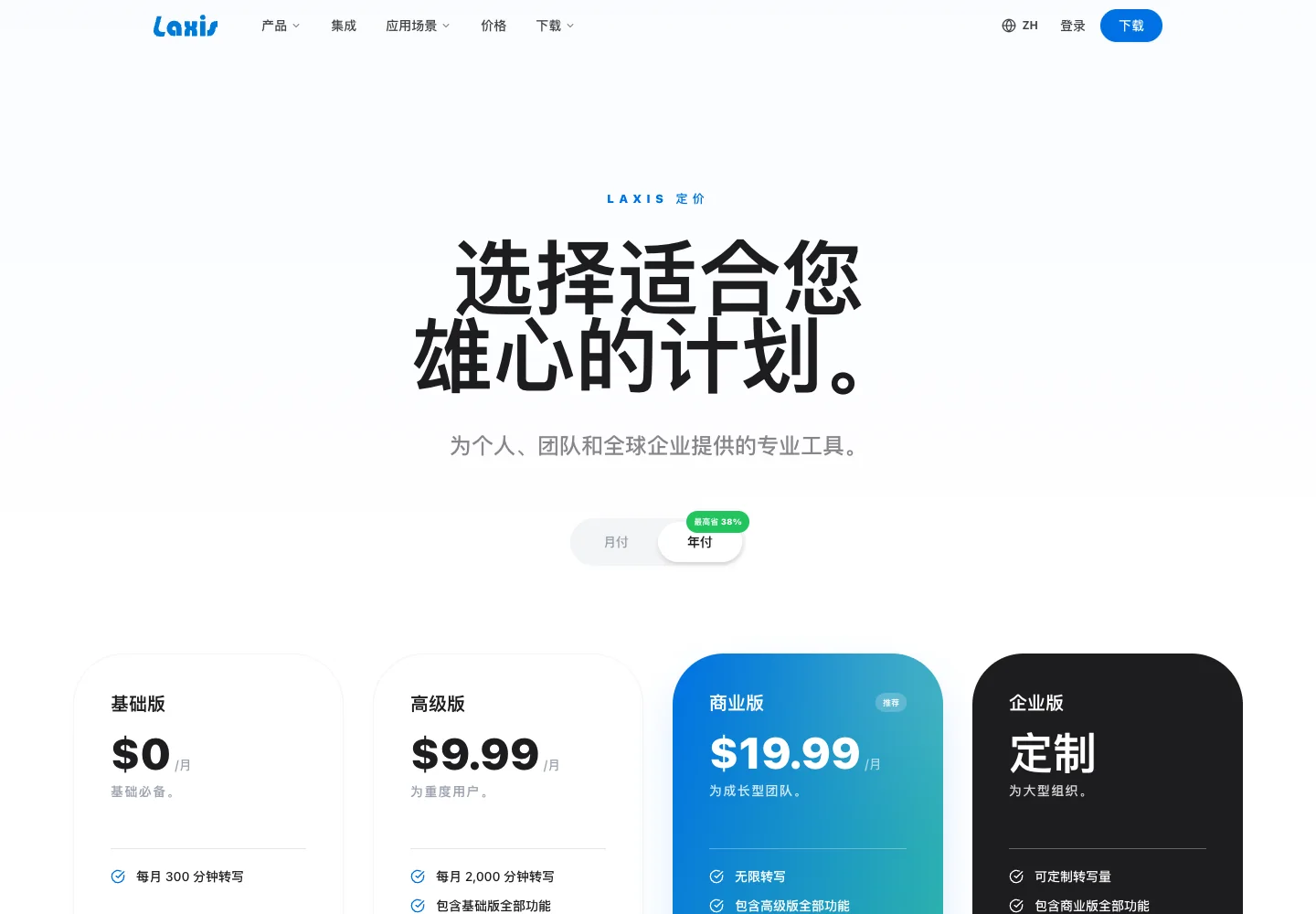
Basic is free with monthly-minute, single-recording, and history limits. Premium is listed at USD $15.99 monthly or $119.88 prepaid annually; app-store pricing may differ.
Published-source facts and editorial guidance. No product test is implied. Confirm current conditions before purchase.
Official website; English-locale reshoot · Captured 2026-10-18 · Source ↗
This listing has 1 image; no further gallery images exist.
What to know before choosing
Good fit
Teams that want transcripts and structured follow-up material from calls.
Limits and trade-offs
Recording, archive, and export access vary by plan; shared links need deliberate access settings.
Plans and free allowances
Basic is free with monthly-minute, single-recording, and history limits. Premium is listed at USD $15.99 monthly or $119.88 prepaid annually; app-store pricing may differ.
Official product, plan, and help pages reviewed; no authenticated product test
Dates: Last reviewed 2026-10-15. Last reviewed is the latest source or editorial review date; it is not a content-change date.
A closer look at Laxis
Laxis combines conversation capture with editable transcripts, meeting notes, and generated reports. It may fit a small team that turns calls into follow-up material, provided someone checks the transcript and applies the right sharing permissions.
Editorial guidance based on published documentation. The workflow below is a suggested starting point, not a measured product result.
When to choose Laxis
A consultant wants a transcript and meeting-note draft to review after a client call.
A team needs an editable report or action-item list based on a recorded discussion.
When to choose something else
A workflow requires unlimited history or unrestricted export on a free account.
A team relies on a meeting platform or device whose support has not been confirmed.
A practical starting workflow
Choose web, desktop, or mobile capture to match the call or in-person conversation.
Tell participants what will be recorded or uploaded and obtain permission before capturing the conversation.
Record or import the conversation, then correct speaker names and technical terms.
Generate notes or a report focused on decisions and owners.
Verify dates, quotes, and actions against the transcript before forwarding.
Export the reviewed file and restrict sharing to the intended audience.
Check before committing
Basic has monthly-minute, single-recording, and history limits; check them before moving an archive.
Official pages publish different language counts, so no language total is stated here.
AI notes can omit context; a person should verify the final action list.
Common questions
Can I export a transcript?
The help page lists text, Word, PDF, and SRT options; access may depend on plan and workspace settings.
Tools the catalogue itself links to Laxis: an editor lists them as related, an editorial comparison or switching guide covers the pair, or both are reviewed picks for the same task. Each reason below can be checked on the tool pages. This is not a quality ranking.
A transcription workspace for meetings and uploaded audio or video, with export and sharing controls.
Why it is listed Same category: Productivity · Listed by editors as related to Laxis · Shares 1 task (Capture meeting notes) · Access in common: Web + Desktop + Mobile · Same pricing type: Free + paid
A meeting recorder that creates searchable transcripts, summaries, and highlights for supported calls.
Why it is listed Same category: Productivity · Listed by editors as related to Laxis · Shares 1 task (Capture meeting notes) · Access in common: Web · Same pricing type: Free + paid
A meeting assistant for searchable transcripts, recaps, and follow-up tasks.
Why it is listed Same category: Productivity · Listed by editors as related to Laxis · Shares 1 task (Capture meeting notes) · Access in common: Web · Same pricing type: Free + paid
Automatically turn meetings into searchable notes and tasks.
Why it is listed Same category: Productivity · Shares 1 task (Capture meeting notes) · Access in common: Web + Desktop + Mobile · Same pricing type: Free + paid
When this listing’s recorded facts changed, from what to what. Dates are the day (UTC) the change was recorded in the ByTask data, not the day the vendor changed anything. Only changes that can be traced in the data history appear here; a fact that has not changed shows nothing.
Recorded (UTC)
Price & plansPrice and plan wording changed
Links & sourcesOfficial sources on file: 3 added, 1 removed


 Official site reference


