Coding assistance across editors, GitHub, and the command line, with chat, inline suggestions, and agent workflows.
At a glance
Free + paid · Source review 2026-10-25
Price & billing
The current comparison lists Free with limited chat/agent usage and 2,000 monthly code completions. Paid individual plans are USD $10/month (Pro), $39/month (Pro+), and $100/month (Max); monthly total credit values are $15 (Pro), $70 (Pro+), and $200 (Max), from base credits plus a flex allotment that may change. Business is $19 and Enterprise $39 USD per user per month, with pooled credits (1,900 per user on Business; 2,000 more per user on Enterprise). Agent, chat, and other AI interactions consume credits, with usage varying by model and feature.
Published-source facts and editorial guidance. No product test is implied. Confirm current conditions before purchase.
Start with one clear task
Take one small issue through a reviewable pull request
Suggested first task based on the reviewed documentation; no product run or measured outcome is claimed.
Bring
An issue with expected behavior, a clean branch, permitted repository scope, and a test that can prove the change.
A useful result
The proposed diff addresses that issue, tests verify the behavior, and permissions or dependencies have no unexplained changes.
Budget and access
The current comparison lists Free with limited chat/agent usage and 2,000 monthly code completions. Paid individual plans are USD $10/month (Pro), $39/month (Pro+), and $100/month (Max); monthly total credit values are $15 (Pro), $70 (Pro+), and $200 (Max), from base credits plus a flex allotment that may change. Business is $19 and Enterprise $39 USD per user per month, with pooled credits (1,900 per user on Business; 2,000 more per user on Enterprise). Agent, chat, and other AI interactions consume credits, with usage varying by model and feature.
Choose another approach when
Your workflow requires accepting generated code without review or assumes identical model and credit access on every plan.
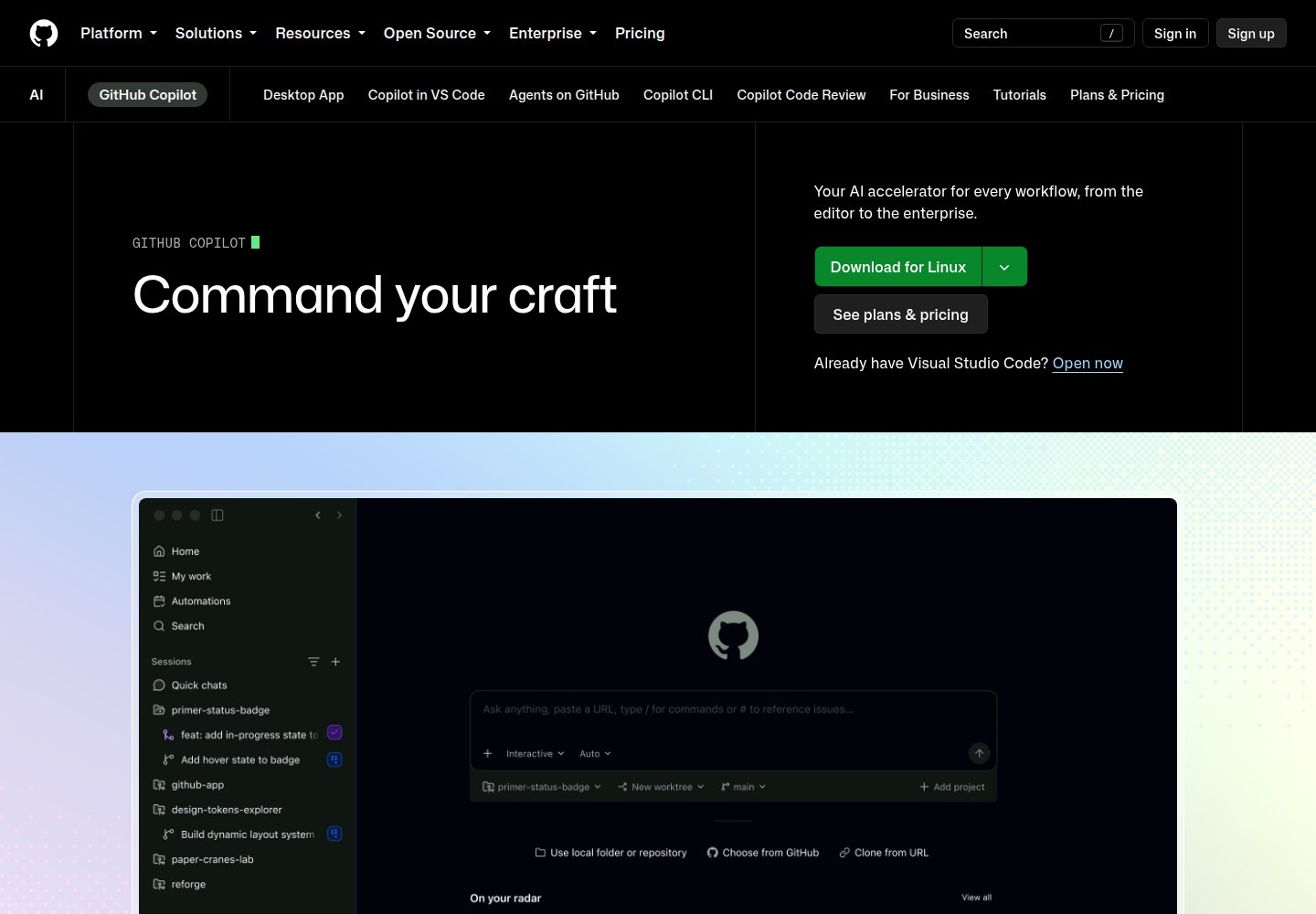
Official website; English-locale reshoot · Captured 2026-10-18 · Source ↗
This listing has 1 image; no further gallery images exist.
What to know before choosing
Good fit
Developers who want coding help in a supported editor or GitHub workflow and can review suggestions before merging.
Limits and trade-offs
AI-credit usage varies by model and feature, and plan entitlements can change. Cloud-agent changes and generated code require review, tests, and secret-handling checks.
Plans and free allowances
The current comparison lists Free with limited chat/agent usage and 2,000 monthly code completions. Paid individual plans are USD $10/month (Pro), $39/month (Pro+), and $100/month (Max); monthly total credit values are $15 (Pro), $70 (Pro+), and $200 (Max), from base credits plus a flex allotment that may change. Business is $19 and Enterprise $39 USD per user per month, with pooled credits (1,900 per user on Business; 2,000 more per user on Enterprise). Agent, chat, and other AI interactions consume credits, with usage varying by model and feature.
Official published documentation reviewed; no product test
Dates: Last reviewed 2026-10-25. Last reviewed is the latest source or editorial review date; it is not a content-change date.
A closer look at Github Copilot
GitHub Copilot offers inline suggestions, chat, CLI access, and cloud-agent workflows that can research, plan, and propose repository changes. It fits developers who already work in supported editors or GitHub; choose a plan after checking current AI-credit allowances and organization policies.
Editorial guidance based on published documentation. The workflow below is a suggested starting point, not a measured product result.
When to choose Github Copilot
A developer wants inline code suggestions and chat while working in a supported editor.
A team wants an agent to investigate a bounded issue and prepare changes for pull-request review.
When to choose something else
A project requires code to be accepted without human review, tests, or security checks.
A team needs identical model availability and credit allowance across plans without checking current settings.
A practical starting workflow
Choose one issue and write expected behavior, constraints, and tests before asking for code.
Use chat or the cloud agent to inspect repository context and propose a plan.
Review the plan and diff; reject unrelated edits and check commands or dependency changes.
Run tests and inspect secrets, permissions, and deployment changes before merging.
Check the current plan’s AI-credit balance and account data-use settings before sending sensitive code.
Check before committing
The current plan comparison uses AI credits for chat, agent, code review, CLI, and related interactions; model choice affects consumption.
Older premium-request documentation is not a general description of current plans; the current comparison uses AI credits.
Account data-use policies differ by plan and settings; review the applicable policy before sharing private code.
Common questions
Does Copilot have a free plan?
The current plan comparison lists Free with limited chat and agent usage and 2,000 monthly code completions; check the live comparison for current limits.
The comparison says chat, agent mode, code review, cloud agent, CLI, and Copilot apps consume AI credits, with consumption depending on model and feature.
Are old premium-request counts still the general allowance?
No. The current comparison describes AI credits. Check the current plan and billing documentation rather than applying older premium-request figures to every user.
Do individual and organization plans handle training data the same way?
No. From April 24, 2026, Free and individual paid plans (Pro, Pro+, Max) may have interactions used for training unless the user opts out in personal settings. Business and Enterprise customer data is not used for training and is protected under GitHub's Data Protection Agreement.
Free: 2,000 completions per month, with limited chat and agent usageVerified
Monthly total credit values are $15 for Pro, $70 for Pro+, and $200 for Max, from base credits plus a flex allotment that may changeVerified
Business: $19 USD per user per month, with 1,900 pooled credits per userVerified
Enterprise: $39 USD per user per month, with 2,000 more credits per user than BusinessVerified
From April 24, 2026, Free and individual paid plans may have interactions used for training unless opted out in personal settings; Business and Enterprise customer data is not used for trainingVerified
In NeoVim, the feature matrix lists code completion as supported, but chat and agent mode as not supportedVerified
Each fact above is bound to a frozen official-source excerpt; facts marked Conflict noted carry the conflict note on this page.
Choose this tool by condition
Check whether this tool is confirmed for your conditions before choosing a plan. The check only treats a requirement as confirmed when the linked vendor source states it.
Tools the catalogue itself links to Github Copilot: an editor lists them as related, an editorial comparison or switching guide covers the pair, or both are reviewed picks for the same task. Each reason below can be checked on the tool pages. This is not a quality ranking.
An AI coding IDE with agents that can inspect a repository, edit files, run commands, and review changes.
Why it is listed Same category: Code & Dev · Covered in an editorial comparison with Github Copilot · Listed by editors as related to Github Copilot · Shares 1 task (Build and debug code)
A browser-based coding workspace with an AI agent, project files, version control, and hosted deployment options.
Why it is listed Same category: Code & Dev · Covered in an editorial switching guide with Github Copilot · Listed by editors as related to Github Copilot · Shares 1 task (Build and debug code) · Access in common: Web
Windsurf, now called Devin Desktop, is an AI coding IDE with local and cloud agent workflows.
Why it is listed Same category: Code & Dev · Covered in an editorial comparison with Github Copilot · Its review lists Github Copilot as related · Shares 1 task (Build and debug code) · Access in common: IDE extension · Same pricing type: Free + paid
An IDE coding assistant with agent features and documented cloud and private deployment options.
Why it is listed Same category: Code & Dev · Covered in an editorial comparison with Github Copilot · Its review lists Github Copilot as related · Shares 1 task (Build and debug code) · Access in common: IDE extension
Status note Current standalone availability and pricing could not be confirmed because the official homepage and pricing route redirect. Read the listing
AWS's generative AI coding assistant for the IDE, CLI, and AWS Console.
Why it is listed Same category: Code & Dev · Covered in an editorial comparison with Github Copilot · Its review lists Github Copilot as related · Same pricing type: Free + paid
When this listing’s recorded facts changed, from what to what. Dates are the day (UTC) the change was recorded in the ByTask data, not the day the vendor changed anything. Only changes that can be traced in the data history appear here; a fact that has not changed shows nothing.
Recorded (UTC)
Price & plansPrice and plan wording changed
Links & sourcesOfficial sources on file: 2 added, 2 re-checked


 Official site reference


