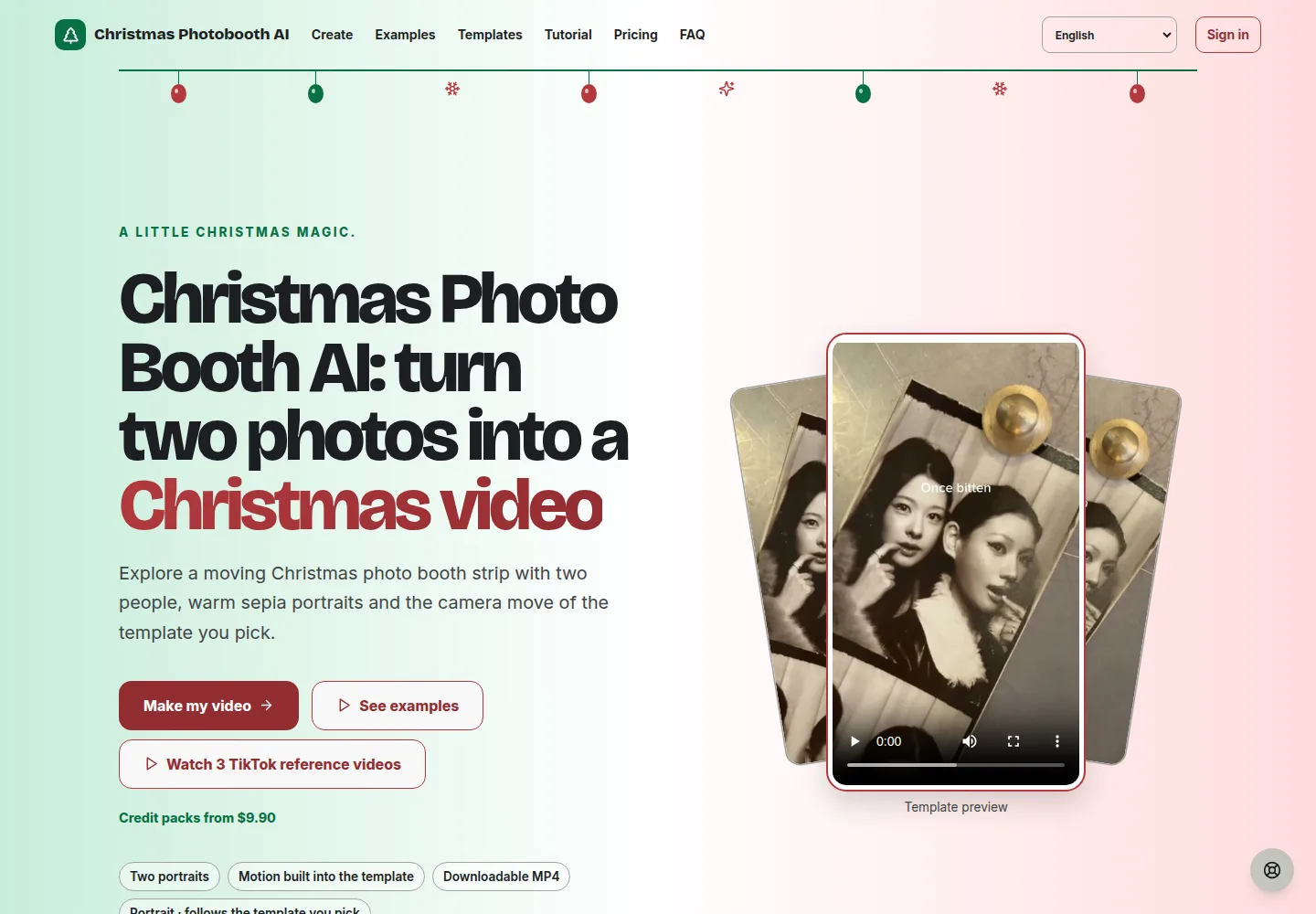
Christmas Photo Booth AI turns two separate portrait photos into a Christmas photo booth-style video: a template sets the photo-strip layout, poses and camera movement, producing a portrait MP4 at 480p of about 17 seconds. Each generation attempt uses 100 credits, sold as one-time packs that never expire: Single (100 credits, $9.90), 3 videos (300 credits, $26.90) and 6 videos (600 credits, $47.90), with credits returned for confirmed technical failures.
Fit is editorial guidance, not a measured result.
Platforms
Access: not separately verified. Operating systems not separately verified.
Published-source facts and editorial guidance. No product test is implied. Confirm current conditions before purchase.
Official website; English-locale capture · Captured 2026-11-29 · Source ↗
This listing has 1 image; no further gallery images exist.
What to know before choosing
Good fit
Christmas Photo Booth AI turns two separate portrait photos into a Christmas photo booth-style video: a template sets the photo-strip layout, poses and camera movement, producing a portrait MP4 at 480p of about 17 seconds. Each generation attempt uses 100 credits, sold as one-time packs that never expire: Single (100 credits, $9.90), 3 videos (300 credits, $26.90) and 6 videos (600 credits, $47.90), with credits returned for confirmed technical failures.
Limits and trade-offs
Finished videos are available for 30 days after their first successful save.
Plans and free allowances
Each generation attempt uses 100 credits, sold as one-time packs.
Maker-submitted product description
Reviewed for publication 2026-11-27. This material was supplied with the submission; it is not a hands-on test or independent verification of every claim.
Christmas Photo Booth AI turns two portrait photos into a moving 17-second Christmas photo booth video. Choose a template and upload two portraits; the template sets the four-frame photo strip layout and the camera move, and the output is a portrait-framed 480p MP4 (seedance-2.5). It is built for families, couples and creators who want a holiday photo booth moment without an app or a studio. There is no free tier: each generation attempt costs 100 credits, sold in one-time credit packs from $9.90, and credits never expire.
Maker-reported pricing model: paid. Pricing has not been independently verified. Confirm current plans on the official website.
Official-site collection and source-backed editorial review
Dates: Last reviewed 2026-11-29 · Sources checked 2026-11-28 · Catalogued 2026-11-27. Last reviewed is the latest source or editorial review date; it is not a content-change date.
A closer look at Christmas Photo Booth AI
Christmas Photo Booth AI turns two portrait photos into a short Christmas video styled like a moving photo booth strip. You pick a template, add one portrait for the left person and one for the right, and the service builds the clip with the template's own camera move and a warm sepia portrait look. The target format is portrait orientation at 480p, about 17 seconds long, delivered as a downloadable MP4. You can browse templates and review settings as a guest; signing in is only required when you add your portraits. Finished videos are downloaded from the creator or from My videos, and new videos stay available for 30 days after their first successful save. The service runs on one-time credit packs that never expire, paid once through Stripe: a Single pack is 100 credits for $9.90 (one generation), 3 videos is 300 credits for $26.90, and 6 videos is 600 credits for $47.90, with each generation attempt using 100 credits — so the larger packs bring the per-video cost down from $9.90 to about $8.97 or $7.98. Results and task history are private, and credits are returned for confirmed technical failures. Portraits should be clear and well lit; each JPG, PNG or WebP file may be up to 10 MB. It is a single-purpose seasonal tool: two people, one Christmas template, one short vertical clip.
Editorial guidance based on published documentation. The workflow below is a suggested starting point, not a measured product result.
When to choose Christmas Photo Booth AI
A couple, two friends or two family members want a short Christmas keepsake video of themselves without filming anything.
You want a one-off seasonal clip for sharing and prefer a one-time pack whose credits never expire over a subscription.
You like the photo booth strip format with warm sepia portraits and a built-in camera move, at phone-friendly portrait size.
When to choose something else
You need more than two people, a solo video, or a non-Christmas theme: every template is built for exactly two portraits in a Christmas scene.
You need high resolution or a long video: output targets 480p and about 17 seconds.
You need to keep the finished video online indefinitely: new videos are available for 30 days after their first successful save, so download and keep your own copy.
A practical starting workflow
Choose a Christmas template — you can browse templates and review settings as a guest.
Sign in and add two portraits, one for the left person and one for the right, each a clear, well-lit JPG, PNG or WebP up to 10 MB.
Generate the video; each attempt uses 100 credits from your one-time pack.
Download the finished MP4 from the creator or from My videos, within 30 days of its first successful save.
Check before committing
Every generation attempt costs 100 credits, so a Single pack at $9.90 buys exactly one attempt; the 3-video and 6-video packs lower the per-attempt cost to about $8.97 and $7.98.
Credits are returned only for confirmed technical failures, not for results you simply dislike.
Output is fixed by the template format: portrait, 480p, about 17 seconds — there is no higher-resolution or longer option described.
Common questions
Do I need to go to a photo booth?
No. You upload two separate portraits, one for each person — one assigned to the left person and one to the right — and the service builds the moving photo booth style video from them.
Each generation attempt uses 100 credits. One-time packs never expire: Single is 100 credits for $9.90, 3 videos is 300 credits for $26.90 (about $8.97 per attempt), and 6 videos is 600 credits for $47.90 (about $7.98 per attempt), paid once through Stripe.
What photos should I use, and when do I need to sign in?
Use two clear, well-lit portraits; each JPG, PNG or WebP may be up to 10 MB. You can browse templates and review settings as a guest, and you sign in when you add your portraits.
Where do I download my video, and how long is it kept?
Use the download button beside the finished video in the creator, or sign in and find it in My videos. New videos are available for 30 days after their first successful save.
MemeVideoMaker — MemeVideoMaker turns portrait photos into shot-for-shot remakes of viral meme video trends (78 live templates) with no prompt writing, exporting watermark-free 9:16 MP4s. The vendor states plainly that it is a paid service with no free tier, sold as annual-billing subscriptions or one-time credit packs, with automatic refunds for failed renders.
AI Effect Studio — AI Effect Studio turns one uploaded photo into a short video that copies a trending clip: the effect supplies the motion, camera and timing of the original, and the person in the photo becomes the performer. Effects are grouped as Dance, Meme, Cars, Fashion and Sports templates and priced in credits per second of video. There are no free credits; one-time packs start at 100 credits for $9.99 and monthly plans start at 300 credits for $19.99.
Bulin 47 Viral Video AI — Bulin47 is an independent, fan-style AI remake tool that puts one authorized photo into the viral Bulin 47 dembow freestyle clip (the dame-hombro shoulder dance) and returns a private downloadable MP4. Creating a video spends credits (the shown create uses 288 credits) through a ReelMuse account; live subscription plan prices appear only after sign-in, so no prices are published on the public page.
Identity note Not affiliated with the original creators. Read the listing
Product details from official sources
Christmas Photo Booth AI turns two separate portrait photos into a Christmas photo booth-style video: a template sets the photo-strip layout, poses and camera movement, producing a portrait MP4 at 480p of about 17 seconds. Each generation attempt uses 100 credits, sold as one-time packs that never expire: Single (100 credits, $9.90), 3 videos (300 credits, $26.90) and 6 videos (600 credits, $47.90), with credits returned for confirmed technical failures.
Capabilities and conditions
Turns two photos into a Christmas photo booth video with template motion. Source ↗
Each generation attempt uses 100 credits, sold as one-time packs. Source ↗
Finished videos are available for 30 days after their first successful save. Source ↗
Price and free allowance
See the sourced plan statements above; confirm currency, billing period and checkout eligibility on the vendor site.
Published-source profile · collected 2026-11-28. Automated collection followed by editorial review. These are vendor-published claims, not hands-on product test results.
Alternatives to Christmas Photo Booth AI
Tools the catalogue itself links to Christmas Photo Booth AI: an editor lists them as related, an editorial comparison or switching guide covers the pair, or both are reviewed picks for the same task. Each reason below can be checked on the tool pages. This is not a quality ranking.
When this listing’s recorded facts changed, from what to what. Dates are the day (UTC) the change was recorded in the ByTask data, not the day the vendor changed anything. Only changes that can be traced in the data history appear here; a fact that has not changed shows nothing.

 Maker-provided visual


