AI Effect Studio turns one uploaded photo into a short video that copies a trending clip: the effect supplies the motion, camera and timing of the original, and the person in the photo becomes the performer. Effects are grouped as Dance, Meme, Cars, Fashion and Sports templates and priced in credits per second of video. There are no free credits; one-time packs start at 100 credits for $9.99 and monthly plans start at 300 credits for $19.99.
Fit is editorial guidance, not a measured result.
Platforms
Access: not separately verified. Operating systems not separately verified.
Published-source facts and editorial guidance. No product test is implied. Confirm current conditions before purchase.
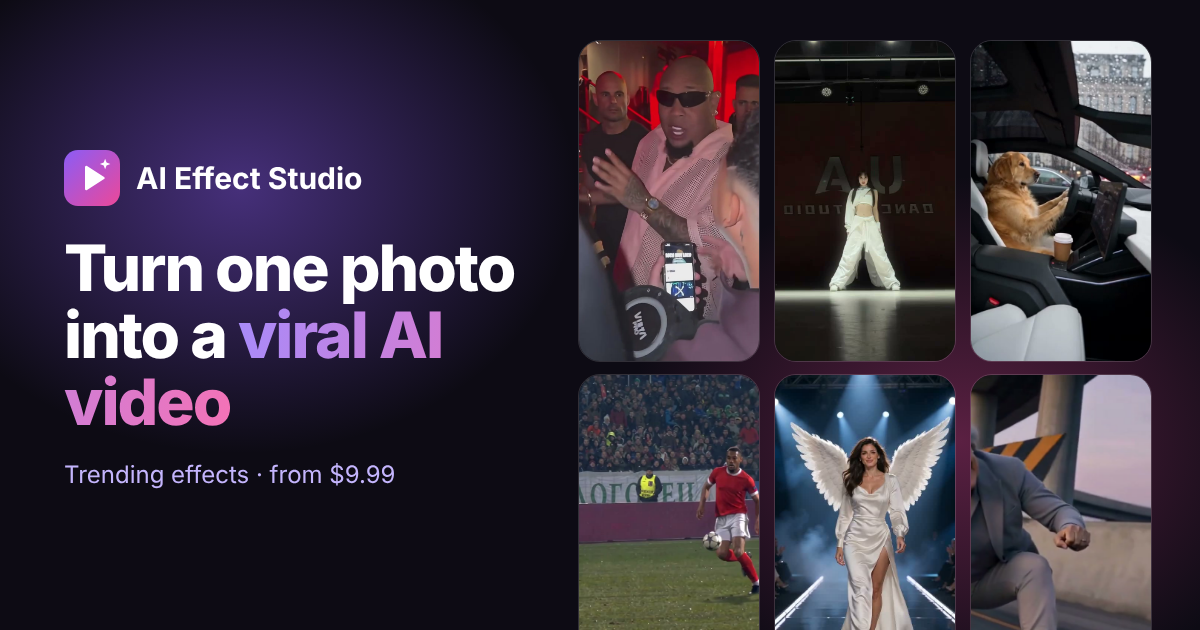
Maker-provided screenshot · Capture date not recorded · Asset reviewed 2026-11-27 · Source ↗
This listing has 1 image; no further gallery images exist.
What to know before choosing
Good fit
AI Effect Studio turns one uploaded photo into a short video that copies a trending clip: the effect supplies the motion, camera and timing of the original, and the person in the photo becomes the performer. Effects are grouped as Dance, Meme, Cars, Fashion and Sports templates and priced in credits per second of video. There are no free credits; one-time packs start at 100 credits for $9.99 and monthly plans start at 300 credits for $19.99.
Limits and trade-offs
Credits are charged per second of video, in whole seconds with a 4-second minimum.
Plans and free allowances
There are no free credits. One-time packs are 100 credits for $9.99, 220 for $19.99 and 600 for $49.99, and never expire.
Maker-submitted product description
Reviewed for publication 2026-11-27. This material was supplied with the submission; it is not a hands-on test or independent verification of every claim.
Turn one photo into a viral AI video. A curated hub of video effects and creative filters you can try in the browser — browse trending looks and jump straight into demos. Official pricing is paid: credit packs from $9.99, with optional monthly subscriptions, and no official free plan.
Maker-reported pricing model: paid. Pricing has not been independently verified. Confirm current plans on the official website.
Official-site collection and source-backed editorial review
Dates: Last reviewed 2026-11-28 · Catalogued 2026-11-27. Last reviewed is the latest source or editorial review date; it is not a content-change date.
A closer look at AI Effect Studio
AI Effect Studio is a web app that turns one photo into a short video copying a trending clip. You pick an effect — the catalogue spans Dance, Meme, Cars, Fashion and Sports effects, each following a real trending clip — upload a clear, front-facing photo, and download an MP4 with the trend's sound, in vertical 9:16 or landscape 16:9 depending on the original clip, with no watermark added. There is nothing to install, no prompt to write and no editing timeline: the AI treats the trending clip as a motion guide and your photo as an identity guide, then renders a new video that combines the two, rather than pasting your face onto old footage frame by frame. Every effect page states the exact length, aspect ratio and number of photos it needs (some effects take one to three photos) and its exact cost before you pay. Most videos are ready in 3 to 10 minutes, and finished videos wait in My videos for 30 days. It is a fully paid service: the vendor states plainly that there are no free credits, because every video runs on paid video models. Credits are charged per second of video, in whole seconds with a 4-second minimum: most effects cost 4 credits per second at 480p and 9 per second at 720p, while premium-model effects cost 6 and 13 per second, so a 15-second clip costs 60 credits at 480p or 135 at 720p. One-time packs never expire (100 credits for $9.99, 220 for $19.99, 600 for $49.99); monthly plans start at 300 credits for $19.99 and cost less per credit when paid yearly, but subscription credits reset each billing period and do not roll over. If the video service confirms a generation failed, its credits return to your account automatically, once per task. Your photos are used only for your video and deleted after 7 days, and finished videos are visible only to you and deleted after 30 days.
Editorial guidance based on published documentation. The workflow below is a suggested starting point, not a measured product result.
When to choose AI Effect Studio
A social poster who wants to star in a trending clip without filming, prompting or editing: pick an effect, upload one photo, and get a watermark-free MP4 with the trend's sound in 3 to 10 minutes.
An occasional creator who prefers pay-once pricing: one-time credit packs (100 credits for $9.99 up to 600 for $49.99) never expire, unlike subscription credits.
A privacy-conscious user: photos are deleted after 7 days, and finished videos are visible only to you and deleted after 30 days.
When to choose something else
Anyone looking for free credits, a free trial or a watermark-based free tier: the vendor states there are no free credits at all — every video is paid.
A creator who wants to direct the result with prompts or a timeline: effects are fixed templates whose motion, camera and timing come from the original clip.
Anyone who wants their finished videos hosted indefinitely: completed videos are deleted after 30 days, so you need to download them.
A practical starting workflow
Choose an effect from the Dance, Meme, Cars, Fashion and Sports catalogue; its page states the length, aspect ratio, number of photos and exact credit cost before you pay.
Upload a clear, front-facing photo of one person (a sharp, evenly lit photo with the whole face visible works best; some effects accept up to three photos).
Pay the per-second credit cost (whole seconds, 4-second minimum) and wait while the video renders — most are ready in 3 to 10 minutes, and you can close the page.
Download the finished MP4 from My videos within 30 days; it carries the trend's sound and no watermark.
Check before committing
There are no free credits and no free tier: the cheapest way in is the $9.99 one-time pack, and the per-second pricing means a 15-second 720p video (135 credits) costs more than twice the same clip at 480p (60 credits).
Subscription credits reset each billing period and do not roll over, while one-time pack credits never expire — the two balances behave differently.
The failure refund is limited: credits return automatically only when the video service confirms the generation failed, and only once per task.
Common questions
Is AI Effect Studio free to try?
No. The vendor states there are no free credits: every video runs on paid video models, so each generation is paid for with credits from a one-time pack or a monthly plan.
Per second of video, in whole seconds with a 4-second minimum. Most effects cost 4 credits per second at 480p and 9 per second at 720p; premium-model effects cost 6 and 13 per second. A 15-second video therefore costs 60 credits at 480p or 135 at 720p, and every effect page shows its exact cost before you generate.
Your photos are used only for your video and are deleted after 7 days. Finished videos are visible only to you, wait in My videos, and are deleted after 30 days.
An MP4 with the trend's sound, in vertical 9:16 or landscape 16:9 depending on the original clip, with no watermark added. Most videos are ready in 3 to 10 minutes.
MemeVideoMaker — MemeVideoMaker turns portrait photos into shot-for-shot remakes of viral meme video trends (78 live templates) with no prompt writing, exporting watermark-free 9:16 MP4s. The vendor states plainly that it is a paid service with no free tier, sold as annual-billing subscriptions or one-time credit packs, with automatic refunds for failed renders.
Video Effect AI — Video Effect AI turns photos of you, your friends or your pets into downloadable 720p template videos: 24 effects (Hotel Lobby, Tiny Desk, pet dances and reactions, cinematic scenes) where your photos supply the cast and the effect sets the scene, each with its credit cost shown before you create. Videos cost 10, 20 or 40 credits depending on the effect, paid from one-time credit packs - Starter $9 for 10 credits, Creator $29 for 40 credits, Studio $79 for 120 credits, no subscription. Confirmed generation failures return the reserved credits.
KupiDance — KupiDance turns one adult photo into a vertical 9:16 iPhone Kupi dance video for TikTok or Reels, following a reference dance so the user joins the trend without filming. It is sold in one-time credit packs (1 credit = 1 video) and is an independent project not affiliated with Apple, TikTok or the song's performers.
Identity note KupiDance is not affiliated with Apple, TikTok, Sabi, MIA BOYKA or the creators of original clips. Read the listing
Product details from official sources
AI Effect Studio turns one uploaded photo into a short video that copies a trending clip: the effect supplies the motion, camera and timing of the original, and the person in the photo becomes the performer. Effects are grouped as Dance, Meme, Cars, Fashion and Sports templates and priced in credits per second of video. There are no free credits; one-time packs start at 100 credits for $9.99 and monthly plans start at 300 credits for $19.99.
Capabilities and conditions
It turns one photo into a short video copying a trending clip. Source ↗
One-time packs are 100 credits for $9.99, 220 for $19.99 and 600 for $49.99, and never expire. Source ↗
Credits are charged per second of video, in whole seconds with a 4-second minimum. Source ↗
Price and free allowance
See the sourced plan statements above; confirm currency, billing period and checkout eligibility on the vendor site.
Published-source profile · collected 2026-11-28. Automated collection followed by editorial review. These are vendor-published claims, not hands-on product test results.
Alternatives to AI Effect Studio
Tools the catalogue itself links to AI Effect Studio: an editor lists them as related, an editorial comparison or switching guide covers the pair, or both are reviewed picks for the same task. Each reason below can be checked on the tool pages. This is not a quality ranking.
Why it is listed Same category: Video · Its review lists AI Effect Studio as related · Same pricing type: Paid
Identity note GoodbyeGTA is an independent site, not affiliated with, endorsed by or connected to Rockstar Games or Take-Two Interactive. Read the listing
When this listing’s recorded facts changed, from what to what. Dates are the day (UTC) the change was recorded in the ByTask data, not the day the vendor changed anything. Only changes that can be traced in the data history appear here; a fact that has not changed shows nothing.

 Official site reference


