VocalRemoverApp splits any song into a vocal (acapella) track and an instrumental. The free mode runs an open model entirely in your browser - no upload, no account, no daily cap, full MP3s with no watermark, songs up to 10 minutes. The paid HQ mode runs a newer model in the cloud (any device, WAV downloads, songs up to 30 minutes) at 1 credit per minute of audio, 6 cents or less per minute; new accounts get 2 free HQ minutes, and subscription tiers add monthly HQ minutes.
Fit is editorial guidance, not a measured result.
Platforms
Access: not separately verified. Operating systems not separately verified.
Published-source facts and editorial guidance. No product test is implied. Confirm current conditions before purchase.
Official website; English-locale capture · Captured 2026-11-29 · Source ↗
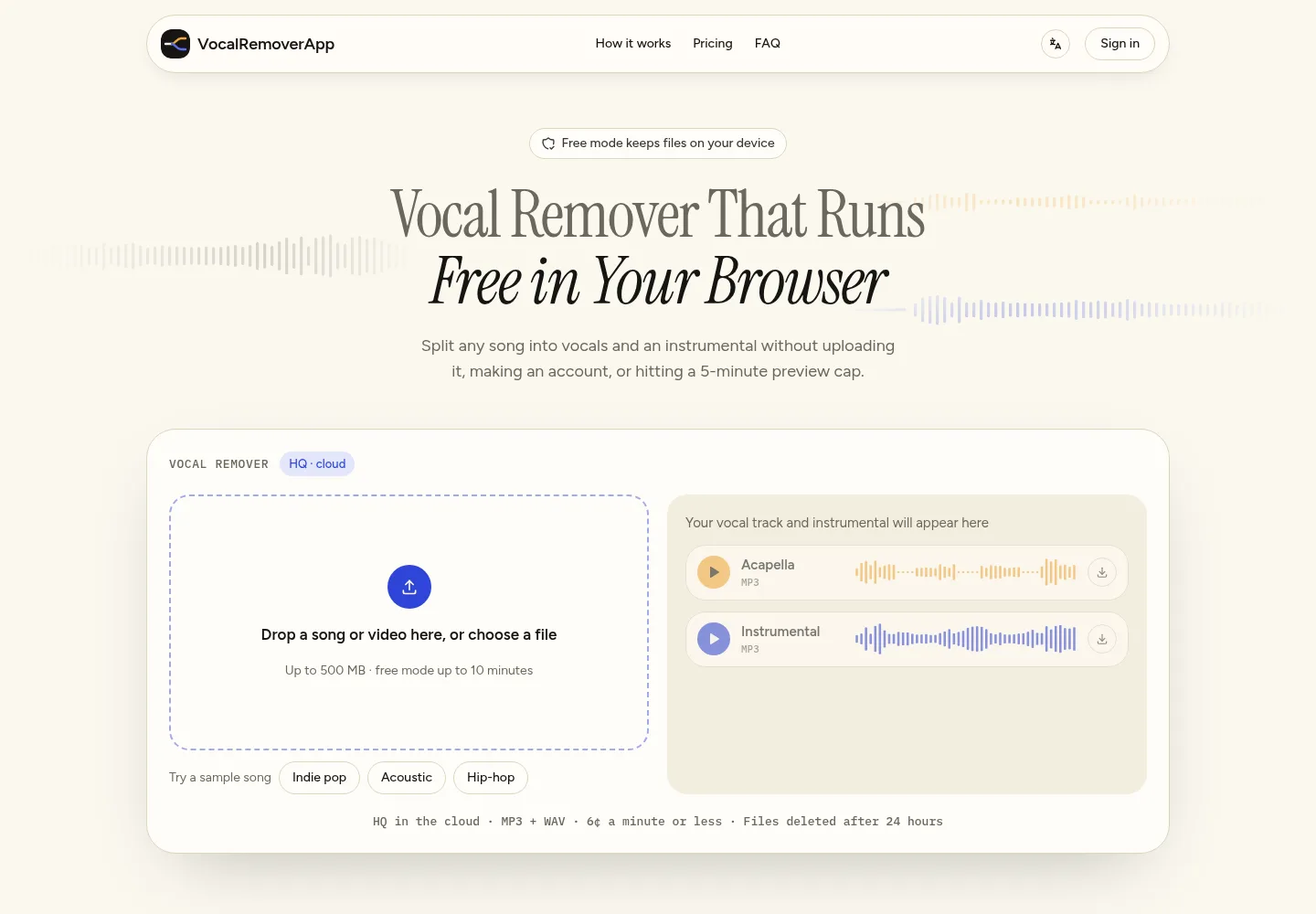
This listing has 1 image; no further gallery images exist.
What to know before choosing
Good fit
VocalRemoverApp splits any song into a vocal (acapella) track and an instrumental. The free mode runs an open model entirely in your browser - no upload, no account, no daily cap, full MP3s with no watermark, songs up to 10 minutes. The paid HQ mode runs a newer model in the cloud (any device, WAV downloads, songs up to 30 minutes) at 1 credit per minute of audio, 6 cents or less per minute; new accounts get 2 free HQ minutes, and subscription tiers add monthly HQ minutes.
Limits and trade-offs
The free mode needs no account and has no daily limit, because it runs on your own computer.
Plans and free allowances
HQ costs 1 credit per minute of audio, 6 cents or less; new accounts get 2 free minutes.
Maker-submitted product description
Reviewed for publication 2026-11-27. This material was supplied with the submission; it is not a hands-on test or independent verification of every claim.
VocalRemoverApp splits a song into vocals and an instrumental. Free mode runs the AI model in your own browser: no upload, no account, no daily limit, full MP3 files with no watermark. HQ cloud mode uses a newer model, works on phones and adds lossless WAV. Use it for karaoke backing tracks, acapellas for remixes and vocal practice.
Maker-reported pricing model: free. Pricing has not been independently verified. Confirm current plans on the official website.
Official-site collection and source-backed editorial review
Dates: Last reviewed 2026-11-29 · Sources checked 2026-11-28 · Catalogued 2026-11-27. Last reviewed is the latest source or editorial review date; it is not a content-change date.
A closer look at VocalRemoverApp
VocalRemoverApp splits a song into a vocal track and an instrumental, and its free mode does the whole job inside your browser. The free vocal remover runs an older open model on your own device, so there is no upload, no sign-up and no account: you get full MP3s with no watermark, with no 5-minute preview cap and no daily cap, and your files stay on your device. It accepts MP3, WAV, FLAC and MP4 files and takes about a minute per song. For cleaner separation, an HQ mode runs in the cloud on a newer model, which the site says leaves less echo and less leftover voice in the music. HQ is metered by the minute: 1 credit is 1 minute of HQ audio, at 6¢ or less per credit, so a 4-minute song costs 25¢ or less. New accounts get 2 free minutes of HQ to try it, and credits come back if a job fails. Credit packs never renew, and credits last a year. The split itself is a straightforward two-way one — vocals versus instrumental — rather than a full multi-stem breakdown, which makes the tool a fit for quick karaoke tracks, acapella extraction and practice files, especially for people who do not want to upload their audio anywhere just to separate it.
Editorial guidance based on published documentation. The workflow below is a suggested starting point, not a measured product result.
When to choose VocalRemoverApp
You want to split a song into vocals and an instrumental without uploading the file or creating an account.
You need full-length results: the free mode has no 5-minute preview cap and no daily cap, and returns full MP3s with no watermark.
You occasionally want cleaner separation and are happy to pay per minute for cloud HQ processing instead of taking a subscription.
When to choose something else
You need a full multi-stem breakdown, with drums, bass and melody as separate tracks: this tool splits vocals from the instrumental only.
You need the best separation quality for free: the free mode uses an older open model, and the newer HQ model is paid per minute.
You work in formats beyond MP3, WAV, FLAC and MP4, which are the formats the page lists.
A practical starting workflow
Open the tool in your browser and load an MP3, WAV, FLAC or MP4 file — no sign-up, and no upload for the free mode.
Run the free separation on your own device; it takes about a minute per song.
Download the full vocal and instrumental MP3s, with no watermark.
If you need cleaner results, switch to HQ mode in the cloud at 1 credit per minute; new accounts start with 2 free HQ minutes.
Check before committing
The free mode's older open model is the trade-off for local, no-upload processing; the site positions HQ as leaving less echo and less leftover voice in the music.
The 2 free HQ minutes are a one-time grant for new accounts, not a recurring allowance; after that, HQ costs 1 credit per minute of audio.
HQ processing runs in the cloud, so unlike the free mode it means your audio leaves your device.
Common questions
Is this vocal remover really free?
Yes for the free mode. The site says it needs no account and has no daily limit because it runs on your own computer, and you get full MP3s with no watermark. HQ mode is paid, and new accounts get 2 free minutes.
1 credit per minute of HQ audio, at 6¢ or less per credit, so a 4-minute song costs 25¢ or less. Packs never renew, credits last a year, and credits come back if a job fails.
Fadr — Musicians, remixers, and DJs who want to separate vocals, drums, bass, and melodies from a song, creators who want playable instruments and drum kits from words, and hobbyists who want free-for-life basic stems and remixes.
AI Stem Splitter — AI Stem Splitter splits stereo mixes into up to 12 editable stems (lead and backing vocals, drums, bass, guitar, keys, percussion, strings, synth, FX, brass and woodwinds) using six selectable separation engines, with native 16-bit WAV or 320 kbps MP3 output, synced MIDI from two engines, and a built-in browser mixer. New sign-ups get 20 free starter credits once; paid use is by subscription (Starter $9.9/month or $6.9/month billed yearly, Pro $19.9 or $14.9 billed yearly) or non-expiring credit packs from $14.9.
AI Stem Separator — AI Stem Separator (titled AI Stem Splitter on its own page) splits an uploaded song into stems — vocals, drums, bass and other instruments, with 2-, 4- and 6-stem modes — directly in the browser, with per-stem preview and MP3/M4A or lossless WAV/FLAC downloads. New accounts get 3 free minutes once; after that, minutes are bought in one-time packs that never expire (35 minutes for $4.99, 100 for $12.99, 270 for $29.99), with no subscription.
Product details from official sources
VocalRemoverApp splits any song into a vocal (acapella) track and an instrumental. The free mode runs an open model entirely in your browser - no upload, no account, no daily cap, full MP3s with no watermark, songs up to 10 minutes. The paid HQ mode runs a newer model in the cloud (any device, WAV downloads, songs up to 30 minutes) at 1 credit per minute of audio, 6 cents or less per minute; new accounts get 2 free HQ minutes, and subscription tiers add monthly HQ minutes.
Capabilities and conditions
Split any song into vocals and an instrumental without uploading it or making an account. Source ↗
HQ costs 1 credit per minute of audio, 6 cents or less; new accounts get 2 free minutes. Source ↗
The free mode needs no account and has no daily limit, because it runs on your own computer. Source ↗
Price and free allowance
See the sourced plan statements above; confirm currency, billing period and checkout eligibility on the vendor site.
Published-source profile · collected 2026-11-28. Automated collection followed by editorial review. These are vendor-published claims, not hands-on product test results.
Alternatives to VocalRemoverApp
Tools the catalogue itself links to VocalRemoverApp: an editor lists them as related, an editorial comparison or switching guide covers the pair, or both are reviewed picks for the same task. Each reason below can be checked on the tool pages. This is not a quality ranking.
When this listing’s recorded facts changed, from what to what. Dates are the day (UTC) the change was recorded in the ByTask data, not the day the vendor changed anything. Only changes that can be traced in the data history appear here; a fact that has not changed shows nothing.

 Maker-provided visual


