SayRetouch is a conversational AI photo editor in the browser: upload a picture and say what should change - remove or change a background, erase objects, upscale, expand the canvas, or turn one product photo into listing images - with every result kept editable as layers and the exact credit cost shown before anything runs. A free account includes 3 free cutouts every day plus free smart select, color, crop, layers and export (and 2 one-time trial credits); AI image steps cost from 1 credit, with one-time packs starting at $10 for 40 credits and no subscription required.
Fit is editorial guidance, not a measured result.
Platforms
Access: not separately verified. Operating systems not separately verified.
Published-source facts and editorial guidance. No product test is implied. Confirm current conditions before purchase.
Official website; English-locale capture · Captured 2026-11-29 · Source ↗
This listing has 1 image; no further gallery images exist.
What to know before choosing
Good fit
SayRetouch is a conversational AI photo editor in the browser: upload a picture and say what should change - remove or change a background, erase objects, upscale, expand the canvas, or turn one product photo into listing images - with every result kept editable as layers and the exact credit cost shown before anything runs. A free account includes 3 free cutouts every day plus free smart select, color, crop, layers and export (and 2 one-time trial credits); AI image steps cost from 1 credit, with one-time packs starting at $10 for 40 credits and no subscription required.
Limits and trade-offs
There is no subscription requirement: a one-time pack of 40 credits costs $10.
Plans and free allowances
A free account costs $0 and includes 3 free cutouts every day.
Maker-submitted product description
Reviewed for publication 2026-11-27. This material was supplied with the submission; it is not a hands-on test or independent verification of every claim.
SayRetouch is a browser-based AI photo editor and image generator for marketplace sellers, creators and designers. You upload a photo and describe the change in plain words, or describe a picture and have it made. Tools cover background removal, transparent and pure white backgrounds, background replacement, object and person removal, upscaling, canvas expansion and listing-image sets. Every result arrives as layers in an editor, so subject, background and text stay adjustable and any step can be undone. Each paid AI step shows its exact credit cost before it runs and failed steps are not charged. Downloads are full size and watermark-free and cleared for commercial use; files up to 20MB and 50MP are supported, and photos are not used for training.
Maker-reported pricing model: freemium. Pricing has not been independently verified. Confirm current plans on the official website.
Official-site collection and source-backed editorial review
Dates: Last reviewed 2026-11-29 · Sources checked 2026-11-28 · Catalogued 2026-11-27. Last reviewed is the latest source or editorial review date; it is not a content-change date.
A closer look at SayRetouch
SayRetouch is a conversational AI photo editor. You upload a picture and say what should change, in plain words, or describe an image you want to make, and the editor carries out the edit. Before anything runs, it shows the exact credit cost of the step, and failed steps are not charged. Downloads are full size with no watermark. A free account costs $0 and combines two different kinds of free use, which are worth keeping separate. First, once your email is verified you receive 2 trial credits, a one-time grant for trying credit-based steps. Second, you get 3 free cutouts every day on an ongoing basis. The everyday editing tools around the AI steps are free as well: smart select, color, crop, layers and export. Steps that create an AI image cost credits, starting from 1 credit per image depending on the image model you pick, and you always see the cost before anything runs. There is no subscription requirement. A one-time pack of 40 credits costs $10, and credit packs stay valid for 12 months. Paid Plans also exist for people who want credits added every month and bigger quotas, though their amounts are not published in the pages reviewed here. The result is an editor aimed at people who would rather describe a change than learn a layer-based workflow: quick fixes and cutouts can stay inside the free allowance, while generated imagery is paid for step by step, with the price of each step stated before it runs and no charge when a step fails.
Editorial guidance based on published documentation. The workflow below is a suggested starting point, not a measured product result.
When to choose SayRetouch
You want to edit photos by describing the change in words instead of working with manual selection and layer tools.
You regularly need cutouts: a free account includes 3 free cutouts every day, plus free smart select, color, crop, layers and export.
You dislike subscriptions: AI steps are paid with one-time credit packs, and failed steps are not charged.
When to choose something else
You expect the free account to cover AI image generation: generated steps cost credits, and the free account's credit grant is a one-time 2 trial credits.
You need published plan pricing before committing: paid Plans exist with monthly credits and bigger quotas, but their amounts are not shown in the pages reviewed.
You need a full professional retouching suite with a documented feature list beyond what the site describes.
A practical starting workflow
Create a free account and verify your email to receive the 2 one-time trial credits.
Upload a picture and say what should change, or describe the image you want to make.
Use the free tools for cutouts (3 free per day), smart select, color, crop and layers; for AI-image steps, check the exact credit cost shown before the step runs.
Download the result full size with no watermark, and buy a one-time credit pack (40 credits for $10, valid 12 months) when you need more AI steps.
Check before committing
The free account mixes two different things: 2 trial credits granted once after email verification, and 3 free cutouts per day that recur. Only the cutouts are an ongoing free allowance.
AI-image steps cost credits from 1 credit per image depending on the model, so the trial credits cover very little generation; the cost is shown before each step and failed steps are not charged.
Paid Plan amounts are not published in the pages reviewed for this entry, so no plan prices are stated here; one-time packs are 40 credits for $10 and stay valid for 12 months.
Common questions
Is SayRetouch free to use?
It is free to start. A free account costs $0 and includes 2 trial credits once your email is verified, plus 3 free cutouts every day. Smart select, color, crop, layers and export are free. Steps that create an AI image cost credits, from 1 credit per image depending on the model.
How much does one AI image cost, and do I need a subscription?
From 1 credit per image, depending on the image model you pick, and you see the exact cost before anything runs; failed steps are not charged. No subscription is required: a one-time pack of 40 credits costs $10, and credit packs stay valid for 12 months. Plans that add credits every month with bigger quotas also exist.
Enhance Photo — Enhance Photo is an online AI photo enhancer that sharpens soft detail, restores worn prints and enhances images to 4K, with dedicated upscaling up to 8K and a toolkit of unblur, colorize, glare-removal and restoration tools - without face swaps or added people, and without signup to start. The browser format and black-and-white converters are free, but all AI edits use paid credits: one-time packs start at $2.89 for 40 credits, and Pro costs $14.90/month for 400 credits a month.
Pixmage — Pixmage is an AI image and video studio: focused cleanup tools (remove background, watermark, logo, text or people), text-to-image generation, photo effects, and AI video generation with the model and exact credit charge shown before processing. Anyone gets two complimentary cleanup runs in total across the cleanup tools without signing in; everything beyond that needs a verified account and credits, whose prices are not published on the homepage.
Magic Eraser — Photographers, sellers and marketers who want people, furniture, cars or text removed from listing and product photos.
SayRetouch is a conversational AI photo editor in the browser: upload a picture and say what should change - remove or change a background, erase objects, upscale, expand the canvas, or turn one product photo into listing images - with every result kept editable as layers and the exact credit cost shown before anything runs. A free account includes 3 free cutouts every day plus free smart select, color, crop, layers and export (and 2 one-time trial credits); AI image steps cost from 1 credit, with one-time packs starting at $10 for 40 credits and no subscription required.
Capabilities and conditions
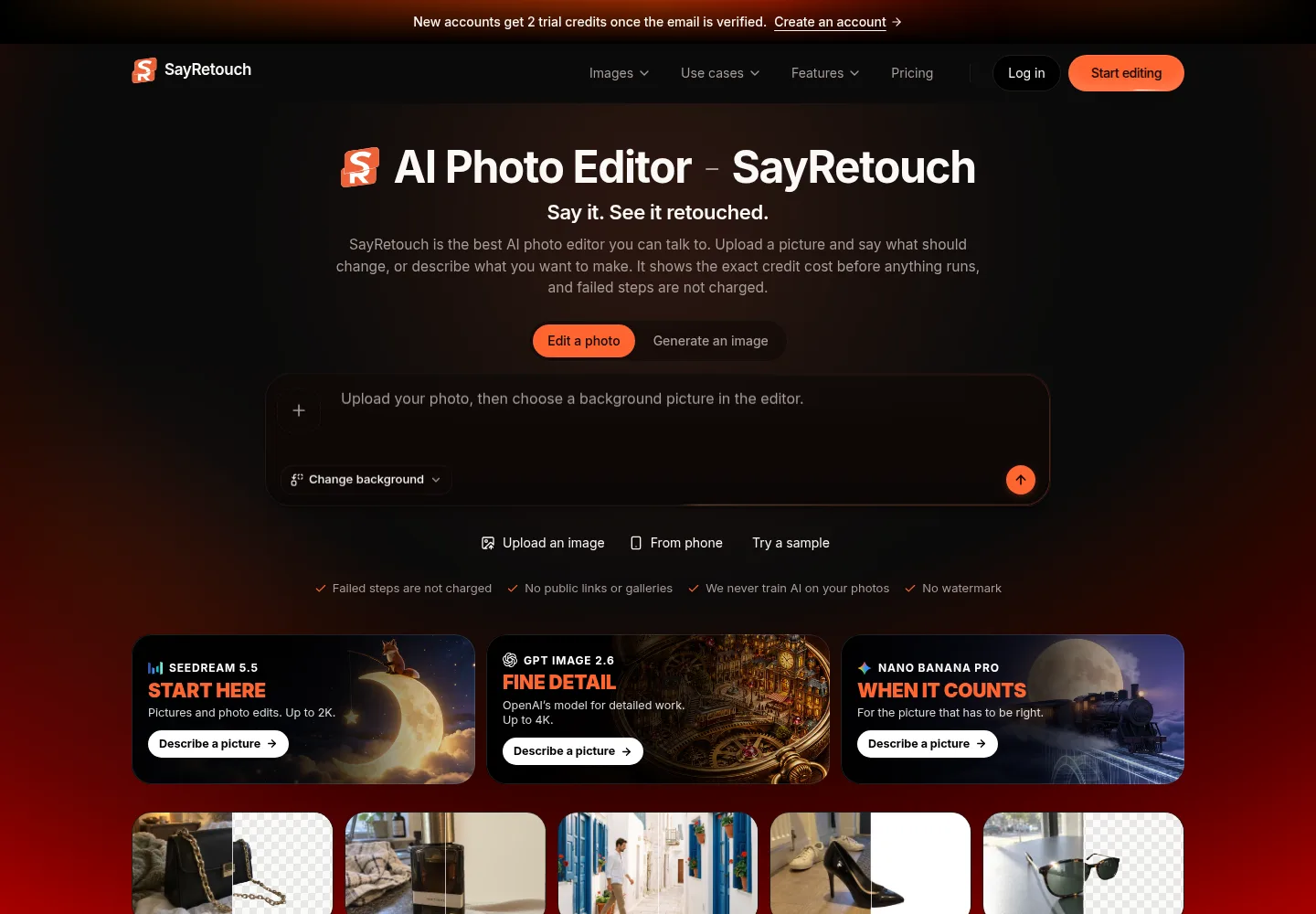
Upload a picture and say what should change; it shows the exact credit cost before anything runs. Source ↗
A free account costs $0 and includes 3 free cutouts every day. Source ↗
There is no subscription requirement: a one-time pack of 40 credits costs $10. Source ↗
Price and free allowance
See the sourced plan statements above; confirm currency, billing period and checkout eligibility on the vendor site.
Published-source profile · collected 2026-11-28. Automated collection followed by editorial review. These are vendor-published claims, not hands-on product test results.
Alternatives to SayRetouch
Tools the catalogue itself links to SayRetouch: an editor lists them as related, an editorial comparison or switching guide covers the pair, or both are reviewed picks for the same task. Each reason below can be checked on the tool pages. This is not a quality ranking.
When this listing’s recorded facts changed, from what to what. Dates are the day (UTC) the change was recorded in the ByTask data, not the day the vendor changed anything. Only changes that can be traced in the data history appear here; a fact that has not changed shows nothing.

 Official site reference


