Pixmage is an AI image and video studio: focused cleanup tools (remove background, watermark, logo, text or people), text-to-image generation, photo effects, and AI video generation with the model and exact credit charge shown before processing. Anyone gets two complimentary cleanup runs in total across the cleanup tools without signing in; everything beyond that needs a verified account and credits, whose prices are not published on the homepage.
Fit is editorial guidance, not a measured result.
Platforms
Access: not separately verified. Operating systems not separately verified.
Published-source facts and editorial guidance. No product test is implied. Confirm current conditions before purchase.
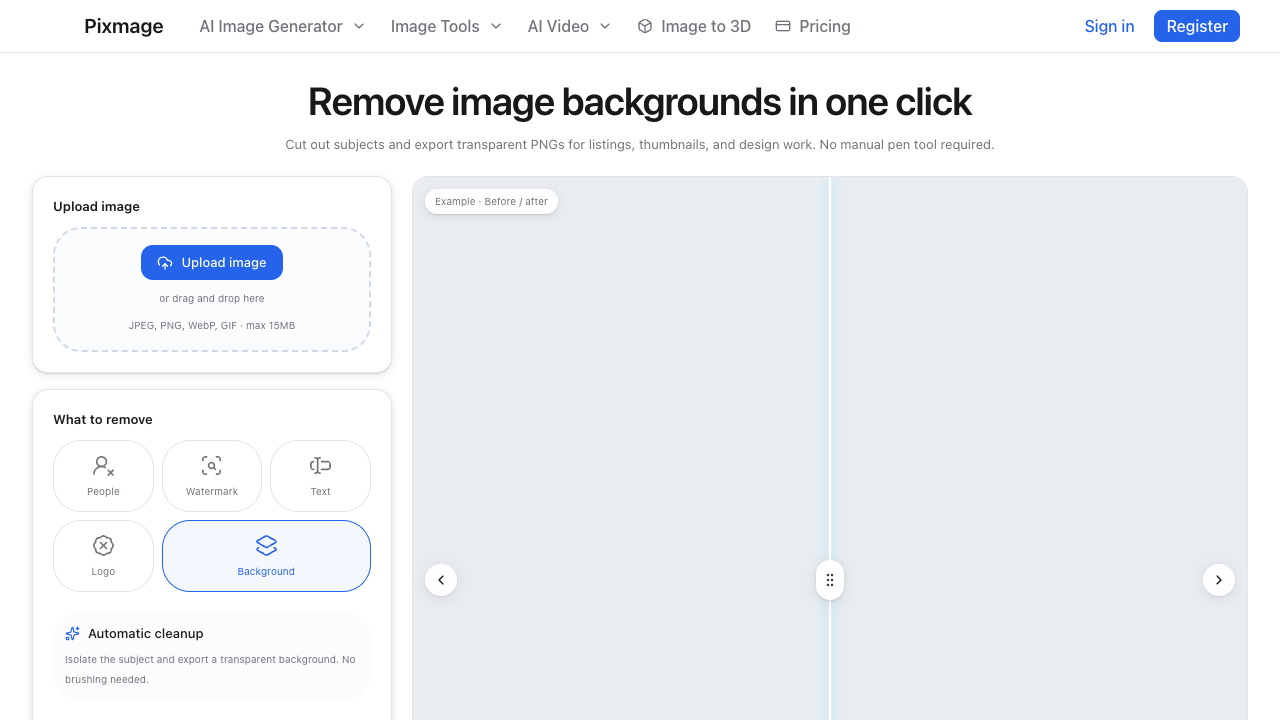
Maker-provided screenshot · Capture date not recorded · Asset reviewed 2026-11-27 · Source ↗
This listing has 1 image; no further gallery images exist.
What to know before choosing
Good fit
Pixmage is an AI image and video studio: focused cleanup tools (remove background, watermark, logo, text or people), text-to-image generation, photo effects, and AI video generation with the model and exact credit charge shown before processing. Anyone gets two complimentary cleanup runs in total across the cleanup tools without signing in; everything beyond that needs a verified account and credits, whose prices are not published on the homepage.
Limits and trade-offs
Only edit images you own or have permission to modify.
Plans and free allowances
Two complimentary cleanup runs in total across the cleanup tools, without signing in.
Maker-submitted product description
Reviewed for publication 2026-11-27. This material was supplied with the submission; it is not a hands-on test or independent verification of every claim.
Pixmage gives designers and online shops a browser workspace for preparing product photos. Upload an image you have permission to edit, remove its background, then export the subject as a transparent PNG. Separate cleanup tools address distracting people or text in existing photos, and a prompt-based generator helps when there is no source image. The cleanup trial is limited and shared across the cleanup tools. Further use draws on one-time credit packs, with the model and credit cost shown before paid generation. Pricing details are at https://pixmage.org/pricing. Submitted on behalf of Pixmage.
Maker-reported pricing model: trial. Pricing has not been independently verified. Confirm current plans on the official website.
Official-site collection and source-backed editorial review
Dates: Last reviewed 2026-11-29 · Sources checked 2026-11-28 · Catalogued 2026-11-27. Last reviewed is the latest source or editorial review date; it is not a content-change date.
A closer look at Pixmage
Pixmage is an AI image and video studio built around three kinds of work: cleaning up photos, generating original images, and turning words and still frames into AI video. Its cleanup group covers five tools — Remove Background, Remove Watermark, Remove Logo, Remove Text and Remove Person. You can try the cleanup tools without an account: two complimentary cleanup runs are included in total, shared across all five tools, for images up to 15 MB. Before any processing, Pixmage shows you the selected model and the exact credit charge, so you know what a job costs before you run it. Anything beyond the two complimentary runs needs more: additional cleanup requires a verified account and credits, and the AI Image Generator, AI Video Generator and Photo Effects require sign-in and email verification from the start. Later cleanup work and image generation are paid for with credits. The studio is aimed at people preparing pictures for product listings, thumbnails and design layouts who want quick fixes — a background gone, a logo or text removed, a person taken out — in the same place where they can also generate a fresh image or a short video, instead of juggling separate single-purpose tools. Because the complimentary allowance is only two runs shared across the whole cleanup group, it is best treated as a trial of the tools rather than an ongoing free tier.
Editorial guidance based on published documentation. The workflow below is a suggested starting point, not a measured product result.
When to choose Pixmage
You need to remove a background, watermark, logo, text or a person from a photo quickly, and want to see the exact credit charge before processing.
You want cleanup, image generation and video generation in one studio with one account and one credit balance.
You want to test the cleanup tools without signing up: two complimentary runs are available with no account.
When to choose something else
You need ongoing free cleanup: the two complimentary runs are a one-time allowance shared across all five cleanup tools, after which a verified account and credits are required.
You want to generate images or video without an account: the generators and Photo Effects require sign-in and email verification from the start.
You need to clean up images larger than 15 MB on the complimentary runs: that is the stated size limit.
A practical starting workflow
Open a cleanup tool and upload an image of up to 15 MB — no sign-in needed for your first runs.
Check the selected model and the exact credit charge shown before processing.
Run the cleanup; the first two runs across all five cleanup tools are complimentary.
Create and verify an account when you need more cleanup runs, or when you want to use the image generator, video generator or photo effects, which run on credits.
Check before committing
Only edit images you own or have permission to modify: Pixmage states that removing copyright notices, ownership marks or logos from content you do not control may violate the creator's rights or the law.
The two complimentary cleanup runs are shared across Remove Background, Remove Watermark, Remove Logo, Remove Text and Remove Person — they are not two free runs per tool.
Plan prices are not stated in the pages reviewed for this entry, so no amounts are given here; generation and extra cleanup are charged in credits, with the charge shown before you run a job.
Common questions
What can I use Pixmage for without signing in?
You can complete two complimentary cleanup runs in total across the five cleanup tools (Remove Background, Remove Watermark, Remove Logo, Remove Text and Remove Person), with images up to 15 MB. The AI Image Generator, AI Video Generator and Photo Effects require sign-in and email verification from the start.
Pixmage shows the selected model and the exact credit charge before processing, so you always know what you are paying for before you run a cleanup, image generation or video generation job.
Only from images you own or have permission to modify. Pixmage warns that removing copyright notices, ownership marks or logos from content you do not control may violate the creator's rights or the law.
Pixmage is an AI image and video studio: focused cleanup tools (remove background, watermark, logo, text or people), text-to-image generation, photo effects, and AI video generation with the model and exact credit charge shown before processing. Anyone gets two complimentary cleanup runs in total across the cleanup tools without signing in; everything beyond that needs a verified account and credits, whose prices are not published on the homepage.
Capabilities and conditions
Clean up photos, generate original images, or turn words and still frames into AI video. Source ↗
Two complimentary cleanup runs in total across the cleanup tools, without signing in. Source ↗
Only edit images you own or have permission to modify. Source ↗
Price and free allowance
See the sourced plan statements above; confirm currency, billing period and checkout eligibility on the vendor site.
Published-source profile · collected 2026-11-28. Automated collection followed by editorial review. These are vendor-published claims, not hands-on product test results.
Alternatives to Pixmage
Tools the catalogue itself links to Pixmage: an editor lists them as related, an editorial comparison or switching guide covers the pair, or both are reviewed picks for the same task. Each reason below can be checked on the tool pages. This is not a quality ranking.
When this listing’s recorded facts changed, from what to what. Dates are the day (UTC) the change was recorded in the ByTask data, not the day the vendor changed anything. Only changes that can be traced in the data history appear here; a fact that has not changed shows nothing.

 Official site reference


