Remove Background Music separates speech from music in video and audio files: upload an MP4, MOV, MP3, WAV or M4A and download the clean voice track as WAV or MP3, at 1 credit per minute of audio. New accounts get 5 free credits; plans are billed yearly - Basic $75.60/year (60 credits a month), Pro $159.60/year (150), Studio $411.60/year (420) - displayed as $6.30, $13.30 and $34.30 per month, and five sibling browser tools are free.
Fit is editorial guidance, not a measured result.
Platforms
Access: not separately verified. Operating systems not separately verified.
Published-source facts and editorial guidance. No product test is implied. Confirm current conditions before purchase.
Official website; English-locale capture · Captured 2026-11-29 · Source ↗
This listing has 1 image; no further gallery images exist.
What to know before choosing
Good fit
Remove Background Music separates speech from music in video and audio files: upload an MP4, MOV, MP3, WAV or M4A and download the clean voice track as WAV or MP3, at 1 credit per minute of audio. New accounts get 5 free credits; plans are billed yearly - Basic $75.60/year (60 credits a month), Pro $159.60/year (150), Studio $411.60/year (420) - displayed as $6.30, $13.30 and $34.30 per month, and five sibling browser tools are free.
Limits and trade-offs
New accounts get 5 free credits, enough for 5 minutes of audio.
Plans and free allowances
Basic is billed $75.60 yearly with 60 credits every month.
Maker-submitted product description
Reviewed for publication 2026-11-27. This material was supplied with the submission; it is not a hands-on test or independent verification of every claim.
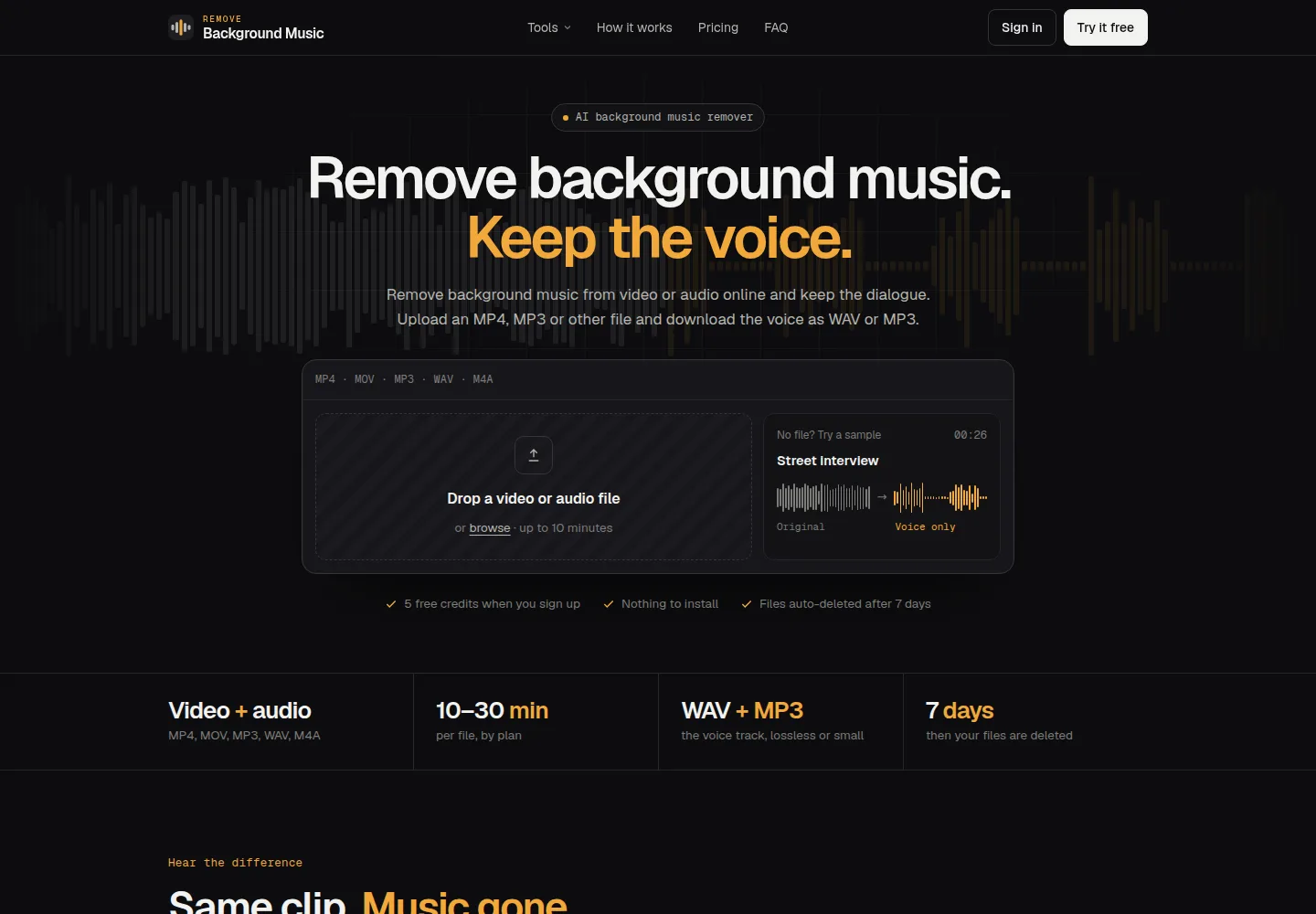
Remove Background Music is a browser-based AI tool that takes the music out of a video or audio recording and leaves the dialogue intact. You upload an MP4, MOV, MP3, WAV or M4A file; for video the browser strips the audio out first, so only the sound is uploaded. The separation model removes the background music and returns the voice on its own track, downloadable as WAV (lossless, for editing) or MP3 (smaller, for sharing).
It is built for podcasters and interviewers, vloggers re-posting older clips to YouTube, TikTok or Reels, lecturers preparing clean audio for subtitles and transcription, and editors laying a new soundtrack or dub over dialogue. There is no model or setting to pick.
Uploads are capped at 10 minutes per file (20 on Pro, 30 on Studio) and files are deleted after 7 days. New accounts get 5 free credits, about 5 minutes of audio; after that audio costs 1 credit per started minute from a monthly plan, yearly plan or one-time pack.
Maker-reported pricing model: freemium. Pricing has not been independently verified. Confirm current plans on the official website.
Official-site collection and source-backed editorial review
Dates: Last reviewed 2026-11-29 · Sources checked 2026-11-28 · Catalogued 2026-11-27. Last reviewed is the latest source or editorial review date; it is not a content-change date.
A closer look at Remove Background Music
Remove Background Music is an online tool that removes background music from a video or audio file and keeps the dialogue. You upload an MP4, MP3 or other file and download the voice as WAV or MP3; there is nothing to install, and uploaded files are auto-deleted after 7 days. You can play the samples on the page without an account, but to process your own file you sign up. New accounts get 5 free credits — a one-time starting allowance, not a recurring free tier — and since one credit covers one minute of audio, that is enough for 5 minutes of audio. After that it costs 1 credit per minute, rounded up per file, paid from a credit pack or a monthly plan. All three plans are billed yearly and shown as monthly equivalents: Basic is $6.30 a month billed $75.60 yearly for 60 credits every month, Pro is $13.30 a month billed $159.60 yearly for 150 credits every month, and Studio is $34.30 a month billed $411.60 yearly for 420 credits every month. Credits are shared: they work on every paid tool on the same site, while the site's free browser tools never use credits. The tool suits podcasters, video editors and creators who need a clean dialogue track from a recording that has music under the speech, and who process a predictable number of minutes each month. It is a poor fit if you need full stem separation of a song into instruments, want to keep the music and remove the voice instead, or need your files retained — uploads are deleted after 7 days.
Editorial guidance based on published documentation. The workflow below is a suggested starting point, not a measured product result.
When to choose Remove Background Music
You have interviews, dialogue or narration recorded over music and need the voice alone, downloadable as WAV or MP3.
Your volume is modest and predictable: processing is 1 credit per minute, and the yearly-billed plans supply 60, 150 or 420 credits a month.
You want to test on your own file first: new accounts get 5 free credits, enough for 5 minutes of audio.
When to choose something else
You want the opposite split — the music without the voice — or full song stems (drums, bass, instruments): this tool's stated job is keeping the dialogue and removing the music.
You expect a recurring free allowance: the 5 free credits are a one-time signup grant.
You need long-term file storage: uploads are auto-deleted after 7 days.
A practical starting workflow
Optionally play the samples on the page to hear the effect, no account needed.
Sign up and receive 5 free credits (enough for 5 minutes of audio).
Upload an MP4, MP3 or other file with music under the dialogue.
Process it at 1 credit per minute, rounded up per file.
Download the voice track as WAV or MP3; top up with a credit pack or a monthly plan when the free credits run out.
Check before committing
All plans are billed yearly: the $6.30, $13.30 and $34.30 monthly figures are monthly equivalents of $75.60, $159.60 and $411.60 yearly bills — budget on the yearly totals.
Per-file rounding means several short files cost more credits than the same total minutes in one file (each file rounds up to the next minute).
Credits are shared across every paid tool on the same site, so using sibling tools draws down the same balance you bought for music removal; the site's free browser tools do not use credits.
Common questions
Is Remove Background Music free?
You can play the samples without an account. To process your own file you sign up, and new accounts get 5 free credits, enough for 5 minutes of audio. After that it costs 1 credit per minute, rounded up per file, from a credit pack or a monthly plan.
Basic is $6.30 a month billed $75.60 yearly with 60 credits every month; Pro is $13.30 a month billed $159.60 yearly with 150 credits; Studio is $34.30 a month billed $411.60 yearly with 420 credits. One credit covers one minute of audio.
Audo AI — Creators cleaning voice audio and developers adding audio tools via API.
AI Stem Separator — AI Stem Separator (titled AI Stem Splitter on its own page) splits an uploaded song into stems — vocals, drums, bass and other instruments, with 2-, 4- and 6-stem modes — directly in the browser, with per-stem preview and MP3/M4A or lossless WAV/FLAC downloads. New accounts get 3 free minutes once; after that, minutes are bought in one-time packs that never expire (35 minutes for $4.99, 100 for $12.99, 270 for $29.99), with no subscription.
Remove Background Music separates speech from music in video and audio files: upload an MP4, MOV, MP3, WAV or M4A and download the clean voice track as WAV or MP3, at 1 credit per minute of audio. New accounts get 5 free credits; plans are billed yearly - Basic $75.60/year (60 credits a month), Pro $159.60/year (150), Studio $411.60/year (420) - displayed as $6.30, $13.30 and $34.30 per month, and five sibling browser tools are free.
Capabilities and conditions
Remove background music from video or audio online and keep the dialogue. Source ↗
Basic is billed $75.60 yearly with 60 credits every month. Source ↗
New accounts get 5 free credits, enough for 5 minutes of audio. Source ↗
Price and free allowance
See the sourced plan statements above; confirm currency, billing period and checkout eligibility on the vendor site.
Published-source profile · collected 2026-11-28. Automated collection followed by editorial review. These are vendor-published claims, not hands-on product test results.
Alternatives to Remove Background Music
Tools the catalogue itself links to Remove Background Music: an editor lists them as related, an editorial comparison or switching guide covers the pair, or both are reviewed picks for the same task. Each reason below can be checked on the tool pages. This is not a quality ranking.
When this listing’s recorded facts changed, from what to what. Dates are the day (UTC) the change was recorded in the ByTask data, not the day the vendor changed anything. Only changes that can be traced in the data history appear here; a fact that has not changed shows nothing.

 Maker-provided visual

