
Pika
Unleash video creation from ideas with intuitive AI, enhancing content across disciplines.
At a glance
Price not confirmed · Source review 2026-10-24- Price & billing
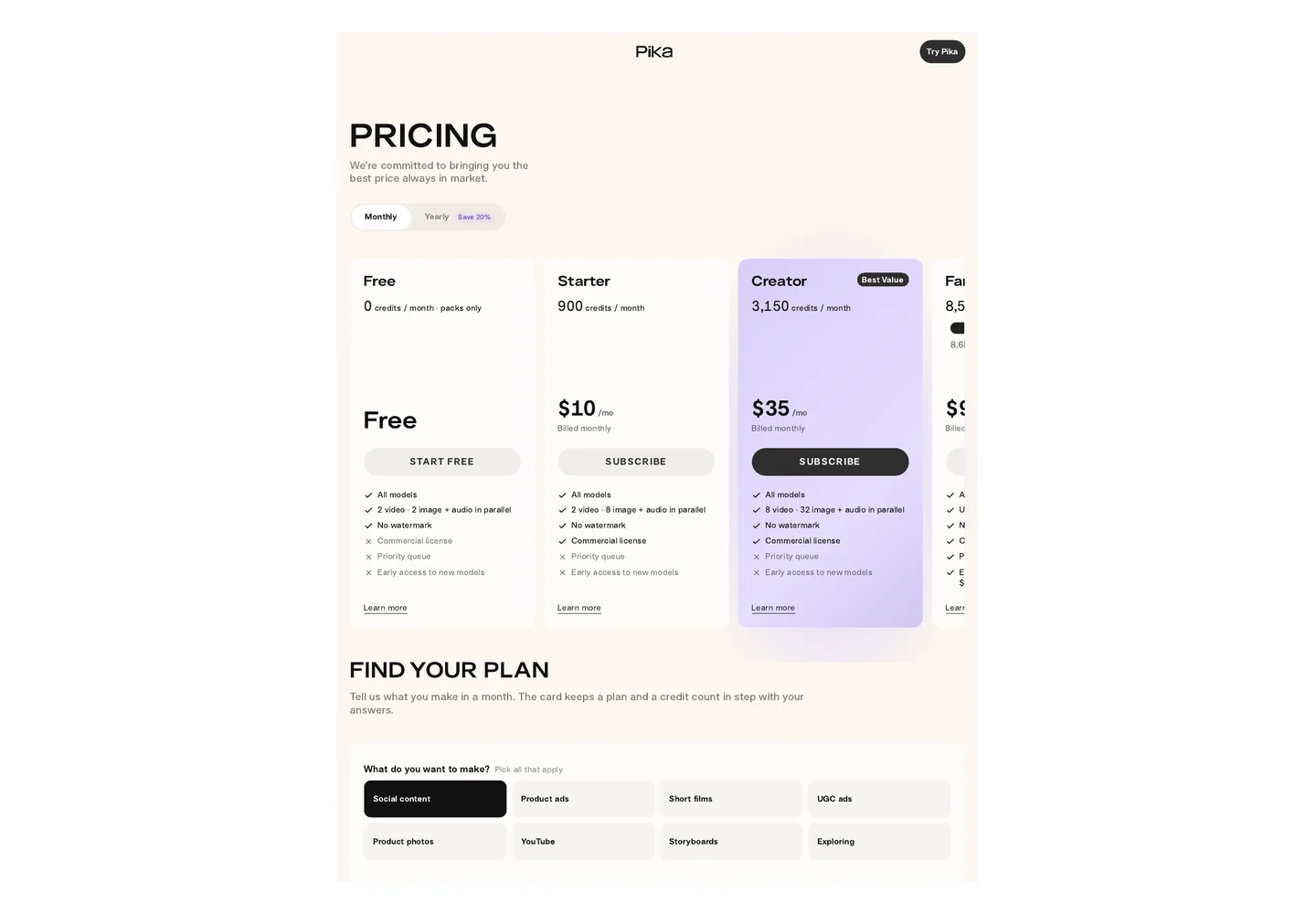
官网定价(pika.art,2026年10月核验,美元):免费版 $0(额度极少、480p 限分辨率)。付费档月付:Starter $10(900 额度)、Creator $35(3150 额度,带商用许可)、Fancy $95(8550 额度起,优先队列)、Enterprise 定制。年付约 8 折。所有付费档均可使用全部模型,差别在额度、并行数和分辨率上限。另有可单独购买的额度包。
- Free allowance
Not separately confirmed. Check the current plan before relying on a free allowance.
- Best suited to
适合:1) 做 TikTok/Reels/Shorts 的社交媒体创作者,用 Pikaffects 做爆炸、融化、膨胀等抓眼球的几秒特效梗;2) 品牌社媒小编快速产出产品海报动效、小物件动画(上传产品图+推镜指令,几十秒出片);3) 试水 AI 视频的新手,入口档 $10/月、界面简单,几乎零学习成本。
Fit is editorial guidance, not a measured result.- Platforms
Access: not separately verified. Operating systems not separately verified.
Published-source facts and editorial guidance. No product test is implied. Confirm current conditions before purchase.
This listing has 3 images.
What to know before choosing
Good fit
适合:1) 做 TikTok/Reels/Shorts 的社交媒体创作者,用 Pikaffects 做爆炸、融化、膨胀等抓眼球的几秒特效梗;2) 品牌社媒小编快速产出产品海报动效、小物件动画(上传产品图+推镜指令,几十秒出片);3) 试水 AI 视频的新手,入口档 $10/月、界面简单,几乎零学习成本。
Limits and trade-offs
额度制:免费档额度极少,正式用基本要付费;高分辨率、长时长、复杂特效烧额度更快
Plans and free allowances
官网定价(pika.art,2026年10月核验,美元):免费版 $0(额度极少、480p 限分辨率)。付费档月付:Starter $10(900 额度)、Creator $35(3150 额度,带商用许可)、Fancy $95(8550 额度起,优先队列)、Enterprise 定制。年付约 8 折。所有付费档均可使用全部模型,差别在额度、并行数和分辨率上限。另有可单独购买的额度包。
Evidence
Official website ↗ (reviewed 2026-10-24)
Official published documentation reviewed; not a product test
Dates: Last reviewed 2026-10-24. Last reviewed is the latest source or editorial review date; it is not a content-change date.
A closer look at Pika
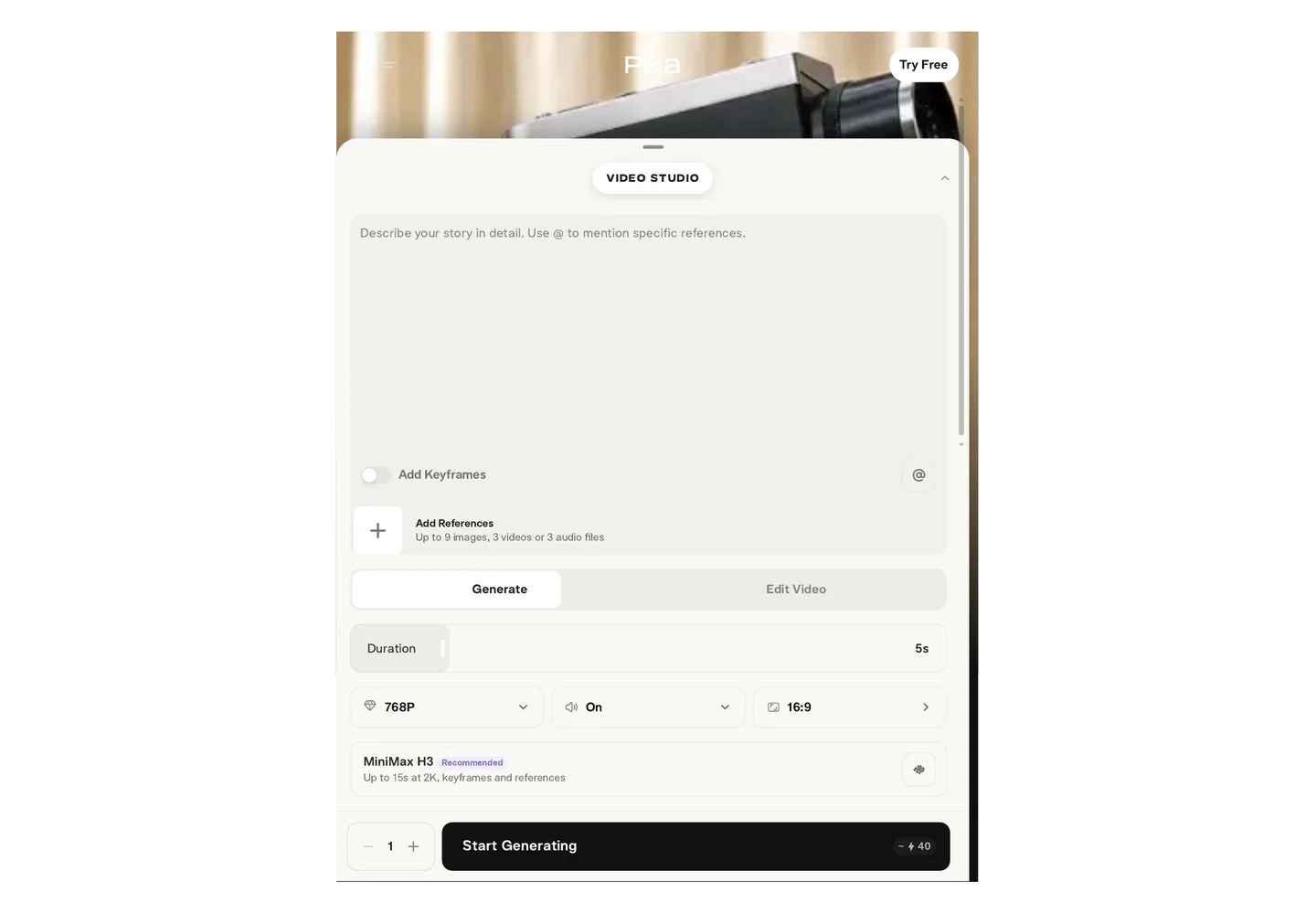
Pika (pika.art) is an AI short video generation platform focused on speed and fun, letting users create and edit videos with text prompts.
Editorial guidance based on published documentation. The workflow below is a suggested starting point, not a measured product result.
When to choose Pika
- Social media creators
- Users who want to create eye-catching short videos from text or images
When to choose something else
- Users who need professional-grade video production
- People who want long-form video content
A practical starting workflow
- Choose a mode: text-to-video or image-to-video
- Describe a scene in text or upload an image
- Generate and refine the video
Check before committing
- Credit-based system
- Free tier credits are very limited; serious use generally requires a paid plan
Common questions
Can the free version of Pika be used?
Yes for trying it out, but credits are very limited. About 10-30 seconds of video per month on the free tier.
Can Pika videos be monetized commercially?
Commercial use rights depend on your subscription plan. Paid plans include commercial licenses; free tier videos are for personal use.
How long can Pika generate videos?
Pika can generate short clips typically up to 10 seconds, with longer videos possible through extension features on paid plans.
Compare approaches for this task
- KLING — 适合:1) 做短视频/广告的创作者和营销团队,用一张图或一句话提示词快速产出带声音的竖屏广告/带货口播素材;2) 预算有限但想要电影感动镜的个人创作者(Standard $8.8/月起,性价比高于 Runway);3) 需要多语言口播(中英日韩西语)的内容创作者,可省去单独配音环节。
- Runway — Creating a few short concept shots or supporting visuals when a project needs generated motion alongside separately recorded footage.
- Luma Dream Machine — A tool to generate videos from text and images.
Sources and checks
Last source review is not a date of product testing. No rating or test result is implied by inclusion. Check the current plan and terms before buying.