Published-source facts and editorial guidance. No product test is implied. Confirm current conditions before purchase.
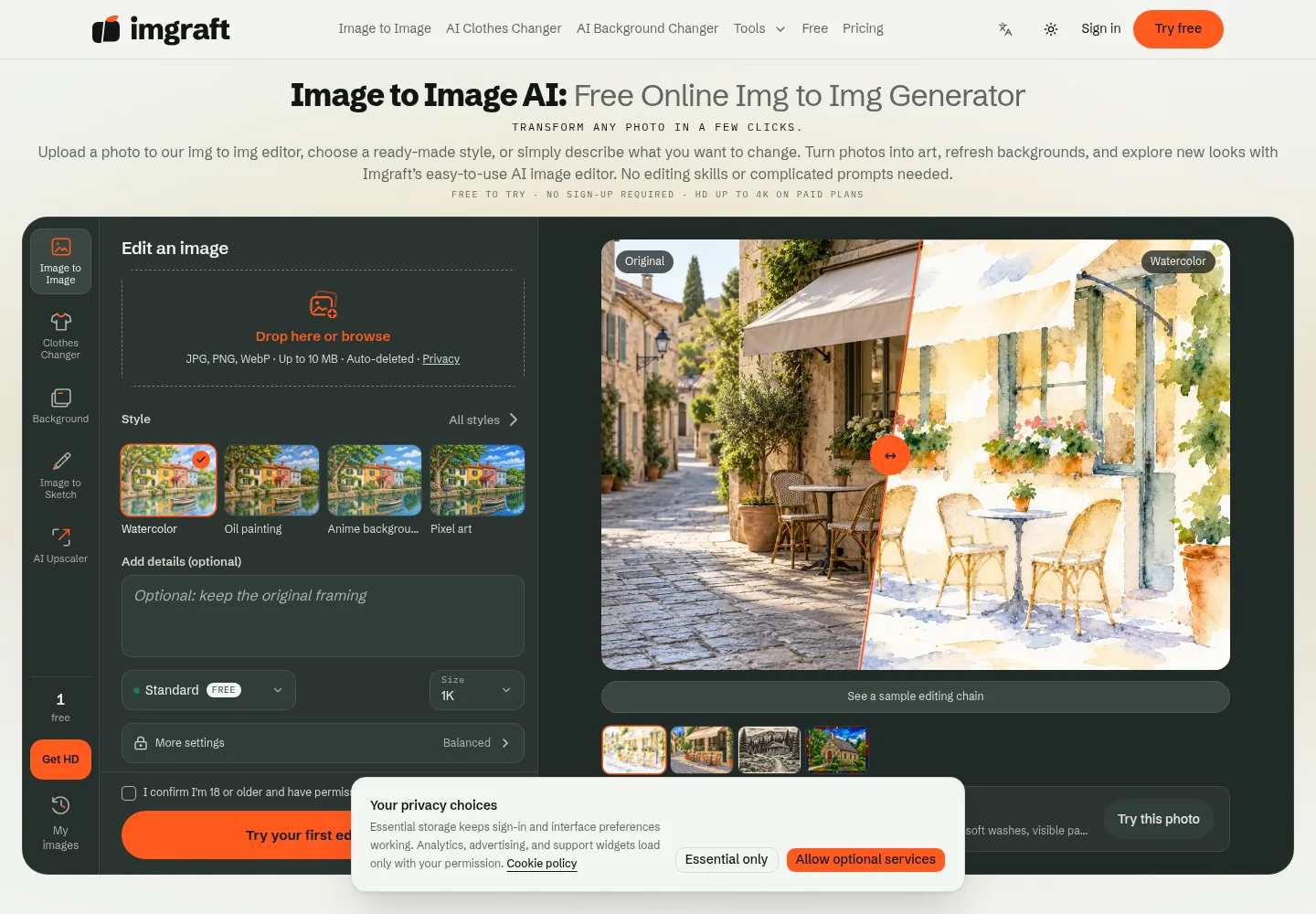
Official website; English-locale capture · Captured 2026-11-29 · Source ↗
This listing has 1 image; no further gallery images exist.
What to know before choosing
Good fit
AI image editing and photo-to-art transformations
Limits and trade-offs
Pricing verified from the vendor's official pages on 2026-11-24; plan terms can change.
Plans and free allowances
Free edits free; Starter USD9.9/month; Pro USD19.9/month; Studio USD49.9/month; Credit pack (100 credits) USD9.99 one-time.
Maker-submitted product description
Reviewed for publication 2026-11-20. This material was supplied with the submission; it is not a hands-on test or independent verification of every claim.
The official site offers a free trial or a one-time free allowance and no recurring free plan, so the pricing model the maker reported is not shown here. Check the official site for current terms.
Imgraft helps creators and everyday users edit images online with AI. Start with a photo, select one of 22 art styles, or describe the change you want to make. Use the background changer, photo restoration tools, object removal, recoloring, and other focused editing tools to explore different results. Before-and-after comparisons help you review changes, and you can return to an earlier step to try another direction. The free allowance is limited, shared across tools, and does not reset daily. Paid plans and credit packs provide additional credits and download options. Imgraft is the image-editing product at imgraft.com, not the unrelated glacier-research toolbox with a similar name.
Dates: Last reviewed 2026-11-28 · Sources checked 2026-11-24 · Catalogued 2026-11-20. Last reviewed is the latest source or editorial review date; it is not a content-change date.
A closer look at Imgraft
Imgraft is an image-to-image AI editor that starts from a photo you already have rather than an empty prompt box. Its homepage previews 22 art styles in four collections — Painting (watercolor, oil, ukiyo-e), Sketch & ink (pencil, charcoal, ink line art), Illustration & print (risograph, linocut, stained glass) and 3D & pixel (clay, low poly, pixel art) — all applied to the same sample photo so you can compare before trying one on your own image. Editing is organised into steps: every change becomes a step with its own source image, you can drag a slider to compare any result with the original or the previous step, regenerate a step, or go back to an earlier step and branch in a new direction without losing the other path. Beyond restyling, the use cases cover turning a sketch into a rendered visual with materials and lighting, restoring old photos (refreshing fading and contrast and exploring natural-looking colour while keeping the original for comparison), restyling a room, holiday looks, an AI background changer that builds a new scene from a written description, and an AI clothes changer for authorised adult photos. Uploads are JPG, PNG or WebP up to 10 MB. Trying it needs no account: one free edit without signing up and one more after registration, at 1K with a watermark. Paid plans remove the watermark and unlock HD up to 4K, priced by credits — 1 credit per 1K image, 2 at 2K, 3 at 4K — with Starter at $9.90/month for 150 credits, Pro at $19.90 for 350 and Studio at $49.90 for 1,000, plus one-time credit packs from $9.99 that stay valid for three years.
Editorial guidance based on published documentation. The workflow below is a suggested starting point, not a measured product result.
When to choose Imgraft
Someone who wants to restyle their own photos into paintings, sketches or pixel art without learning prompt writing — styles are picked visually from previews.
Families restoring old photos, or hobbyists turning a rough sketch into a rendered visual to explore materials and lighting.
Trying a different outfit or background on a photo of yourself, using the authorised-adult clothes changer or the describe-a-scene background changer.
When to choose something else
Face swaps, deepfakes and face manipulation — these are explicitly prohibited, and the clothes changer is adults-only with no face swaps.
Anyone needing pixel-perfect preservation of the original: Imgraft generates a new image, and the site says exact preservation is not guaranteed.
Heavy free use: the free allowance is one edit before sign-up and one after, one-time and shared across tools, and free results carry a watermark at 1K.
A practical starting workflow
Upload a JPG, PNG or WebP photo up to 10 MB.
Pick a ready-made style, or describe the change you want and add detail only where needed.
Generate, then compare the result with the original using the before/after slider.
Refine from any saved step — branch in a new direction or regenerate — keeping earlier steps intact.
Download the result (watermark-free at up to 4K on paid plans or with a paid credit balance).
Check before committing
The clothes changer's own rules, stated on the site: adults only, no face swaps, and check edges, labels and small details before you publish.
AI restyling can change faces and small details; the site advises comparing each result with the original before continuing or publishing.
Files expire: anonymous uploads after 24 hours, free-account files after 7 days and paid-account files after 30 days, and expired files cannot be recovered.
Subscription credits expire at the end of each monthly period and do not roll over; one-time credit packs stay valid for three years.
Commercial use depends on your source rights and the applicable model terms — a paid plan does not grant trademark rights or guarantee accuracy of generated details.
Common questions
Can I use Imgraft without writing a prompt?
Yes. You can choose a ready-made style and start editing, and add your own description only when you want more control.
Yes. There is one free edit without signing up and one more after registration; each allowance is one-time, shared across the editing tools and does not reset daily. Free Standard generation is at 1K with a watermark, and no card is needed.
HD generation uses 1 credit at 1K, 2 credits at 2K and 3 credits at 4K. Subscriptions are Starter $9.90/month for 150 credits, Pro $19.90/month for 350 credits and Studio $49.90/month for 1,000 credits.
Subscription credits expire at the end of each monthly period and do not roll over. One-time credit packs (100 credits for $9.99 up to 2,400 for $149.99) stay valid for three years from delivery.
Cutout Pro — E-commerce sellers and creators who need background removal, product staging, and many small AI image and video tools under one credit balance.
RestoreClick — RestoreClick is an AI photo restoration service: upload a damaged photo and get it back repaired, clear and ready to print - fixing scratches, tears, water stains, fading and foxing in under two minutes, delivered by email - from $9.99 per photo. Tiers add natural colorization (Restore + Color) and handcrafted photo animation (Living Portraits, 3-5 day turnaround); if you are not happy, you do not pay. No free tier is stated.
PhotoRoom — Online sellers and marketers who need clean product cutouts, AI backgrounds and batch processing without hiring a photographer.
Tools the catalogue itself links to Imgraft: an editor lists them as related, an editorial comparison or switching guide covers the pair, or both are reviewed picks for the same task. Each reason below can be checked on the tool pages. This is not a quality ranking.
When this listing’s recorded facts changed, from what to what. Dates are the day (UTC) the change was recorded in the ByTask data, not the day the vendor changed anything. Only changes that can be traced in the data history appear here; a fact that has not changed shows nothing.
Recorded (UTC)
Review & statusReview level: not recorded → Reviewed against official sources


 Official site reference


