CreateImage is a browser-based AI workspace for creating images from text and editing reference photos, with a model picker spanning GPT Image 2, Nano Banana, Seedream, Flux and Topaz Upscale models. Generation uses credits with the cost shown before submitting; plans start at $9.99/month for 100 credits. New accounts receive 3 free generations after email verification, an explicitly one-time allowance that is not a daily refill and is unavailable from India IPs.
Fit is editorial guidance, not a measured result.
Platforms
Access: not separately verified. Operating systems not separately verified.
Published-source facts and editorial guidance. No product test is implied. Confirm current conditions before purchase.
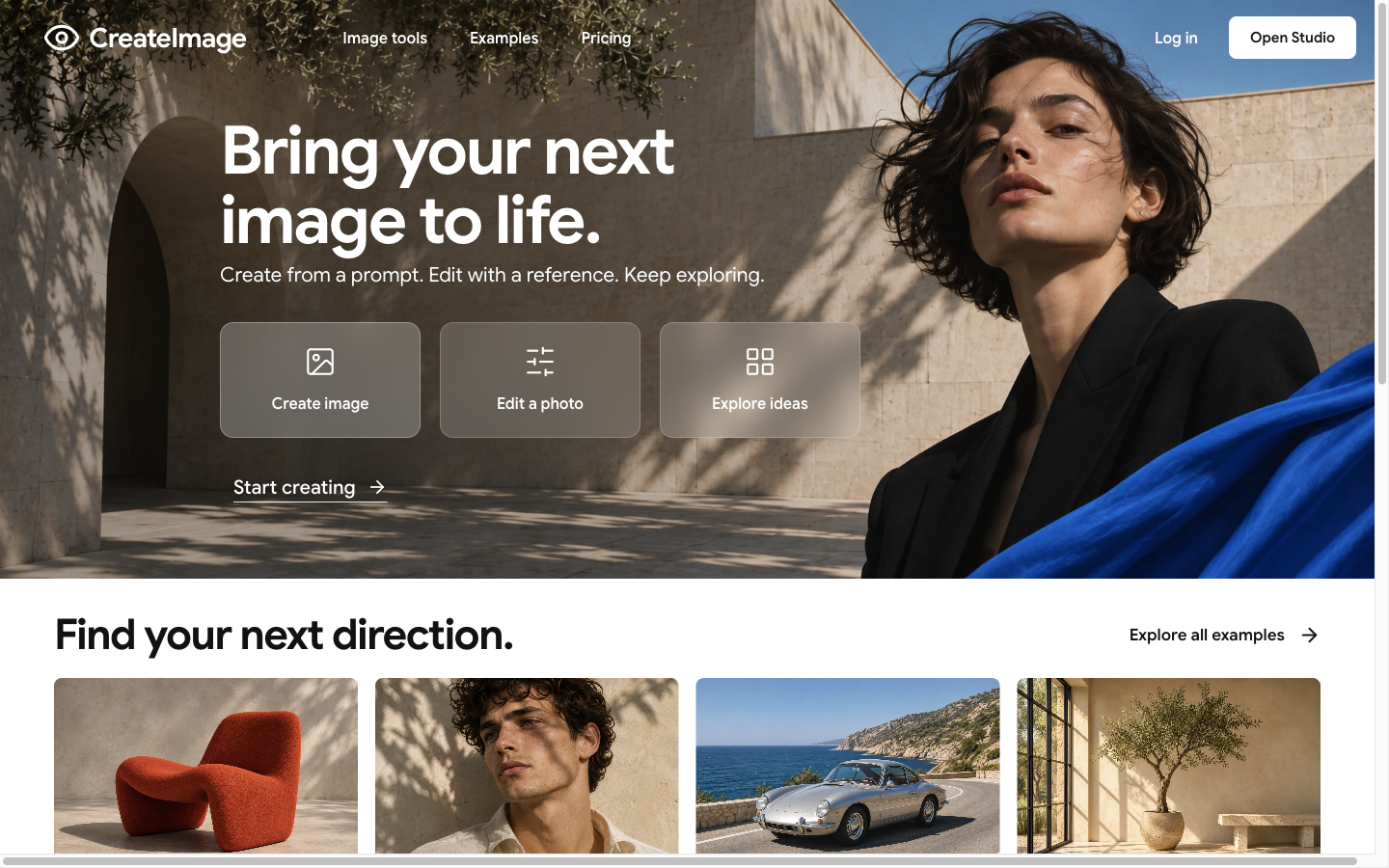
Maker-provided screenshot · Capture date not recorded · Asset reviewed 2026-11-27 · Source ↗
This listing has 1 image; no further gallery images exist.
What to know before choosing
Good fit
CreateImage is a browser-based AI workspace for creating images from text and editing reference photos, with a model picker spanning GPT Image 2, Nano Banana, Seedream, Flux and Topaz Upscale models. Generation uses credits with the cost shown before submitting; plans start at $9.99/month for 100 credits. New accounts receive 3 free generations after email verification, an explicitly one-time allowance that is not a daily refill and is unavailable from India IPs.
Limits and trade-offs
The 3 free generations are a one-time allowance for new accounts, not a daily refill, and are unavailable from India IPs.
Plans and free allowances
Plans start at $9.99/month for 100 credits, and new accounts receive 3 free generations after email verification.
Maker-submitted product description
Reviewed for publication 2026-11-27. This material was supplied with the submission; it is not a hands-on test or independent verification of every claim.
Characters and stories are one of Create Image's displayed creative directions. Browse reference clips for ideas, bring a starting prompt into the workspace, and choose a compatible model before generating. Text prompts and permitted reference images provide starting inputs. Describe a subject, composition, color, material and light for a still frame, or describe movement and camera direction when preparing a video scene. Reference editing begins with an uploaded image and instructions about what to preserve and change. Use an image you have permission to use, and select a model compatible with the reference-led task. The FAQ accepts common image formats including JPG, PNG, WebP, GIF, AVIF, HEIC and HEIF. If an upload is rejected, it recommends reducing file size or exporting to JPG, PNG or WebP before trying again.
Maker-reported pricing model: freemium. Pricing has not been independently verified. Confirm current plans on the official website.
Official-site collection and source-backed editorial review
Dates: Last reviewed 2026-11-29 · Sources checked 2026-11-28 · Catalogued 2026-11-27. Last reviewed is the latest source or editorial review date; it is not a content-change date.
A closer look at Create Image
CreateImage is a browser-based AI image workspace at createimage.online with two starting points: create an image from a text prompt, or edit one of your own photos by uploading it as a reference and describing what to keep and what to change. For each job you describe the subject, setting, light and style, choose a model and an aspect ratio, and check the credit cost before you submit; finished work is downloaded from your My Library. The workspace is a multi-model front end rather than a single model. The model list shown at the time of review included a Free model, GPT Image 2 and GPT Image 2 Edit, Nano Banana, Nano Banana 2 and Nano Banana Edit, Seedream 4.5, Seedream 5.0 Lite and Seedream 5.0 Pro, Flux 3 Klein, Topaz Image Upscale and Seedream 4 - these are the vendor's own labels for the models it offers, the list is shown in the workspace and can change, and not every model accepts the same inputs: text prompts, reference images, aspect ratios and other options all depend on the model you pick. Pricing runs on credits. Plans start at $9.99 per month for 100 credits, and purchased credits are kept separate from the introductory allowance. New accounts receive 3 free generations after email verification, but that is a one-time allowance, not a daily refill, and it is geographically restricted: accounts created from India IPs receive none, and the free generations cannot be used from India or when the request region is unknown. It suits people who want to try several named image models in one browser tab without separate accounts for each.
Editorial guidance based on published documentation. The workflow below is a suggested starting point, not a measured product result.
When to choose Create Image
Someone who wants text-to-image generation and reference-photo editing in one browser workspace, with the credit cost shown before each generation.
A user who wants to compare several named models (the workspace lists GPT Image, Nano Banana, Seedream and Flux variants) without signing up to each model separately.
A new user outside the excluded regions who wants to test the service with the 3 free generations before paying.
When to choose something else
Users in India, or whose request region cannot be determined: the free generations are not available to India-IP accounts or from India or unknown regions, so testing requires a paid plan.
Anyone expecting a permanently free tier: the 3 free generations are a one-time allowance for new accounts, not a recurring refill.
Users who need one fixed model's exact settings guaranteed: available models can change, and inputs and options differ by model.
A practical starting workflow
Create an account and verify your email to receive the 3 one-time free generations, where your region qualifies.
Start from a text prompt, or upload a photo you have permission to use as a reference and describe what to keep and what to change.
Choose a model and aspect ratio, noting that supported inputs and settings depend on the model.
Check the credit cost shown before you submit, then generate.
Download the finished image from My Library; buy a plan (from $9.99/month for 100 credits) when the free allowance or credits run out.
Check before committing
The 3 free generations are a one-time allowance after email verification, not a daily or monthly refill; accounts created from India IPs receive none, and they cannot be used from India or when the request region is unknown.
Model names such as GPT Image 2, Nano Banana and Seedream are the workspace's own labels for the models it routes to; the available list can change and is not a guarantee of any model maker's official offering.
Purchased credits and the free allowance are separate balances, and per-generation credit costs vary by model and settings.
Common questions
What is CreateImage?
CreateImage (createimage.online) is a browser-based AI workspace for creating images from text and editing reference photos. You describe the subject, setting, light and style, choose a model and aspect ratio, check the credit cost, then generate and download the result from My Library.
No. They are a one-time allowance for new accounts after email verification, not a daily refill. Accounts created from India IPs receive none, and free generations cannot be used from India or when the request region is unknown. Purchased credits are separate.
How much does CreateImage cost and which models can I use?
Generation uses credits, with the cost shown before you submit; plans start at $9.99/month for 100 credits. The workspace lists models including GPT Image 2, Nano Banana, Seedream and Flux variants, but available models can change and inputs and settings depend on the selected model.
BasedLabs AI — Creators who want many AI media tools and current models (image, video, voice, face swap, upscaler) in one credit-based platform, including the option to pay with crypto.
QuestStudio — Plan campaign visuals and create images, short video, voice and music in one browser workspace.
Imgraft — AI image editing and photo-to-art transformations
CreateImage is a browser-based AI workspace for creating images from text and editing reference photos, with a model picker spanning GPT Image 2, Nano Banana, Seedream, Flux and Topaz Upscale models. Generation uses credits with the cost shown before submitting; plans start at $9.99/month for 100 credits. New accounts receive 3 free generations after email verification, an explicitly one-time allowance that is not a daily refill and is unavailable from India IPs.
Capabilities and conditions
A browser-based AI workspace for creating images from text and editing reference photos. Source ↗
Plans start at $9.99/month for 100 credits, and new accounts receive 3 free generations after email verification. Source ↗
The 3 free generations are a one-time allowance for new accounts, not a daily refill, and are unavailable from India IPs. Source ↗
Price and free allowance
See the sourced plan statements above; confirm currency, billing period and checkout eligibility on the vendor site.
Published-source profile · collected 2026-11-28. Automated collection followed by editorial review. These are vendor-published claims, not hands-on product test results.
Alternatives to Create Image
Tools the catalogue itself links to Create Image: an editor lists them as related, an editorial comparison or switching guide covers the pair, or both are reviewed picks for the same task. Each reason below can be checked on the tool pages. This is not a quality ranking.
One platform for AI media creation: image and video generation, face swap, voice changer, and upscaler, powered by the latest models and priced in credits.
Why it is listed Same category: Image & Design · Listed by editors as related to Create Image · Same pricing type: Paid
When this listing’s recorded facts changed, from what to what. Dates are the day (UTC) the change was recorded in the ByTask data, not the day the vendor changed anything. Only changes that can be traced in the data history appear here; a fact that has not changed shows nothing.

 Official site reference


