Read the official homepage (and pricing page where linked) via browser.open text fetch on 2026-11-05; checked each fact quote against the captured page text; no product run, no login, no purchase.
Dates: Last reviewed 2026-11-05. Last reviewed is the latest source or editorial review date; it is not a content-change date.
A closer look at Angry Email Translator
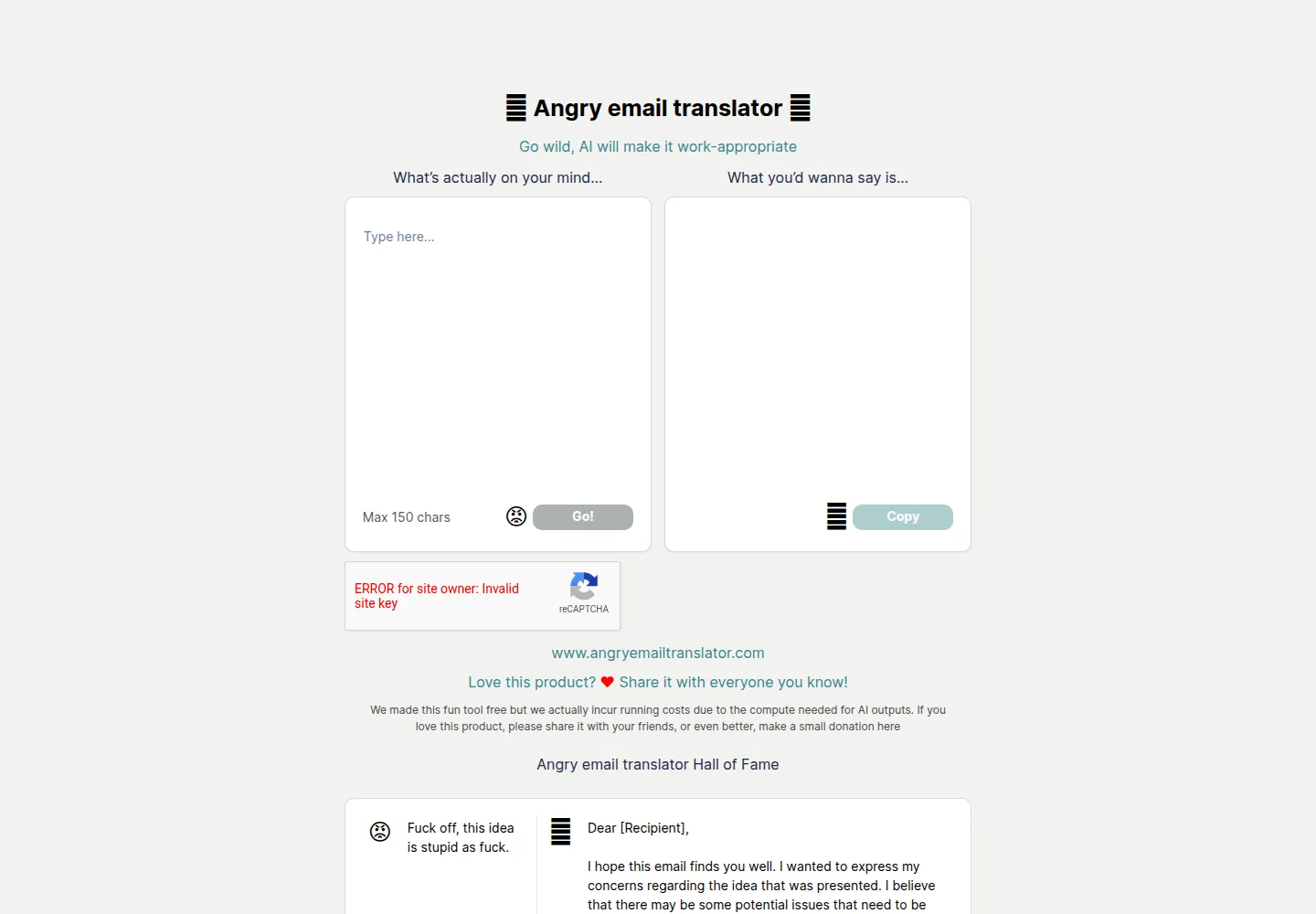
Angry Email Translator is a free AI toy that rewrites a short angry message into a polite, work-appropriate email, with example rewrites shown on the page.
Editorial guidance based on published documentation. The workflow below is a suggested starting point, not a measured product result.
When to choose Angry Email Translator
Someone who has just received an infuriating email and wants a calmer draft before replying.
Someone drafting a difficult message to a colleague where a polite tone matters more than speed.
When to choose something else
Someone who needs to rewrite a long email, since the input box caps messages at 150 characters.
Someone who wants to pick a tone or formality level, since the page offers a single rewrite with no tone settings shown.
A practical starting workflow
Type what is actually on your mind into the angry-message box (up to 150 characters).
Let the AI rewrite it as a polite, work-appropriate email.
Copy the polite version and send it as your reply.
Check before committing
The tool is free but donation-supported: the page says it incurs running costs for AI outputs.
Input is capped at 150 characters, so longer messages must be shortened first.
Common questions
Is Angry Email Translator free?
Yes. The page says 'We made this fun tool free', and asks for a small donation to cover AI running costs.
Lavender — SDRs and AEs who want every outbound email scored and coached before it goes out.
Grammarly — Editing an existing draft for clarity, tone, grammar, and concise rewrites.
Alternatives to Angry Email Translator
Tools the catalogue itself links to Angry Email Translator: an editor lists them as related, an editorial comparison or switching guide covers the pair, or both are reviewed picks for the same task. Each reason below can be checked on the tool pages. This is not a quality ranking.
When this listing’s recorded facts changed, from what to what. Dates are the day (UTC) the change was recorded in the ByTask data, not the day the vendor changed anything. Only changes that can be traced in the data history appear here; a fact that has not changed shows nothing.

 Official site reference