A tool to transcribe audio and video content into captions, transcripts, and subtitles.
At a glance
Free + paid · Source review 2026-11-24
Price & billing
Essentials is free with unlimited AI transcription and 10 minutes of cloud translation per month. Pro is $9.99/month with larger AI models, batch queueing and 30 hours of cloud translation per month.
Published-source facts and editorial guidance. No product test is implied. Confirm current conditions before purchase.
Official website; English-locale capture · Captured 2026-11-29 · Source ↗
This listing has 1 image; no further gallery images exist.
What to know before choosing
Good fit
Video editors, podcasters, and researchers who want private offline transcription and subtitles.
Limits and trade-offs
It is a local desktop app, so performance depends on the user’s hardware, and it transcribes files rather than live streams.
Plans and free allowances
Essentials is free with unlimited AI transcription and 10 minutes of cloud translation per month. Pro is $9.99/month with larger AI models, batch queueing and 30 hours of cloud translation per month.
Official-site collection and source-backed editorial review
Dates: Last reviewed 2026-11-24. Last reviewed is the latest source or editorial review date; it is not a content-change date.
A closer look at AirCaption
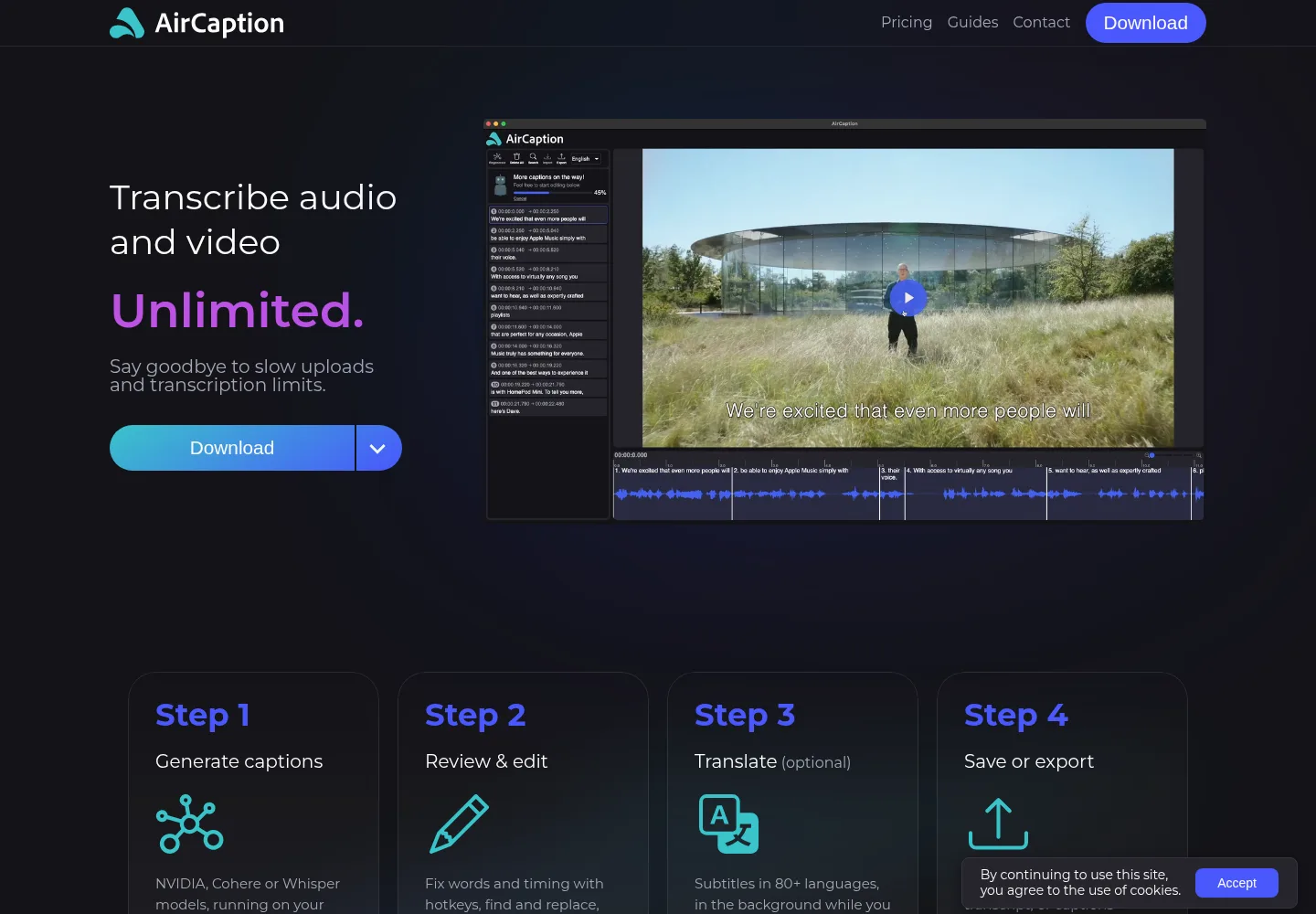
AirCaption is a desktop transcription tool for Mac and Windows that transcribes audio and video locally, with no uploads, no internet required, and no per-minute transcription limits. It runs NVIDIA, Cohere, or Whisper models on the user's machine, offers editing with hotkeys, find and replace, and waveform review, and supports subtitles in more than 80 languages. Exports include SRT and VTT files, plain transcripts, or captions burned into video, and whole folders can be queued by drag and drop.
Editorial guidance based on published documentation. The workflow below is a suggested starting point, not a measured product result.
When to choose AirCaption
Video editors who want to transcribe raw footage and accurately subtitle final videos without uploads or per-minute limits.
Podcasters, journalists, researchers, and legal professionals who transcribe interviews, episodes, or proceedings locally.
Users who need subtitles in more than 80 languages or who value privacy-first offline transcription.
When to choose something else
Users who need live real-time captioning of streams or meetings, since this product transcribes audio and video files locally.
Users who need a cloud-only web app with no local install.
A practical starting workflow
Drop audio or video files, or whole folders, into AirCaption on Mac or Windows.
Generate captions with a local NVIDIA, Cohere, or Whisper model.
Review and edit words and timing with hotkeys, find and replace, and the waveform view.
Optionally translate subtitles, then export as SRT, VTT, plain text, or burned-in captions.
Check before committing
Transcription runs on your own machine, so speed and model choice depend on your hardware.
Cloud translation is opt-in and sends only the caption text you select, so users who need fully offline work should keep it off.
Third-party listings show conflicting prices for similarly named captioning products, so do not rely on them; the homepage reviewed states no prices. Pricing and feature availability may change; confirm current terms on the official website before committing.
Common questions
Which models run AirCaption?
NVIDIA, Cohere, or Whisper models running on your machine, with no internet required and nothing uploaded unless you choose cloud translation.
FastScribe — Teams turning recurring recordings into minutes, decisions, and searchable archives, podcasters, interviewers, and educators needing transcripts, and social video creators needing transcripts of public videos including ones without captions.
Acoust — Creators and training teams who need lifelike multilingual voiceovers in the browser.
TurboScribe — TurboScribe is an unlimited AI transcription service that converts audio and video files to text in 98+ languages, with files up to 10 hours and 5 GB, speaker recognition, audio restoration, translation of transcripts into 130+ languages, and export to PDF, DOCX, SRT/VTT, CSV and TXT.
Product details from official sources
AirCaption is a desktop transcription and caption-editing app for people working with recorded media. It runs speech recognition locally, allows wording and timing corrections, and exports subtitles, transcripts, or captioned video. Optional cloud translation sends selected caption text after opt-in. Free Essentials includes unlimited transcription and ten minutes of cloud translation monthly; the local transcription workflow works offline.
Capabilities and conditions
Runs speech recognition on the user's computer with NVIDIA, Cohere, or Whisper models. Source ↗
Exports SRT and VTT subtitles, plain transcripts, or video with captions embedded. Source ↗
Offers desktop applications for Mac and Windows. Source ↗
Cloud translation sends selected caption text after the user opts in. Source ↗
The Essentials tier is free and lists unlimited AI transcription. Source ↗
The free Essentials plan includes ten minutes of cloud translation per month. Source ↗
Price and free allowance
See the sourced plan statements above; confirm currency, billing period and checkout eligibility on the vendor site.
Published-source profile · collected 2026-11-24. Automated collection followed by editorial review. These are vendor-published claims, not hands-on product test results.
Alternatives to AirCaption
Tools the catalogue itself links to AirCaption: an editor lists them as related, an editorial comparison or switching guide covers the pair, or both are reviewed picks for the same task. Each reason below can be checked on the tool pages. This is not a quality ranking.
Transcription with unmatched accuracy, speed, and language support.
Why it is listed Different category: Translation (AirCaption is Audio & Voice) · Listed by editors as related to AirCaption · Same pricing type: Free + paid
When this listing’s recorded facts changed, from what to what. Dates are the day (UTC) the change was recorded in the ByTask data, not the day the vendor changed anything. Only changes that can be traced in the data history appear here; a fact that has not changed shows nothing.


 Official site reference


