AI writing app for iPhone, iPad, Mac and Apple Vision.
At a glance
Price not confirmed · Source review 2026-10-17
Price & billing
Free download with in-app purchases (US App Store, 0 USD). Professional Plan Monthly $19.99; other weekly, monthly, and yearly tiers available. Free generation allowance is not stated on the listing (unknown).
Published-source facts and editorial guidance. No product test is implied. Confirm current conditions before purchase.
Official website; English-locale capture · Captured 2026-11-29 · Source ↗
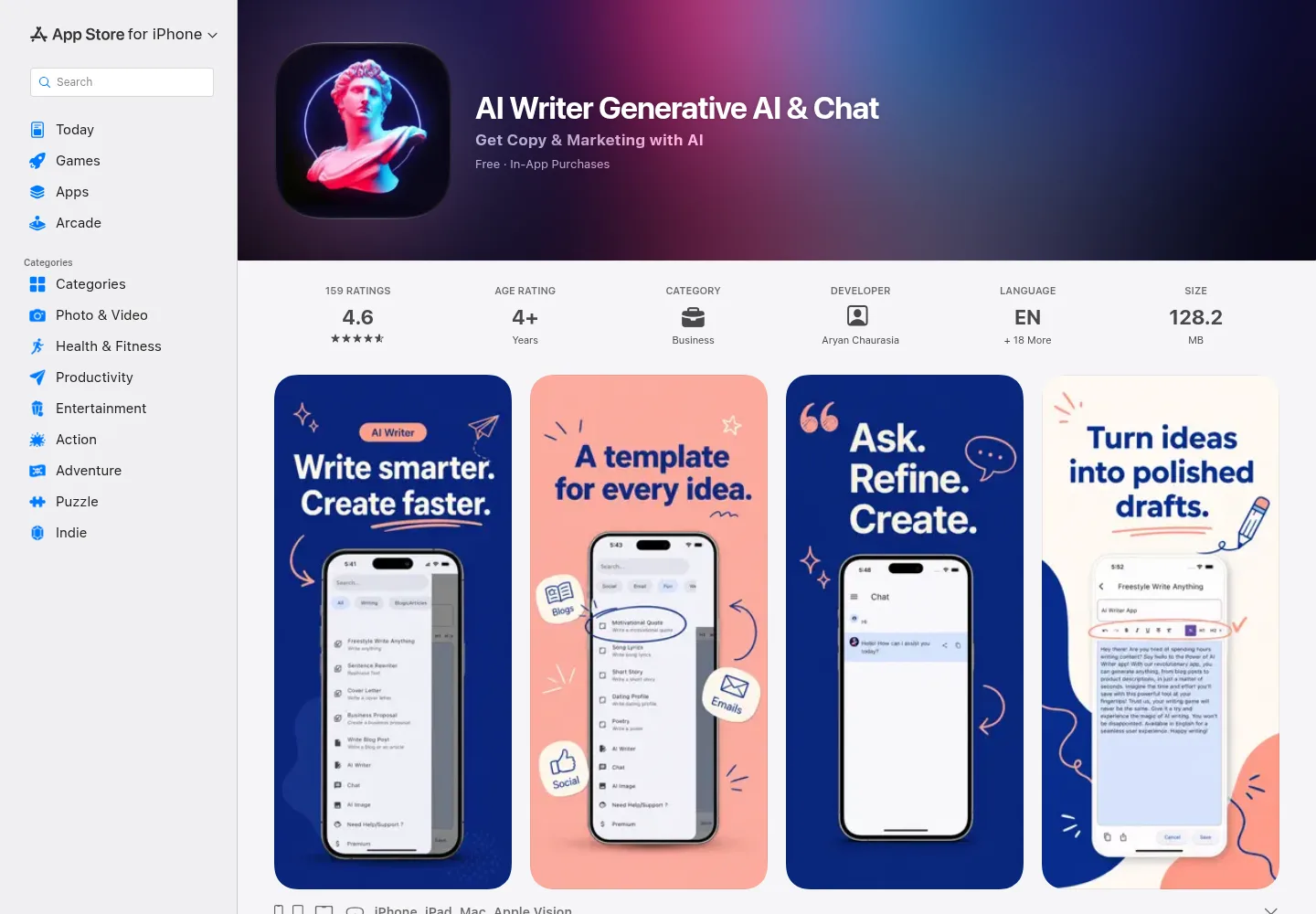
This listing has 1 image; no further gallery images exist.
What to know before choosing
Good fit
Apple-device users wanting template-based help with blogs and rephrasing.
Limits and trade-offs
Per-platform requirements (US App Store, verified 2026-10-18): iOS 15.0+ (iPhone/iPod touch), iPadOS 15.0+ (iPad), macOS 10.15+ (Mac), visionOS 1.0+ (Apple Vision). No Android or web version in the listing. In-app purchases apply for paid tiers; free generation allowance not stated (unknown).
Plans and free allowances
Free download with in-app purchases (US App Store, 0 USD). Professional Plan Monthly $19.99; other weekly, monthly, and yearly tiers available. Free generation allowance is not stated on the listing (unknown).
Official-site collection and source-backed editorial review
Dates: Last reviewed 2026-10-17. Last reviewed is the latest source or editorial review date; it is not a content-change date.
A closer look at AI Writer
AI Writer (Generative AI & Chat) is an iPhone/iPad/Mac/Apple Vision writing app listed on the US App Store (id6444013958), marketed as an AI writing tool for SEO and marketing. It uses built-in templates to write blogs, rephrase text, and more, and can also be used as a chat tool. The listing shows it as free with in-app purchases, including a Professional Plan Monthly at $19.99. It supports English and 18 more languages. System requirements per platform (US App Store, verified 2026-10-18): iOS 15.0+ (iPhone/iPod touch), iPadOS 15.0+ (iPad), macOS 10.15+ (Mac), visionOS 1.0+ (Apple Vision). A free generation allowance is not stated on the listing (unknown).
Editorial guidance based on published documentation. The workflow below is a suggested starting point, not a measured product result.
When to choose AI Writer
An Apple-device user wants template-based help drafting blogs.
A marketer needs quick rephrasing variants on iPhone or iPad.
A writer wants a chat-style assistant inside a mobile writing app.
When to choose something else
The workflow is on Android, Windows, or the web; the listing covers Apple platforms only.
The task needs a stated free generation allowance — the listing does not state one.
A practical starting workflow
Install the app on a supported Apple device and confirm the OS version (iOS 15.0+/iPadOS 15.0+/macOS 10.15+/visionOS 1.0+).
Pick a template matching the task: blog draft, rephrase/paraphrase, or chat; enter the topic or source text and generate a first draft.
Enter the topic or source text and generate a first draft.
Edit the draft for accuracy; templates do not verify facts.
Check the in-app purchase tier before unlocking paid features.
Check before committing
Per-platform requirements (US App Store listing, verified 2026-10-18): iOS 15.0+ (iPhone/iPod touch), iPadOS 15.0+ (iPad), macOS 10.15+ (Mac), visionOS 1.0+ (Apple Vision). No Android or web version in the listing. Free generation allowance is not stated — unknown.
In-app purchases apply; confirm the tier and renewal terms in the App Store before buying.
Marketing comparisons with other writing tools are vendor claims, not measured results.
Common questions
What is AI Writer?
An iOS, iPadOS, and macOS writing app by Aryan Chaurasia, marketed as an AI writing tool for SEO and marketing that uses built-in templates to write blogs, rephrase text, and more.
Free with in-app purchases on the US App Store (0 USD), including Professional Plan Monthly $19.99; weekly, monthly and yearly tiers are also listed. A free generation allowance is not stated on the listing.
iPhone (iOS 15.0 or later), iPad (iPadOS 15.0 or later), Mac (macOS 10.15 or later), and Apple Vision (visionOS 1.0 or later), per the US App Store listing.
It is marketed as an AI writing tool for SEO and marketing that uses built-in templates to write blogs, rephrase text, and more, and it can also be used as a chat tool. The listing claims it helps produce well-written, error-free documents in a fraction of manual time and positions it against Jasper AI, Copy AI, and Rytr. It supports English and 18 more languages. Listed as free with in-app purchases (US App Store, 0 USD), including Professional Plan Monthly $19.99 and other weekly, monthly, and yearly tiers such as Business Plan Monthly $60.99; a free generation allowance is not stated on the listing (unknown).
Capabilities and conditions
The app is marketed as an AI writing tool for SEO and marketing that writes blogs and rephrases using built-in templates. Source ↗
The app presents itself as an AI writing tool that improves the quality of the user's writing. Source ↗
Paid tiers include a Professional Plan Monthly at $19.99. Source ↗
The current App Store listing states the app requires iOS 15.0 or later. Source ↗
Listed as Free with in-app purchases on the US App Store; no free generation allowance is stated. Source ↗
Price and free allowance
See the sourced plan statements above; confirm currency, billing period and checkout eligibility on the vendor site.
Published-source profile · collected 2026-11-25. Automated collection followed by editorial review. These are vendor-published claims, not hands-on product test results.
Alternatives to AI Writer
Tools the catalogue itself links to AI Writer: an editor lists them as related, an editorial comparison or switching guide covers the pair, or both are reviewed picks for the same task. Each reason below can be checked on the tool pages. This is not a quality ranking.
When this listing’s recorded facts changed, from what to what. Dates are the day (UTC) the change was recorded in the ByTask data, not the day the vendor changed anything. Only changes that can be traced in the data history appear here; a fact that has not changed shows nothing.

 Official site reference


