A tool that converts prompts into scientific illustrations and editable SVGs.
At a glance
Price not confirmed · Source review 2026-10-17
Price & billing
Sign-up gives 8 free AI credits, renewed monthly. Image generation costs 5 credits per image at 1K, 10 credits at 2K, and 15 credits at 4K; AI diagram generation costs 3 credits per use and modification 1 credit per use; image-to-SVG costs 1 credit per use for editable text only and 3 credits per use for a fully editable image. No cash subscription prices are stated on the homepage reviewed.
Published-source facts and editorial guidance. No product test is implied. Confirm current conditions before purchase.
Official website; English-locale capture · Captured 2026-11-29 · Source ↗
This listing has 1 image; no further gallery images exist.
What to know before choosing
Good fit
Researchers and educators who need editable scientific figures from a text description.
Limits and trade-offs
Every action draws from the same credit balance, so high-resolution images plus SVG conversion consume credits quickly. Free credits are capped at 8 per month.
Plans and free allowances
Sign-up gives 8 free AI credits, renewed monthly. Image generation costs 5 credits per image at 1K, 10 credits at 2K, and 15 credits at 4K; AI diagram generation costs 3 credits per use and modification 1 credit per use; image-to-SVG costs 1 credit per use for editable text only and 3 credits per use for a fully editable image. No cash subscription prices are stated on the homepage reviewed.
Official-site collection and source-backed editorial review
Dates: Last reviewed 2026-10-31 · Sources checked 2026-10-17. Last reviewed is the latest source or editorial review date; it is not a content-change date.
A closer look at AcaDraw
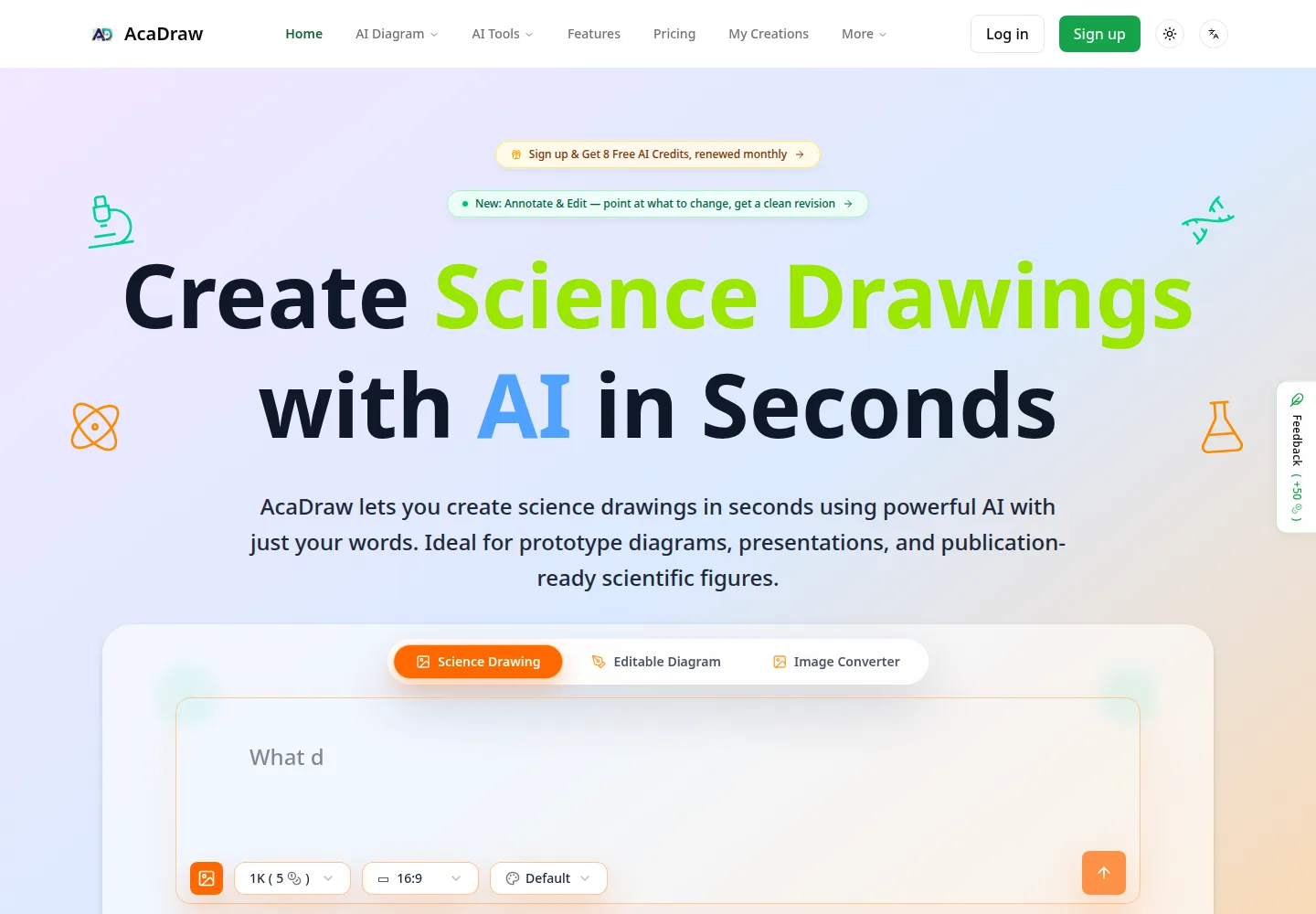
AcaDraw is an AI tool that creates scientific illustrations in seconds from words, aimed at prototype diagrams, presentations, and publication-ready figures. It covers science drawings, AI diagrams and flowcharts, and conversion of images to editable SVG, with all tools sharing one credit balance. Sign-up gives 8 free AI credits renewed monthly, and each action, from image generation to SVG conversion, is charged separately.
Editorial guidance based on published documentation. The workflow below is a suggested starting point, not a measured product result.
When to choose AcaDraw
Researchers and educators who need publication-ready scientific figures, prototype diagrams, or presentation visuals.
Students who need cell structures, chemical reactions, or ecosystem diagrams without drawing skills.
Authors who need editable vector figures that can be scaled and adjusted in design tools.
When to choose something else
Users who need general-purpose photo or art generation rather than scientific diagrams.
Users who want unlimited free generation, since free credits are capped and renewed monthly.
A practical starting workflow
Describe the scientific figure you need, such as a cell structure or ecosystem diagram.
Generate the drawing and refine it, or build an editable diagram.
Convert the result to SVG for lossless scaling and further editing.
Export the figure for a presentation, paper, or teaching material.
Check before committing
Each action is charged separately from the same credit balance, so a high-resolution image plus SVG conversion costs more than a single generation.
Free credits are limited and renewed monthly, so regular publication work will need a paid credit balance.
Pricing and feature availability may change; confirm current terms on the official website before committing.
Common questions
How do I create a scientific illustration?
Describe the figure in words; AcaDraw generates the science drawing, and you can refine it and convert images to editable SVG.
Image generation costs 5 credits at 1K, 10 credits at 2K, and 15 credits at 4K; AI diagram generation costs 3 credits per use and modification 1 credit; image-to-SVG costs 1 credit for editable text only and 3 credits for a fully editable image.
3D AI Studio — Game developers and creators who need fast text- or image-to-3D models across several engines.
ArchiQuill — Architects and designers who want fast photorealistic renders from sketches and 3D concepts.
Product details from official sources
AcaDraw is an AI image and diagram editor for scientific and nature illustration workflows. Users can generate drawings from text prompts, refine them by annotating specific regions, create editable research diagrams, and convert images to SVG. The site describes a free plan with monthly credits for personal academic use; paid tiers add higher export resolutions, more formats, and commercial-use terms.
Capabilities and conditions
AcaDraw turns natural-language prompts into science drawings and scientific illustrations. Source ↗
Users can mark an illustration with arrows and notes to request targeted revisions. Source ↗
The tool converts generated images into editable SVG files for vector software. Source ↗
AcaDraw positions its science illustration tools for researchers and educators. Source ↗
The free plan provides eight AI credits on registration and resets them monthly. Source ↗
The free plan exports PNG and is limited to personal educational use. Source ↗
Price and free allowance
See the sourced plan statements above; confirm currency, billing period and checkout eligibility on the vendor site.
Published-source profile · collected 2026-10-17. Automated collection followed by editorial review. These are vendor-published claims, not hands-on product test results.
Alternatives to AcaDraw
Tools the catalogue itself links to AcaDraw: an editor lists them as related, an editorial comparison or switching guide covers the pair, or both are reviewed picks for the same task. Each reason below can be checked on the tool pages. This is not a quality ranking.
When this listing’s recorded facts changed, from what to what. Dates are the day (UTC) the change was recorded in the ByTask data, not the day the vendor changed anything. Only changes that can be traced in the data history appear here; a fact that has not changed shows nothing.

 Official site reference