Turn two photos into a zombie couple AI love-story video
Official website; English-locale capture · Captured 2026-11-29 · Source ↗
This listing has 1 image; no further gallery images exist.
What to know before choosing
Good fit
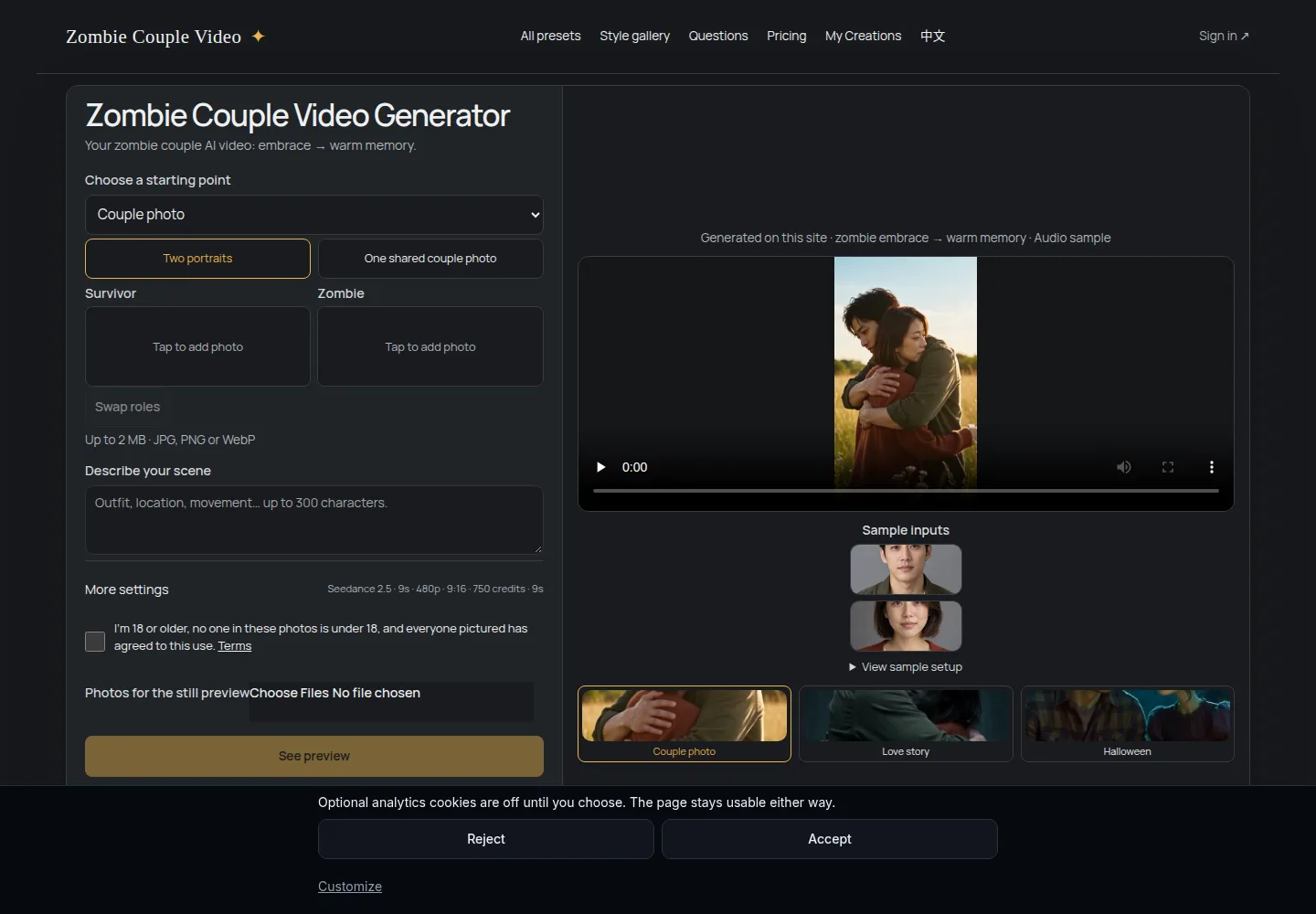
Zombie Couple Video (zombiecouplevideo.pro) generates an original survivor-and-zombie-partner love-story video from two portraits or one shared couple photo: a cold reunion and embrace cutting to a warm pre-infection memory, with model, duration, resolution and frame shape chosen up front and a live credit estimate before you create (the default Seedance 2.5 9s 480p example is 750 credits). An account is required and every video costs credits, sold in one-year packs: Starter $9.90 for 1,500 credits, Pro $29.90 for 6,000 and Ultimate $69.90 for 15,000. A trial may be offered to eligible signed-in users (watermarked), but no standing free allowance is published.
Limits and trade-offs
An account is required to create videos; every video costs credits, with a live estimate before you create.
Plans and free allowances
Starter: $9.9 for 1,500 credits, valid for 1 year; Pro $29.9; Ultimate $69.9.
Maker-submitted product description
Reviewed for publication 2026-11-21. This material was supplied with the submission; it is not a hands-on test or independent verification of every claim.
Zombie Couple Video (https://zombiecouplevideo.pro) is a browser-based AI video generator built around trend-driven love-story videos. Its flagship AI Zombie Love Story generator turns two portraits — a Survivor photo and a Zombie partner photo — or one shared couple photo into a short cinematic zombie-transformation video with an original AI soundtrack. The generator creates the full story: a cold reunion, an embrace, and a same-pose cut into a warm memory, running on Seedance 2.5 with no prompt writing or editing skills needed. Access works through one-time credit packs (Starter $9.9, Pro $29.9, Ultimate $69.9); pre-generated sample videos are free to watch, and a watermarked trial video may be offered after sign-in.
Maker-reported pricing model: trial. Pricing has not been independently verified. Confirm current plans on the official website.
Official-site collection and source-backed editorial review
Dates: Last reviewed 2026-11-28 · Catalogued 2026-11-21. Last reviewed is the latest source or editorial review date; it is not a content-change date.
Product details from official sources
Zombie Couple Video (zombiecouplevideo.pro) generates an original survivor-and-zombie-partner love-story video from two portraits or one shared couple photo: a cold reunion and embrace cutting to a warm pre-infection memory, with model, duration, resolution and frame shape chosen up front and a live credit estimate before you create (the default Seedance 2.5 9s 480p example is 750 credits). An account is required and every video costs credits, sold in one-year packs: Starter $9.90 for 1,500 credits, Pro $29.90 for 6,000 and Ultimate $69.90 for 15,000. A trial may be offered to eligible signed-in users (watermarked), but no standing free allowance is published.
Capabilities and conditions
Create an original zombie couple AI video from two portraits or one shared couple photo. Source ↗
Starter: $9.9 for 1,500 credits, valid for 1 year; Pro $29.9; Ultimate $69.9. Source ↗
An account is required to create videos; every video costs credits, with a live estimate before you create. Source ↗
Price and free allowance
See the sourced plan statements above; confirm currency, billing period and checkout eligibility on the vendor site.
Published-source profile · collected 2026-11-28. Automated collection followed by editorial review. These are vendor-published claims, not hands-on product test results.
Alternatives to Zombie Couple Video
Tools the catalogue itself links to Zombie Couple Video: an editor lists them as related, an editorial comparison or switching guide covers the pair, or both are reviewed picks for the same task. Each reason below can be checked on the tool pages. This is not a quality ranking.
When this listing’s recorded facts changed, from what to what. Dates are the day (UTC) the change was recorded in the ByTask data, not the day the vendor changed anything. Only changes that can be traced in the data history appear here; a fact that has not changed shows nothing.


 Official site reference


