Vertov is a browser screen recorder for humans and AI agents: record a walkthrough with no account, edit the video by deleting words from its transcript, and share a link viewers can watch and comment on without an account - with no seat fees. The Free plan ($0) includes 180 minutes of stored video (up to 15 minutes per video) for the whole workspace; Pro is $9/month for 25 hours, Team $29/month for 125 hours and Business from $99/month for 500+ hours.
Fit is editorial guidance, not a measured result.
Platforms
Access: not separately verified. Operating systems not separately verified.
Published-source facts and editorial guidance. No product test is implied. Confirm current conditions before purchase.
Official website; English-locale capture · Captured 2026-11-29 · Source ↗
This listing has 1 image; no further gallery images exist.
What to know before choosing
Good fit
Vertov is a browser screen recorder for humans and AI agents: record a walkthrough with no account, edit the video by deleting words from its transcript, and share a link viewers can watch and comment on without an account - with no seat fees. The Free plan ($0) includes 180 minutes of stored video (up to 15 minutes per video) for the whole workspace; Pro is $9/month for 25 hours, Team $29/month for 125 hours and Business from $99/month for 500+ hours.
Limits and trade-offs
The Free plan keeps 180 minutes of video, with videos up to 15 minutes.
Plans and free allowances
Pro is $9/month for 25 hours of video; Team is $29/month for 125 hours.
Maker-submitted product description
Reviewed for publication 2026-11-27. This material was supplied with the submission; it is not a hands-on test or independent verification of every claim.
Vertov lets small teams record screen and camera walkthroughs in a browser, edit by transcript, and share recordings with a link. Viewers can watch a public recording without an account and leave timestamped feedback. Teams use it for client reviews, product demos, and internal training. Supported AI clients can use Vertov’s OAuth-protected MCP to search a connected workspace and work with its recordings.
Maker-reported pricing model: freemium. Pricing has not been independently verified. Confirm current plans on the official website.
Official-site collection and source-backed editorial review
Dates: Last reviewed 2026-11-29 · Sources checked 2026-11-28 · Catalogued 2026-11-27. Last reviewed is the latest source or editorial review date; it is not a content-change date.
A closer look at Vertov
Vertov is a browser screen recorder built for teams and for the AI agents they brief. You record a walkthrough in your browser — no account is needed to start recording — and then share it with your team or use it to brief an agent; a free account is what lets you share. The catalogue record also describes editing by transcript and having an AI agent record a web app tutorial. Pricing is deliberately workspace-based rather than per-seat: one price covers the whole team, there are no seat fees, and people who only watch, react or comment are always free, as is every member you invite. The Free plan keeps 180 minutes of video for the whole workspace, with individual videos up to 15 minutes long. Paid plans simply add room: Pro at $9/month holds 25 hours of video, Team at $29/month holds 125 hours, and Business starts at $99/month with storage from 500 hours. Recordings can be captioned and shared with the team on every plan. Because the free allowance is a single shared pool for the workspace rather than a per-person allowance, a busy team can consume it quickly, which is the main constraint to plan around.
Editorial guidance based on published documentation. The workflow below is a suggested starting point, not a measured product result.
When to choose Vertov
A team that records walkthroughs in the browser and shares them with colleagues instead of writing long instructions.
Someone who wants to brief an AI agent with a recorded walkthrough of a web app.
A team that dislikes per-seat pricing: viewers, commenters and invited members are always free.
When to choose something else
A heavy-recording team on the Free plan: the 180 minutes are shared across the whole workspace and single videos are capped at 15 minutes.
Anyone who needs a native desktop recorder with offline capture; Vertov's published pitch is recording in the browser.
A practical starting workflow
Open Vertov and start recording a walkthrough in your browser — no account is required to record.
Create a free account when you are ready to share the recording.
Caption the recording and share the link with your team, or use the walkthrough to brief an AI agent.
Let teammates watch, react and comment for free; upgrade the workspace plan when the team needs more stored hours.
Check before committing
The Free plan's 180 minutes are a single pool for the whole workspace, not per user, and free videos can be at most 15 minutes long.
Paid tiers are differentiated by stored video hours (25, 125, and from 500 hours), so heavy archives push a workspace up the tiers.
This entry reflects the vendor's published homepage claims; recording quality and agent-briefing behaviour were not independently tested.
Common questions
Is Vertov really free?
Yes. The Free plan keeps 180 minutes of video for the whole workspace, with videos up to 15 minutes, and people who only watch, react or comment are always free, as is every invited member.
By stored video hours for the whole workspace: Pro is $9/month for 25 hours, Team is $29/month for 125 hours, and Business starts at $99/month with storage from 500 hours. There are no seat fees.
Vertov is a browser screen recorder for humans and AI agents: record a walkthrough with no account, edit the video by deleting words from its transcript, and share a link viewers can watch and comment on without an account - with no seat fees. The Free plan ($0) includes 180 minutes of stored video (up to 15 minutes per video) for the whole workspace; Pro is $9/month for 25 hours, Team $29/month for 125 hours and Business from $99/month for 500+ hours.
Capabilities and conditions
Record a walkthrough in your browser and share it with your team; no seat fees. Source ↗
Pro is $9/month for 25 hours of video; Team is $29/month for 125 hours. Source ↗
The Free plan keeps 180 minutes of video, with videos up to 15 minutes. Source ↗
Price and free allowance
See the sourced plan statements above; confirm currency, billing period and checkout eligibility on the vendor site.
Published-source profile · collected 2026-11-28. Automated collection followed by editorial review. These are vendor-published claims, not hands-on product test results.
Alternatives to Vertov
Tools the catalogue itself links to Vertov: an editor lists them as related, an editorial comparison or switching guide covers the pair, or both are reviewed picks for the same task. Each reason below can be checked on the tool pages. This is not a quality ranking.
When this listing’s recorded facts changed, from what to what. Dates are the day (UTC) the change was recorded in the ByTask data, not the day the vendor changed anything. Only changes that can be traced in the data history appear here; a fact that has not changed shows nothing.

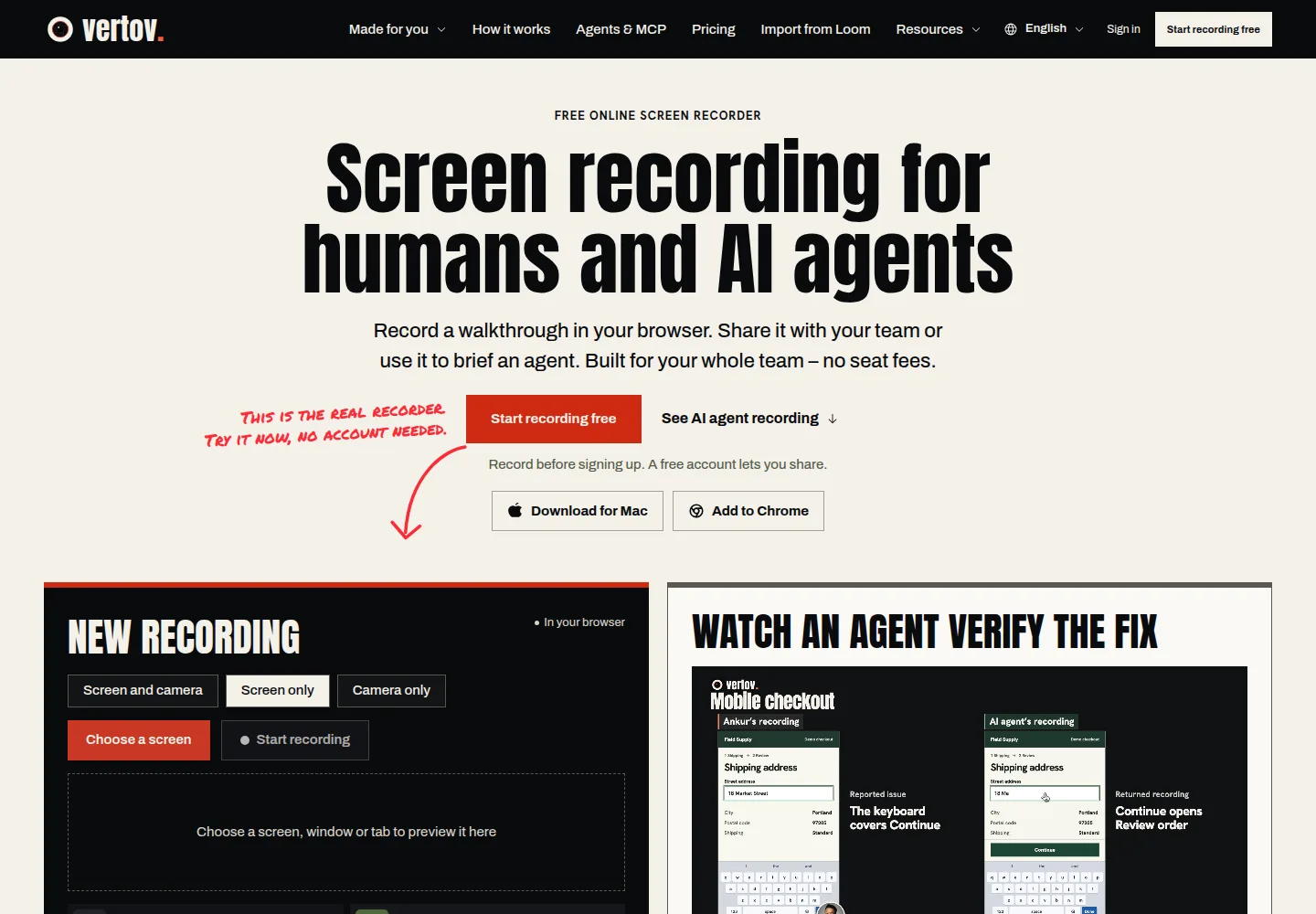
 Official site reference


