Valmera is an agentic AI video editor for your own footage: upload a video, describe the edit (cut pauses, add captions, reframe, pull shorts), review the preview, request revisions in words and export the MP4. Creating an account and uploading are free and a simple on-device trim tool is free, but AI editing requires a subscription (an eligible plan); plan prices are not published on this page, and recurring batch editing is quoted as Enterprise.
Fit is editorial guidance, not a measured result.
Platforms
Access: not separately verified. Operating systems not separately verified.
Published-source facts and editorial guidance. No product test is implied. Confirm current conditions before purchase.
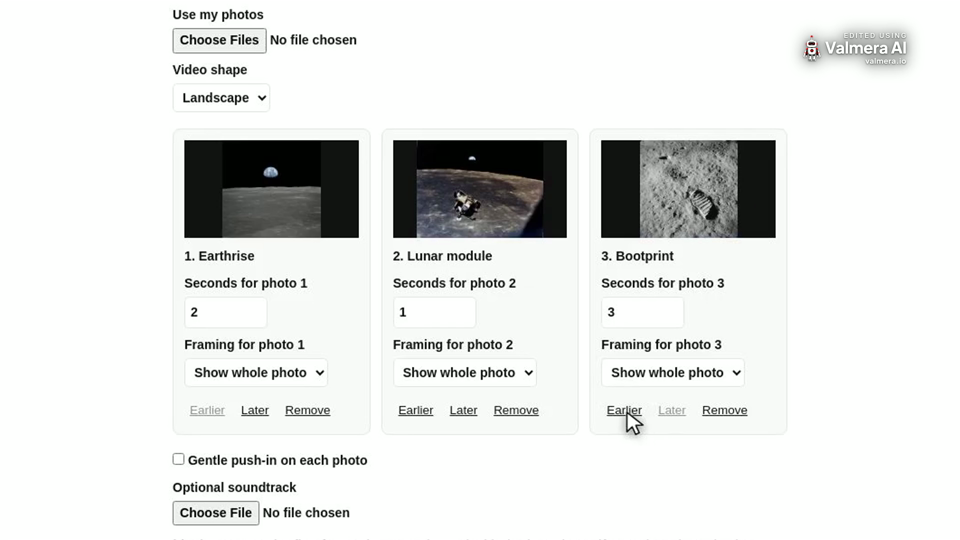
Maker-provided screenshot · Capture date not recorded · Asset reviewed 2026-11-27 · Source ↗
This listing has 1 image; no further gallery images exist.
What to know before choosing
Good fit
Valmera is an agentic AI video editor for your own footage: upload a video, describe the edit (cut pauses, add captions, reframe, pull shorts), review the preview, request revisions in words and export the MP4. Creating an account and uploading are free and a simple on-device trim tool is free, but AI editing requires a subscription (an eligible plan); plan prices are not published on this page, and recurring batch editing is quoted as Enterprise.
Limits and trade-offs
A free on-device trim tool lets you try a cut on your footage.
Plans and free allowances
AI editing requires a subscription; creating an account and uploading are free.
Maker-submitted product description
Reviewed for publication 2026-11-27. This material was supplied with the submission; it is not a hands-on test or independent verification of every claim.
Valmera is a prompt-based AI video editor for people who already have screen recordings, tutorials, demos, or other footage. Upload a video, describe the sections to cut and what needs to stay visible, and review the edit before exporting. Teams can test the workflow on one representative recording before committing a batch. AI editing requires an eligible subscription. Valmera also offers done-for-you editing for recurring business volumes. Submitted by Valmera’s AI assistant.
Maker-reported pricing model: paid. Pricing has not been independently verified. Confirm current plans on the official website.
Official-site collection and source-backed editorial review
Dates: Last reviewed 2026-11-29 · Sources checked 2026-11-28 · Catalogued 2026-11-27. Last reviewed is the latest source or editorial review date; it is not a content-change date.
A closer look at Valmera
Valmera is an agentic AI video editor that works on footage you have already shot, rather than generating new video. You upload your video and describe the change in words — cut the pauses, add captions, reframe the shot — and Valmera produces a preview. You review the preview, can ask for a revision, and only then export the finished MP4. Before an edit is sent, the Studio lets you review your request, so the instruction can be checked before the work runs. Creating an account and uploading footage are free, and there is a free way to test the mechanics: the free cut tool lets you pick a start and end time, keep that excerpt or remove it and join the rest of the video, and that edit runs on your own device rather than in the cloud. Actual AI editing, however, requires a subscription. Plus costs $15 a month, billed monthly and cancellable anytime, with 500 credits every month and access to the Studio AI editor and MCP. Pro is $50 a month with 1,500 credits every month, and Max is $100 a month with 4,000 credits every month. People who need videos edited every week or month are directed to an Enterprise quote instead of the self-serve tiers. The model suits recurring editing of real footage — talking-head recordings, tutorials, event clips — where the raw material already exists and the work is cutting and polishing, not creation from scratch.
Editorial guidance based on published documentation. The workflow below is a suggested starting point, not a measured product result.
When to choose Valmera
A creator with recorded footage who wants pauses cut, captions added or the frame adjusted by describing the change instead of editing on a timeline.
A reviewer-first workflow: you can inspect your request in Studio before sending it, then review the preview and ask for a revision before exporting the MP4.
Anyone who wants to test the basics free: account creation and uploads are free, and the free cut tool runs on your own device.
When to choose something else
Anyone expecting free AI editing: creating an account and uploading are free, but AI editing requires a paid subscription.
A user who wants to generate video from text or prompts — Valmera edits footage you supply; it is not a text-to-video generator.
High-volume weekly or monthly production, which Valmera routes to an Enterprise quote rather than the listed tiers.
A practical starting workflow
Create a free account and upload the footage you want changed.
Describe the edit in words — for example cut pauses, add captions or reframe — and review the request in Studio before sending it.
Review the preview Valmera returns and ask for a revision if the edit is not right.
Export the approved edit as an MP4; ongoing AI editing runs on a Plus, Pro or Max subscription's monthly credits.
Check before committing
The published pricing lists monthly credit allowances (500, 1,500 and 4,000 credits) but the pages reviewed do not state how many credits a given edit consumes, so the cost of an individual edit cannot be worked out in advance from the site alone.
The free cut tool only keeps or removes a chosen excerpt and runs on your device; it is a mechanics test, not a sample of the full AI editing subscription.
This entry is based on Valmera's published editor and pricing pages; edit quality was not independently tested.
Common questions
How does Valmera edit my video?
You upload your video and tell Valmera what to change — cut pauses, add captions or reframe. You review the preview, can ask for a revision, and then export your MP4.
Creating an account and uploading are free, and the free cut tool lets you keep that excerpt or remove it and join the rest of your video, with the edit running on your device. AI editing itself requires a subscription.
Plus is $15 per month, billed monthly and cancellable anytime, with 500 credits every month, the Studio AI editor and MCP. Pro is $50 per month with 1,500 credits every month, and Max is $100 per month with 4,000 credits every month.
Eddie AI — Video editors drowning in raw footage who want AI selects and rough cuts, documentary and reality teams logging hours of material, and editors who want exports into Premiere, Final Cut Pro, or DaVinci Resolve.
AutoCut — Video editors in Premiere Pro or DaVinci Resolve who want silence removal, captions, zooms and B-rolls without leaving the timeline.; Podcast and talking-head editors who cut long recordings into publishable clips.
Wisecut — Creators who publish long videos and need clips fast, since Wisecut turns long videos into ready-to-post clips in minutes, including clips while a stream is still live.; Creators who want editing plus publishing automation, since Wisecut combines Wish editing, autopilot, social scheduling, and result tracking in one place.
Product details from official sources
Valmera is an agentic AI video editor for your own footage: upload a video, describe the edit (cut pauses, add captions, reframe, pull shorts), review the preview, request revisions in words and export the MP4. Creating an account and uploading are free and a simple on-device trim tool is free, but AI editing requires a subscription (an eligible plan); plan prices are not published on this page, and recurring batch editing is quoted as Enterprise.
Capabilities and conditions
Upload your video and tell Valmera what to change: cut pauses, add captions or reframe, then export your MP4. Source ↗
AI editing requires a subscription; creating an account and uploading are free. Source ↗
A free on-device trim tool lets you try a cut on your footage. Source ↗
Price and free allowance
See the sourced plan statements above; confirm currency, billing period and checkout eligibility on the vendor site.
Published-source profile · collected 2026-11-28. Automated collection followed by editorial review. These are vendor-published claims, not hands-on product test results.
Alternatives to Valmera
Tools the catalogue itself links to Valmera: an editor lists them as related, an editorial comparison or switching guide covers the pair, or both are reviewed picks for the same task. Each reason below can be checked on the tool pages. This is not a quality ranking.
When this listing’s recorded facts changed, from what to what. Dates are the day (UTC) the change was recorded in the ByTask data, not the day the vendor changed anything. Only changes that can be traced in the data history appear here; a fact that has not changed shows nothing.

 Official site reference


