Text Photo AI is an online text photo editor: add a caption to a photo locally in your browser and download a PNG for free without signing in, or use AI to replace or remove existing words (4 credits per standard edit). Eligible new accounts can try one standard edit with 4 trial credits valid for 7 days. One-time credit packs never expire: Mini $4.99 for 40 credits, Standard $14.90 for 160, Large $29.90 for 400.
Fit is editorial guidance, not a measured result.
Platforms
Access: not separately verified. Operating systems not separately verified.
Published-source facts and editorial guidance. No product test is implied. Confirm current conditions before purchase.
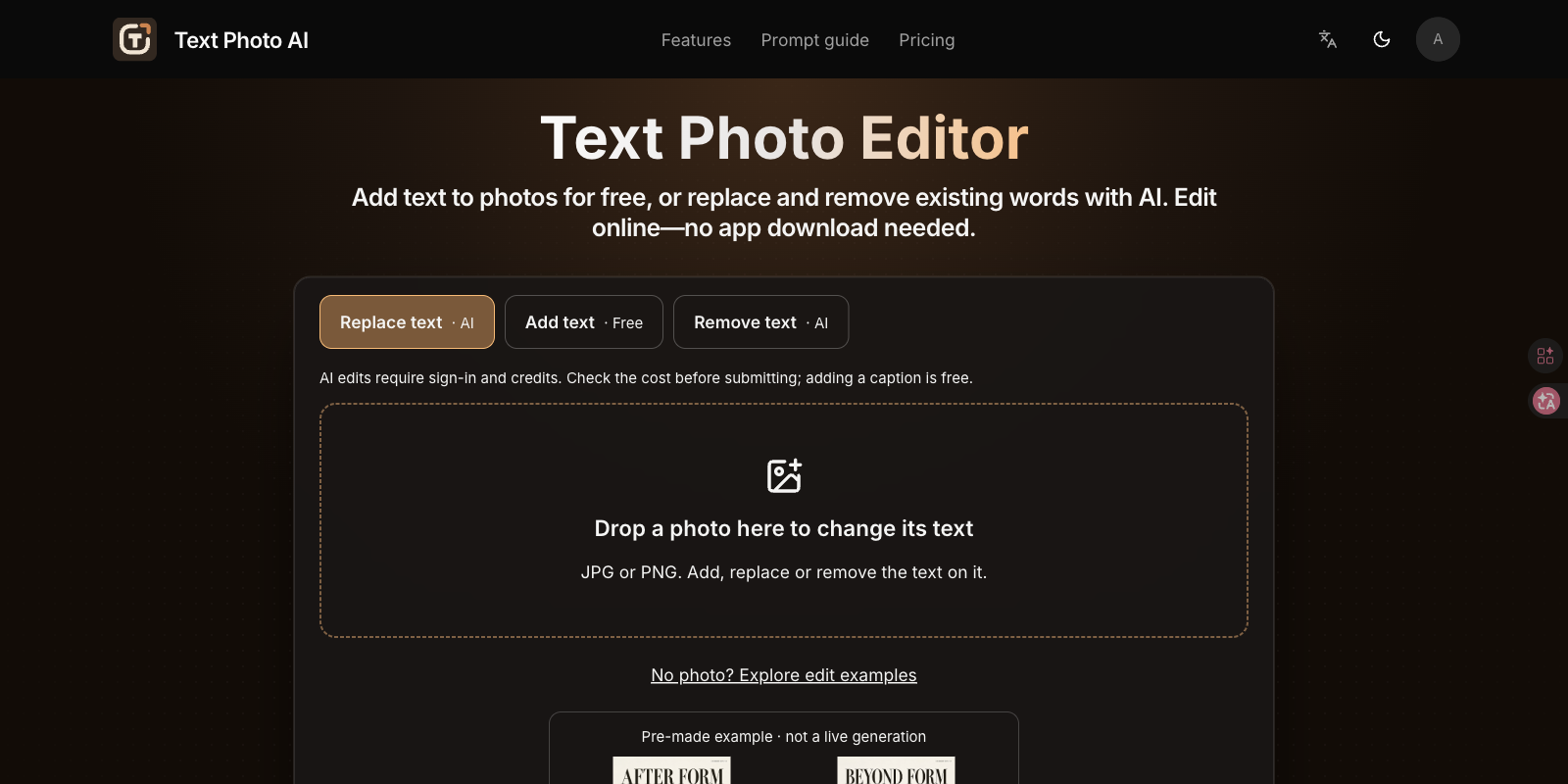
Maker-provided screenshot · Capture date not recorded · Asset reviewed 2026-11-19 · Source ↗
This listing has 1 image; no further gallery images exist.
What to know before choosing
Good fit
Text Photo AI is an online text photo editor: add a caption to a photo locally in your browser and download a PNG for free without signing in, or use AI to replace or remove existing words (4 credits per standard edit). Eligible new accounts can try one standard edit with 4 trial credits valid for 7 days. One-time credit packs never expire: Mini $4.99 for 40 credits, Standard $14.90 for 160, Large $29.90 for 400.
Limits and trade-offs
A standard AI text edit or retry uses 4 credits; Mini Pack $4.99 for 40 credits.
Plans and free allowances
Add text for free: edit a local photo in your browser and download a PNG without signing in.
Maker-submitted product description
Reviewed for publication 2026-11-19. This material was supplied with the submission; it is not a hands-on test or independent verification of every claim.
Text Photo AI is an online editor for text in JPG and PNG pictures. Add a caption for free without an account, choose its font and color, and position it on the image. Download a PNG at the original dimensions. For existing lettering, use AI credits after signing in to replace or remove the words.
Maker-reported pricing model: freemium. Pricing has not been independently verified. Confirm current plans on the official website.
Official-site collection and source-backed editorial review
Dates: Last reviewed 2026-11-28 · Catalogued 2026-11-19. Last reviewed is the latest source or editorial review date; it is not a content-change date.
A closer look at Text Photo AI
Text Photo AI is an online text photo editor for fixing the words inside a JPG or PNG when you no longer have the original design file. It does three jobs: add a caption over an image, replace existing lettering with AI, or remove selected words and fill in the background behind them. The split that defines the pricing is where the work happens. Adding a caption is done locally in your browser — no sign-in, no upload — and the finished PNG downloads free at the original image dimensions, with font, size, colour and position adjustable before export. Replacing or removing text uses AI, requires sign-in and an internet connection, and costs 4 credits per standard edit or retry; confirmed failed tasks return the credits. Uploads are JPG or PNG up to 10 MB, the editor also works in a mobile browser, and the worked examples on the site are saved examples, not live generations. Eligible new accounts can try one standard AI edit with 4 trial credits valid for 7 days — a one-time trial, not a recurring free allowance. Credit packs are one-time purchases that never expire and do not renew automatically: Mini Pack $4.99 for 40 credits (up to 10 standard AI edit attempts), Standard Pack $14.90 for 160 credits (up to 40 attempts), and Large Pack $29.90 for 400 credits (up to 100 attempts). Typical uses the vendor shows are correcting a typo on a printed menu, updating a bakery sign in the same hand-painted style, translating a storefront sign, and removing an outdated promotion from packaging.
Editorial guidance based on published documentation. The workflow below is a suggested starting point, not a measured product result.
When to choose Text Photo AI
You have a finished JPG or PNG with a wrong word, date or price and no source design file to reopen.
You only need to add a caption or headline: that part is free, runs locally in the browser and exports at original size without an account.
You make occasional AI text fixes and prefer one-time credit packs that never expire over a subscription.
When to choose something else
You expect AI text replacement to be free too — replacing or removing words needs sign-in and 4 credits per standard edit.
Your image is over 10 MB or not a JPG/PNG; those are the upload limits.
You need your photo never to leave your device for AI edits as well: AI edits upload the source for processing (only caption adding stays local).
A practical starting workflow
Upload a JPG or PNG up to 10 MB, or open one of the prepared sample photos.
Choose what to change: add a caption, enter the old and new wording for a replacement, or specify the words to remove.
For captions, adjust font, size, colour and position; after an AI edit, check the spelling, lettering and nearby details.
Download the result — free captions export as a PNG at the original dimensions; AI edits spend 4 credits, with failed tasks refunded.
Check before committing
The 4 trial credits for eligible new accounts are a one-time trial valid for 7 days — enough for one standard edit — not a recurring free tier for AI edits.
AI edits upload your source image for processing; only the add-a-caption path works locally without uploading.
The site's examples are saved examples, not live generations, so treat them as illustrations of the workflow rather than a quality guarantee.
Common questions
Is this text photo editor free?
Adding a caption and downloading it as a PNG are free, with no sign-up. Replacing or removing existing words uses AI and requires sign-in and credits — a standard AI text edit or retry uses 4 credits.
What is the difference between adding and replacing text?
Add text places a new caption over your image without removing existing words. Replace text asks AI to redraw existing lettering. Remove text asks AI to fill in the background behind selected words.
One-time packs that never expire and do not renew automatically: Mini Pack $4.99 for 40 credits (up to 10 standard AI edit attempts), Standard Pack $14.90 for 160 credits, Large Pack $29.90 for 400 credits. Confirmed failed tasks return credits.
InPlaceText — InPlaceText is a browser editor that replaces words inside flattened images in place: the user boxes the text to change and types the replacement, and AI inpainting redraws the new lettering in the original font style, colour, lighting, shadows and perspective, across many languages and lettering styles including handwriting. It works on JPG, PNG and WebP photos, screenshots, posters, menus and labels with no account and no watermark on downloads. The editor is free to try in the browser, with an extra edit unlockable by signing in; after that, one-time edit packs start at $5.99 for 10 edits and paid credits never expire.
PhoText — Anyone who needs to fix or replace text inside an image fast
Reletter - AI Image Text Editor — Reletter is an AI image text editor for screenshots, documents, menus and product photos: Standard editing detects text regions in your browser and lets you change words with font, size and color controls, while Pro uses AI redraw for textures and styled lettering. Editing and watermarked previews are free; watermark-free Standard downloads use 5 credits and Pro generations 10 credits including download, sold in one-time packs with no subscription - Starter $4.99 for 100 credits, Creator $19.99 for 650, Max $49.99 for 1,900 - and credits never expire.
Text Photo AI is an online text photo editor: add a caption to a photo locally in your browser and download a PNG for free without signing in, or use AI to replace or remove existing words (4 credits per standard edit). Eligible new accounts can try one standard edit with 4 trial credits valid for 7 days. One-time credit packs never expire: Mini $4.99 for 40 credits, Standard $14.90 for 160, Large $29.90 for 400.
Capabilities and conditions
Edit text in a JPG or PNG without the original design file. Source ↗
Add text for free: edit a local photo in your browser and download a PNG without signing in. Source ↗
A standard AI text edit or retry uses 4 credits; Mini Pack $4.99 for 40 credits. Source ↗
Price and free allowance
See the sourced plan statements above; confirm currency, billing period and checkout eligibility on the vendor site.
Published-source profile · collected 2026-11-28. Automated collection followed by editorial review. These are vendor-published claims, not hands-on product test results.
Alternatives to Text Photo AI
Tools the catalogue itself links to Text Photo AI: an editor lists them as related, an editorial comparison or switching guide covers the pair, or both are reviewed picks for the same task. Each reason below can be checked on the tool pages. This is not a quality ranking.
When this listing’s recorded facts changed, from what to what. Dates are the day (UTC) the change was recorded in the ByTask data, not the day the vendor changed anything. Only changes that can be traced in the data history appear here; a fact that has not changed shows nothing.


 Maker-provided visual


