OldPics AI restores old photographs in the browser - repairing scratches, tears, stains and fading, with optional colorize and a Compare mode that runs several restore versions at once - with no account and no watermark. Each device gets 5 free Standard restores; after that, one-time packs cost $9 for 20 High quality restores or $29 for 100, with no subscription.
Fit is editorial guidance, not a measured result.
Platforms
Access: not separately verified. Operating systems not separately verified.
Published-source facts and editorial guidance. No product test is implied. Confirm current conditions before purchase.
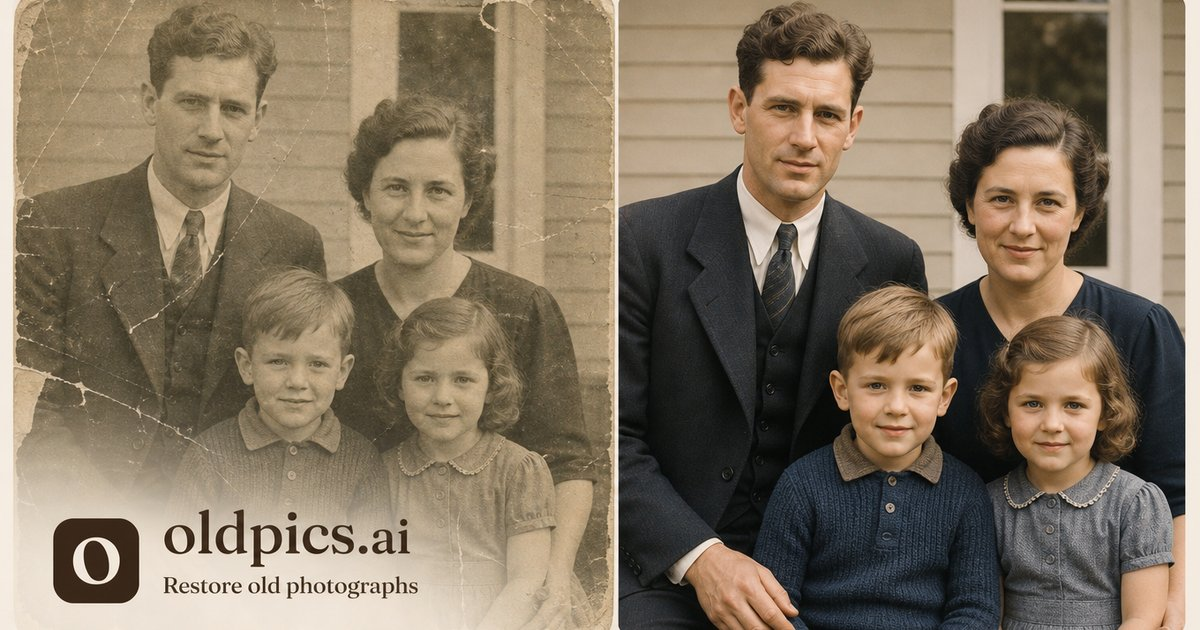
Maker-provided screenshot · Capture date not recorded · Asset reviewed 2026-11-19 · Source ↗
This listing has 1 image; no further gallery images exist.
What to know before choosing
Good fit
OldPics AI restores old photographs in the browser - repairing scratches, tears, stains and fading, with optional colorize and a Compare mode that runs several restore versions at once - with no account and no watermark. Each device gets 5 free Standard restores; after that, one-time packs cost $9 for 20 High quality restores or $29 for 100, with no subscription.
Limits and trade-offs
5 free restores per device; no account or card; no watermark.
Plans and free allowances
One-time packs: $9 for 20 High quality restores, or $29 for 100; no subscription.
Maker-submitted product description
Reviewed for publication 2026-11-19. This material was supplied with the submission; it is not a hands-on test or independent verification of every claim.
OldPics restores old and damaged photos, repairing scratches, tears, stains and fading, and can add color to black-and-white prints. Upload a photo and compare the before and after side by side. You get 5 free restores with no account or card, then one-time packs from $9 for 20 restores. It works in the browser, so there is nothing to install.
Maker-reported pricing model: freemium. Pricing has not been independently verified. Confirm current plans on the official website.
Official-site collection and source-backed editorial review
Dates: Last reviewed 2026-11-29 · Sources checked 2026-11-28 · Catalogued 2026-11-19. Last reviewed is the latest source or editorial review date; it is not a content-change date.
A closer look at OldPics AI
OldPics AI is an online tool for restoring old photographs: it repairs scratches, tears, stains and faded color, and lets you compare the restored result with the original before you download it. It runs entirely without an account — no sign-up, no card — and restored photos carry no watermark. You can upload JPG, PNG or WebP files up to 10MB. Every device gets 5 free Standard restores; that free allowance is a one-time grant per device, not a monthly allowance that refills. After the free restores, the tool sells one-time packs rather than a subscription: $9 for 20 High quality restores or $29 for 100 High quality restores. The model suits someone with a shoebox of damaged family prints who wants to test the repair quality on a few photos first — the first five Standard restores cost nothing and need no registration — and then decide whether a pack is worth it for the rest. Because pricing is per restore and packs are bought once, there is nothing to cancel and no recurring charge to track.
Editorial guidance based on published documentation. The workflow below is a suggested starting point, not a measured product result.
When to choose OldPics AI
You have a handful of scratched, torn or faded family photos and want to see the repair quality before paying anything.
You want restoration without creating an account: the free restores need no sign-up and no card, and results have no watermark.
You have a larger batch to restore and prefer a single one-time pack (20 or 100 restores) over a subscription.
When to choose something else
You expect a free allowance that refills every month: the 5 free restores are granted once per device, and after that restores come from paid packs.
Your scans are larger than 10MB or in formats other than JPG, PNG or WebP.
You need High quality output for free: the free restores are Standard quality, and High quality comes with the paid packs.
A practical starting workflow
Open OldPics AI — no account or card is needed.
Upload an old photo in JPG, PNG or WebP format, up to 10MB.
Run the restore; the first 5 Standard restores on each device are free.
Compare the restored photo with the original and download it, with no watermark.
If you need more or want High quality output, buy a one-time pack of 20 or 100 restores.
Check before committing
The 5 free Standard restores are a one-time allowance per device, not a recurring monthly quota.
High quality output is a paid-pack feature; free restores are Standard quality.
Uploads are limited to JPG, PNG or WebP files of up to 10MB.
Common questions
How much do restores cost?
Each device gets 5 free Standard restores. Then one-time packs: $9 for 20 High quality restores, or $29 for 100. There is no subscription.
RestoreClick — RestoreClick is an AI photo restoration service: upload a damaged photo and get it back repaired, clear and ready to print - fixing scratches, tears, water stains, fading and foxing in under two minutes, delivered by email - from $9.99 per photo. Tiers add natural colorization (Restore + Color) and handcrafted photo animation (Living Portraits, 3-5 day turnaround); if you are not happy, you do not pay. No free tier is stated.
Revivo Photo — Revivo Photo unblurs photos online: upload a photo and its AI fixes motion blur, missed focus and camera shake in about 10 seconds, checking every face against the original and discarding results that drift. It is free to try without signing up (downloads need a free account and free downloads are size-capped); Standard runs cost 1 credit per photo and HD 3 credits, and the smallest pack is 10 credits for $4.99 with credits that never expire.
MyEnhancer — MyEnhancer is an AI photo enhancer that sharpens soft details, reduces noise and balances light and color (Standard up to 2 MP at 4 credits per image, Pro up to 24 MP at 6 credits), alongside upscale, unblur, restoration and colorization tools. Where guest access is enabled, daily free credits cover single-image Standard Enhance, 2x Upscale and Unblur without signing up, including downloads; Pro and batch processing require purchased or subscription credits.
OldPics AI restores old photographs in the browser - repairing scratches, tears, stains and fading, with optional colorize and a Compare mode that runs several restore versions at once - with no account and no watermark. Each device gets 5 free Standard restores; after that, one-time packs cost $9 for 20 High quality restores or $29 for 100, with no subscription.
Capabilities and conditions
Restore old photographs: repair scratches, tears and faded color in old photos. Source ↗
One-time packs: $9 for 20 High quality restores, or $29 for 100; no subscription. Source ↗
5 free restores per device; no account or card; no watermark. Source ↗
Price and free allowance
See the sourced plan statements above; confirm currency, billing period and checkout eligibility on the vendor site.
Published-source profile · collected 2026-11-28. Automated collection followed by editorial review. These are vendor-published claims, not hands-on product test results.
Alternatives to OldPics AI
Tools the catalogue itself links to OldPics AI: an editor lists them as related, an editorial comparison or switching guide covers the pair, or both are reviewed picks for the same task. Each reason below can be checked on the tool pages. This is not a quality ranking.
When this listing’s recorded facts changed, from what to what. Dates are the day (UTC) the change was recorded in the ByTask data, not the day the vendor changed anything. Only changes that can be traced in the data history appear here; a fact that has not changed shows nothing.


 Official site reference


