Muse AI Video independently turns text or photos into short clips, with native audio on some models. Free credits on signup, no card. Not Meta's Muse Video.
At a glance
Paid · Source review 2026-11-28
Price & billing
Paid plans start at $8.3/month billed yearly ($100/year).
Muse AI Video turns a text prompt or a photo into a short clip in one workspace running Google Veo 3.1, Seedance 2.0, Kling 3.0, Grok, Hailuo, Wan and HappyHorse, with native audio on the models that support it. New accounts get free credits on signup with no card (480p renders as online previews); paid plans start at $8.3/month billed yearly ($100/year) and add downloads, no watermark and output up to 1080p, with 4K on Pro. It is an independent platform, not Meta's Muse Video.
Fit is editorial guidance, not a measured result.
Platforms
Access: not separately verified. Operating systems not separately verified.
Published-source facts and editorial guidance. No product test is implied. Confirm current conditions before purchase.
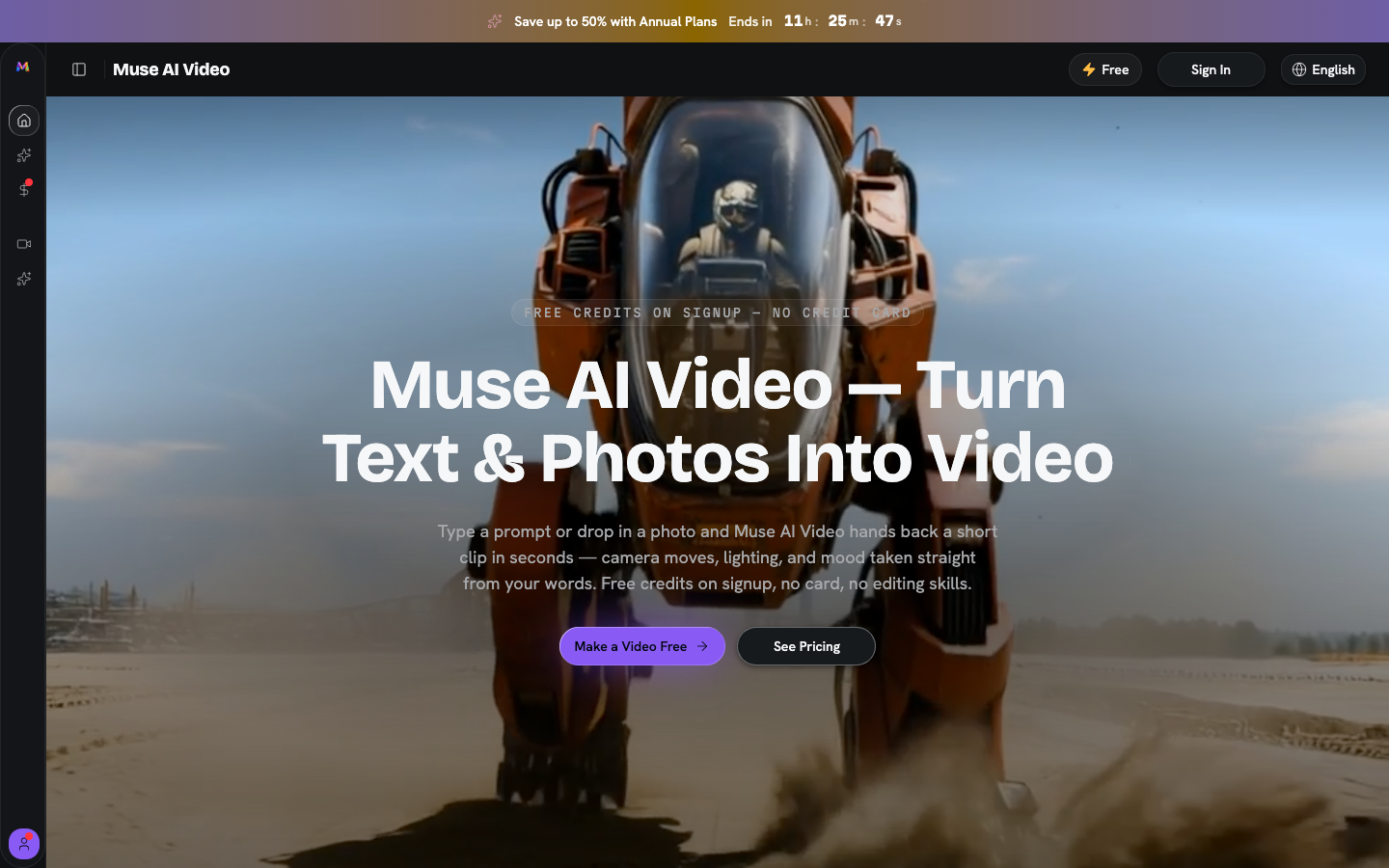
Maker-provided screenshot · Capture date not recorded · Asset reviewed 2026-11-27 · Source ↗
This listing has 1 image; no further gallery images exist.
What to know before choosing
Good fit
Muse AI Video turns a text prompt or a photo into a short clip in one workspace running Google Veo 3.1, Seedance 2.0, Kling 3.0, Grok, Hailuo, Wan and HappyHorse, with native audio on the models that support it. New accounts get free credits on signup with no card (480p renders as online previews); paid plans start at $8.3/month billed yearly ($100/year) and add downloads, no watermark and output up to 1080p, with 4K on Pro. It is an independent platform, not Meta's Muse Video.
Limits and trade-offs
Free renders are 480p online previews only.
Plans and free allowances
Paid plans start at $8.3/month billed yearly ($100/year).
Maker-submitted product description
Reviewed for publication 2026-11-27. This material was supplied with the submission; it is not a hands-on test or independent verification of every claim.
Muse AI Video (https://museaivideo.net/) is an independent tool that turns a text prompt or a photo into a short video. It is not affiliated with, endorsed by, or connected to Meta or Muse Video, and it is not an official model-vendor website. The homepage lists models in one workspace, including Seedance, Veo, Kling, Wan, Grok, Hailuo and HappyHorse. Some models can add native audio with the picture: the FAQ names Veo 3.1, Seedance 2.0 (Basic and up), and Kling with sound on; Grok, Wan, Hailuo and HappyHorse clips, including the default Grok Standard, are silent. New accounts get free credits on signup with no credit card. Free renders are 480p online previews; 720p, 1080p and 4K are unlocked on paid plans, as described on the homepage. Public contact: [email protected].
Maker-reported pricing model: freemium. Pricing has not been independently verified. Confirm current plans on the official website.
Official-site collection and source-backed editorial review
Dates: Last reviewed 2026-11-29 · Sources checked 2026-11-28 · Catalogued 2026-11-27. Last reviewed is the latest source or editorial review date; it is not a content-change date.
A closer look at Muse AI Video
Muse AI Video is an all-in-one AI video platform that turns a text prompt or a single photo into a short clip in seconds, with camera moves, lighting and mood taken straight from your words, and no editing skills required. It aggregates several leading video models in one place, listed by the vendor as Google Veo 3.1, Seedance 2.0, Kling 3.0, Grok, Hailuo, Wan and HappyHorse; those model names are the vendor's own labels for what the platform runs. The site states clearly that it is an independent platform, not Meta's official Muse Video product, despite the similar name. Starting is free: new accounts get free credits on signup with no card required. Free renders cover 480p text-to-video and image-to-video as online previews, so you can test real prompts before spending anything, but previews are for evaluation rather than publishing. Paid plans start at $8.3 per month billed yearly, which is $100 per year, and add downloads, no watermark and output up to 1080p, with 4K available on the Pro plan. In other words, the free tier answers whether a prompt produces the clip you imagined, and the paid tiers are what turn that clip into a downloadable, watermark-free file at publishable resolution. For creators who want to try several current video models through one account and one billing relationship, the platform packages that access, at the cost of depending on a third-party intermediary rather than the model makers themselves.
Editorial guidance based on published documentation. The workflow below is a suggested starting point, not a measured product result.
When to choose Muse AI Video
You want to turn a prompt or a photo into a short clip without editing skills, with camera moves, lighting and mood following your text.
You want to test real prompts for free first: signup credits cover 480p text-to-video and image-to-video as online previews, with no card required.
You want downloads without a watermark at up to 1080p, or 4K on Pro, under one annually billed plan.
When to choose something else
You are looking for Meta's official Muse product: this is an independent platform and is not Meta's official Muse Video product.
You need publishable files for free: free renders are 480p online previews, while downloads and watermark-free output are paid features.
You want a direct account with a specific model maker rather than an aggregator's access to it.
A practical starting workflow
Sign up to receive free credits, with no card required.
Type a prompt or drop in a photo, describing the camera moves, lighting and mood you want.
Render free 480p text-to-video or image-to-video previews online to check the result against your prompt.
Move to a paid plan (from $8.3 per month billed yearly, $100 per year) to download clips without a watermark at up to 1080p, or 4K on Pro.
Check before committing
Muse AI Video is an independent platform, not Meta's official Muse Video product; the similar name does not indicate any connection with Meta.
The $8.3 per month figure is a yearly-billing equivalent: paid plans start at $100 per year billed yearly, not at $8.3 charged monthly.
Model names such as Google Veo 3.1, Seedance 2.0, Kling 3.0, Grok, Hailuo, Wan and HappyHorse are the vendor's own labels, and free renders are limited to 480p online previews.
Common questions
What does the free tier include?
New accounts get free credits on signup with no card required. Free renders cover 480p text-to-video and image-to-video as online previews, so you can test real prompts before spending anything. Downloads, no watermark and output up to 1080p come with paid plans, with 4K on Pro.
Paid plans start at $8.3 per month billed yearly, which is $100 per year. They add downloads, remove the watermark and raise output to up to 1080p, with 4K on the Pro plan.
No. The site states that it is an independent platform, not Meta's official Muse Video product. It is an all-in-one platform for creating videos from text or images, with models the vendor lists as Google Veo 3.1, Seedance 2.0, Kling 3.0, Grok, Hailuo, Wan and HappyHorse.
DomoAI — Social creators and marketers who want to turn text, images, or existing footage into animated, restyled, or avatar-led videos quickly, using ready-made scenario templates and multiple integrated video and image models.
AIVideoFree — AIVideoFree is an AI video generator (image-to-video and text-to-video across models including Veo, Kling and Seedance) whose pitch is no restrictions: every model unlocked, no watermark, commercial use included, and credits that never expire. New accounts get free credits (between 10 and 88 depending on country, no card needed); when they run out, one-time credit packs start at $19.90, and a subscription delivers 14,400 credits a year for $16.58/month. Captured from the clean homepage without the referral parameters in the registered URL.
Everygen AI — Everygen AI is an independent AI video and image studio for Shorts, social clips and product ads: describe a scene, pick a model and framing, and generate video from text or a first-frame image, with a separate AI Image Studio for still frames. Each new account receives 10 welcome credits valid for 30 days - an explicitly one-time grant, not a daily refill; plan prices (Free, Basic, Pro, Business) are listed on the pricing page, and downloading results starts from the Basic plan.
Identity note It is not an official model-vendor website, and the homepage FAQ states it is not affiliated with other apps or companies that use a similar name. Read the listing
Product details from official sources
Muse AI Video turns a text prompt or a photo into a short clip in one workspace running Google Veo 3.1, Seedance 2.0, Kling 3.0, Grok, Hailuo, Wan and HappyHorse, with native audio on the models that support it. New accounts get free credits on signup with no card (480p renders as online previews); paid plans start at $8.3/month billed yearly ($100/year) and add downloads, no watermark and output up to 1080p, with 4K on Pro. It is an independent platform, not Meta's Muse Video.
Capabilities and conditions
Turns a prompt or a photo into a short clip with models including Veo 3.1 and Seedance 2.0. Source ↗
Paid plans start at $8.3/month billed yearly ($100/year). Source ↗
Free renders are 480p online previews only. Source ↗
Price and free allowance
See the sourced plan statements above; confirm currency, billing period and checkout eligibility on the vendor site.
Published-source profile · collected 2026-11-28. Automated collection followed by editorial review. These are vendor-published claims, not hands-on product test results.
Alternatives to Muse AI Video
Tools the catalogue itself links to Muse AI Video: an editor lists them as related, an editorial comparison or switching guide covers the pair, or both are reviewed picks for the same task. Each reason below can be checked on the tool pages. This is not a quality ranking.
Why it is listed Same category: Video · Listed by editors as related to Muse AI Video · Same pricing type: Paid
Identity note It is not an official model-vendor website, and the homepage FAQ states it is not affiliated with other apps or companies that use a similar name. Read the listing
When this listing’s recorded facts changed, from what to what. Dates are the day (UTC) the change was recorded in the ByTask data, not the day the vendor changed anything. Only changes that can be traced in the data history appear here; a fact that has not changed shows nothing.

 Official site reference


