Published-source facts and editorial guidance. No product test is implied. Confirm current conditions before purchase.
Official website; English-locale capture · Captured 2026-11-29 · Source ↗
This listing has 1 image; no further gallery images exist.
What to know before choosing
Good fit
Operations teams that want to extract data from documents and transfer it between formats without manual entry.
Limits and trade-offs
The free plan is a one-time grant of 50 credits; after that, Pro ($49/month) or Ultra ($99/month) is required, with overage billed at $0.14 per credit.
Plans and free allowances
Free Plan free; Pro Plan USD 49/month; Ultra Plan USD 99/month; Overpay USD 0.14/USD/credit
Dates: Last reviewed 2026-11-27 · Sources checked 2026-11-24. Last reviewed is the latest source or editorial review date; it is not a content-change date.
A closer look at Molku
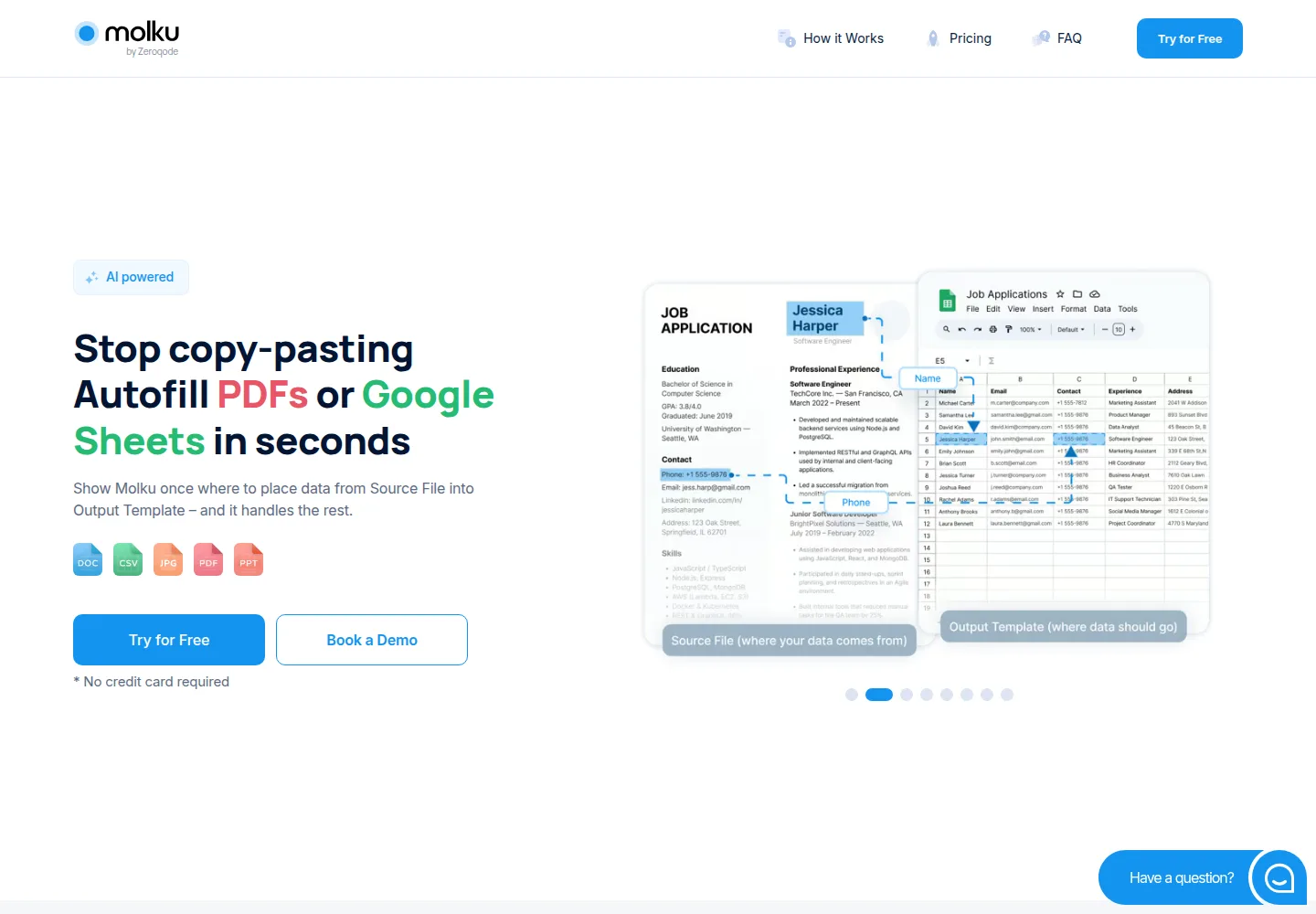
Molku is an AI document-autofill tool built around a simple bargain: show it once where data belongs, and it fills every later document for you. You upload a sample Source File — a CV, a form, an invoice — plus an Output Template, either a PDF or a Google Sheets file, choose which fields to extract, and drag each field to the place it should land in the template. From then on, uploading any new Source File with the same structure produces a filled document in seconds, ready to download, share by link or email, or open to teammates. Before transfer, the AI can modify values rather than merely copy them: replacing text, running calculations, standardizing formats and merging fields, all steerable with customizable prompts. It reads handwritten notes and forms as well as printed ones, processes documents in more than 100 languages, and can auto-translate data during transfer from any language to any other. A second mode standardizes messy incoming PDFs — CVs, reports, affidavits — into one uniform template so downstream processing and approvals move faster. Connections run through Zapier and Make (8,000+ apps) or an open API. Documents sit in encrypted storage, with 256-bit AES encryption in Amazon S3 named on the page. Pricing is credit-based: a free plan with 50 one-time credits, Starter at $19 a month for 100 credits, Pro at $49 for 300, and Ultra at $99 for 700, with extra credits at $0.14 each and no credit card required to start.
Editorial guidance based on published documentation. The workflow below is a suggested starting point, not a measured product result.
When to choose Molku
Teams that repeatedly retype data from incoming documents — CVs, invoices, forms, supplier paperwork — into the same PDF or Google Sheets template, since the workflow is defined once and reused for every same-structure file
Insurance, finance, logistics and similar document-heavy operations, the industries Molku itself uses as examples, where quotes, claims, statements and invoices arrive daily in predictable shapes
Anyone whose source documents include handwriting or foreign languages: handwritten text recognition, 100+ supported languages and auto-translation at transfer are built into the same workflow
When to choose something else
One-off documents with no repeating structure — the setup effort (sample file, template, field mapping) only pays back when more files like the first one keep arriving
High-volume users hoping to live on the free tier: the free plan's 50 credits are one-time rather than monthly, and paid plans meter 100–700 credits a month, so heavy use means the Ultra tier or $0.14-per-credit overage
Workflows whose finished output must be something other than a filled PDF or Google Sheets template — those are the two output formats the product is built around
A practical starting workflow
Create the workflow once: upload a sample Source File and an Output Template (PDF or Google Sheets), choose which data to extract, and drag each field to where its value belongs in the template
Optionally define AI modifications for the transfer — replace text, perform calculations, standardize formats or merge fields using customizable prompts
Run the workflow by uploading a new Source File with the same structure; Molku fills the template in seconds, including handwritten content
Download the filled document, share it by link or email, or collaborate with teammates — and connect Zapier, Make or the API if files should flow in and out automatically
Check before committing
The homepage's FAQ section lists questions such as “What is a credit?” but the answers were not present in the page text reviewed here, so confirm exactly what one credit covers for your file sizes before relying on plan numbers
Time-savings figures in the use-case blurbs and testimonials (for example “save over 60 hours per month” for insurance agencies or “reduce document processing time by 70%” in finance) are vendor-published claims, not independently measured results
Prices and features may change after this review; recheck the official site before purchase or signup
Common questions
How does Molku work?
You upload a sample Source File and an Output Template — a PDF or Google spreadsheet — choose the data to extract, and drag fields into place in the template. After that one-time setup, uploading any new Source File with the same structure produces a filled document in seconds.
The Free plan includes 50 one-time credits. Starter costs $19 per month for 100 credits a month, Pro is $49 per month for 300 credits, and Ultra is $99 per month for 700 credits; additional credits cost $0.14 each. No credit card is required to start.
Yes. Molku automatically captures data from handwritten notes and forms, processes documents in more than 100 languages, and can auto-translate data at transfer from any language to any language.
Molku states that documents are kept in encrypted storage — 256-bit AES encryption secures PDFs in Amazon S3 — alongside safe transfers, private processing, backups and secure login.
Parsio — A team that wants invoices, receipts, bank statements, business cards or ID documents parsed automatically; A user who wants email attachments parsed and sent to Google Sheets or accounting software in real time
Airparser — Operations teams turning emails and documents into structured data for automation.
FormX.ai — Operations teams that extract structured data from invoices, receipts, and forms at scale; developers who want extractor APIs and integrations; users who want a 100-page free trial before paying per page.
Alternatives to Molku
Tools the catalogue itself links to Molku: an editor lists them as related, an editorial comparison or switching guide covers the pair, or both are reviewed picks for the same task. Each reason below can be checked on the tool pages. This is not a quality ranking.
When this listing’s recorded facts changed, from what to what. Dates are the day (UTC) the change was recorded in the ByTask data, not the day the vendor changed anything. Only changes that can be traced in the data history appear here; a fact that has not changed shows nothing.
Recorded (UTC)
Price & plansPlan type: Price not verified → Trial available

 Official site reference


