Jolene.pro lets you ask Excel and CSV files questions in plain English: upload a messy workbook and get charts and plain-English answers where every number traces back to the sheets, steps and rows behind it, then pin charts into a shareable dashboard. It starts free with 2,000 credits every month and no payment required; paid plan prices are not published on the homepage.
Fit is editorial guidance, not a measured result.
Platforms
Access: not separately verified. Operating systems not separately verified.
Published-source facts and editorial guidance. No product test is implied. Confirm current conditions before purchase.
Maker-provided screenshot · Capture date not recorded · Asset reviewed 2026-11-19 · Source ↗Maker-provided screenshot · Capture date not recorded · Asset reviewed 2026-11-19 · Source ↗Maker-provided screenshot · Capture date not recorded · Asset reviewed 2026-11-19 · Source ↗
This listing has 3 images.
What to know before choosing
Good fit
Jolene.pro lets you ask Excel and CSV files questions in plain English: upload a messy workbook and get charts and plain-English answers where every number traces back to the sheets, steps and rows behind it, then pin charts into a shareable dashboard. It starts free with 2,000 credits every month and no payment required; paid plan prices are not published on the homepage.
Limits and trade-offs
Every answer shows where it came from, down to the rows behind each number.
Plans and free allowances
Starts free with 2,000 credits every month, no payment required.
Maker-submitted product description
Reviewed for publication 2026-11-19. This material was supplied with the submission; it is not a hands-on test or independent verification of every claim.
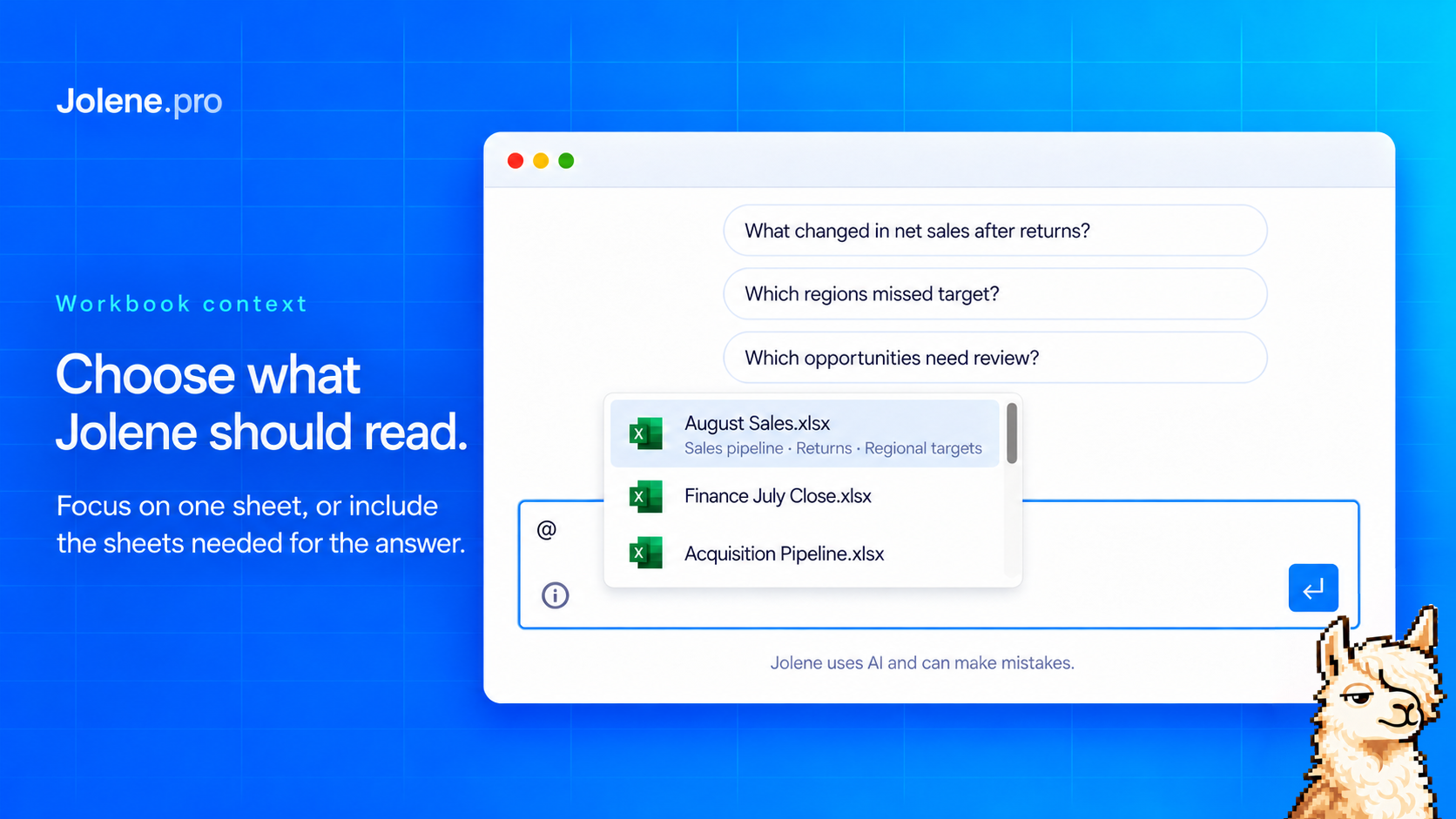
Jolene.pro analyzes complete Excel and CSV workbooks, including multiple sheets, separate tables, and irregular layouts. Users can compare records across sheets, investigate discrepancies, check totals, explain calculations, and turn findings into charts and KPI views.
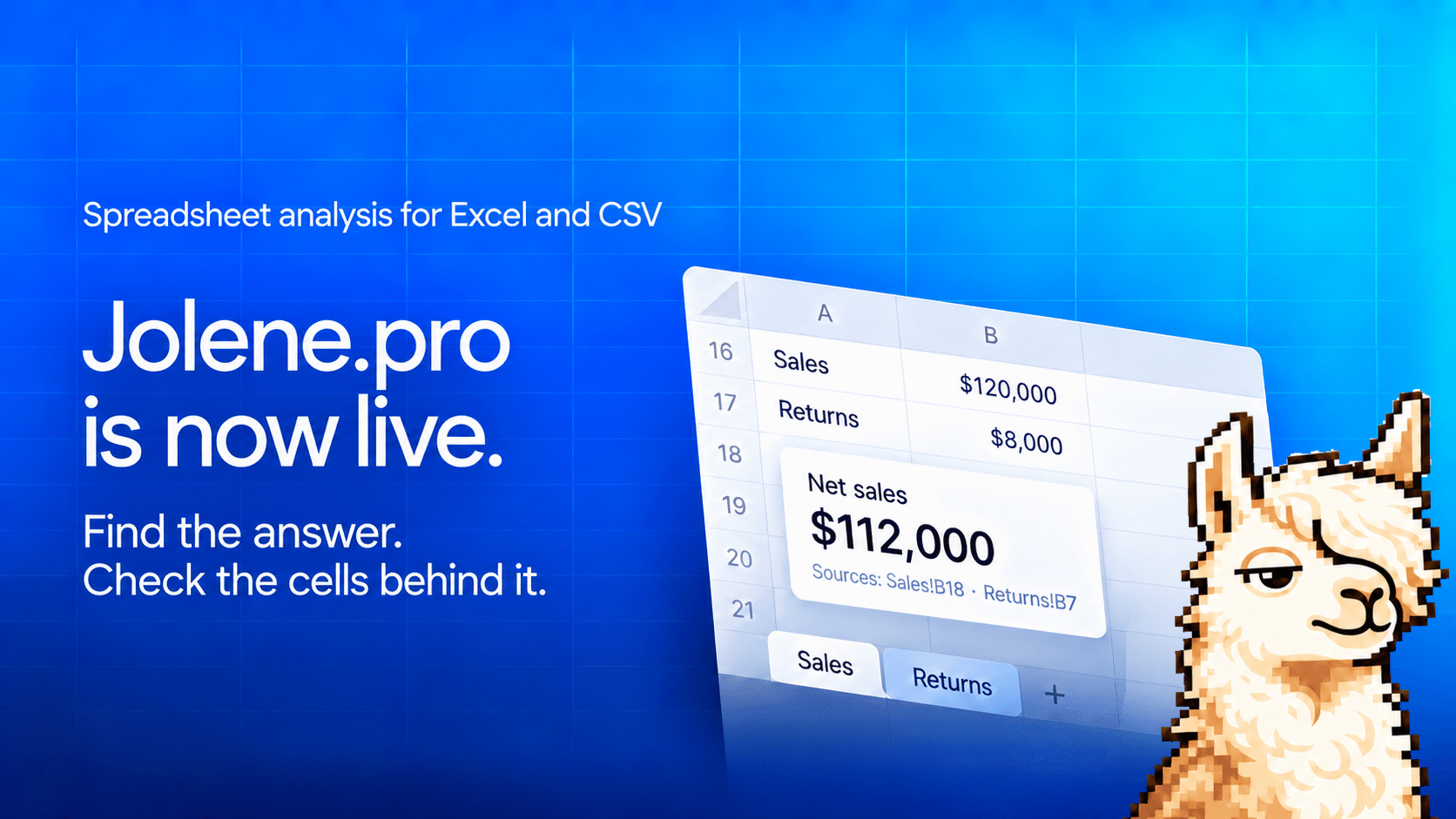
Every answer includes references to the supporting sheets, rows, and cells, allowing users to inspect the evidence behind a result instead of accepting an unexplained number.
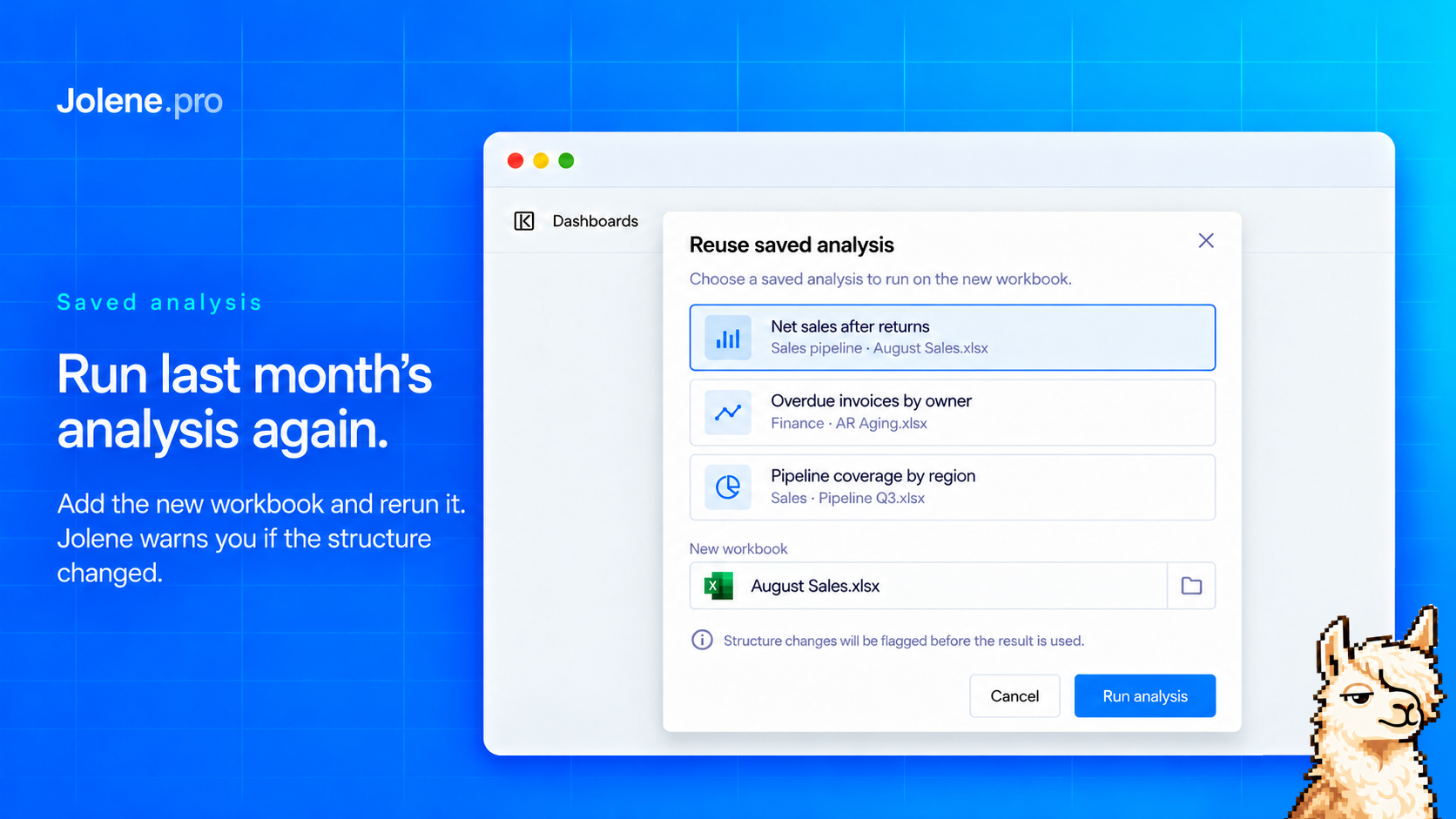
Jolene.pro is also built for recurring analysis. Users can save an analysis and rerun it when the next weekly or monthly workbook arrives. Supported changes such as renamed sheets, reordered columns, added rows, and shifted tables do not require the work to be rebuilt. Changes that could affect the result are flagged for review.
The original file remains unchanged because Jolene.pro analyzes a read-only snapshot.
Maker-reported pricing model: freemium. Pricing has not been independently verified. Confirm current plans on the official website.
Official-site collection and source-backed editorial review
Dates: Last reviewed 2026-11-29 · Sources checked 2026-11-28 · Catalogued 2026-11-19. Last reviewed is the latest source or editorial review date; it is not a content-change date.
A closer look at Jolene.pro
Jolene.pro is a question-answering tool for spreadsheets: you upload an Excel or CSV workbook, ask a question in plain English, and get back an answer with the charts and plain-English explanation built from your file — pitched at people who rebuild the same analysis every month and would rather ask for it. Its distinguishing feature is that every answer is source-cited and inspectable: click any chart and you can see the trail back to your file — the sheets it read, the steps it took, and the rows behind each number — so a figure can be checked against the workbook instead of being trusted blind. Answers can then be composed into a dashboard and published and shared, turning a one-off question into a report other people can open. It starts free with 2,000 credits every month, a recurring allowance that needs no payment to begin. The reviewed page does not publish the paid plans' prices or what each question costs in credits, so the free monthly allowance is the concrete budget a new user can plan around, and anything beyond it has to be checked on the vendor's site. For recurring reporting on messy workbooks — the same file refreshed, the same questions asked — the combination of cited answers and a shareable dashboard is the core of the offer.
Editorial guidance based on published documentation. The workflow below is a suggested starting point, not a measured product result.
When to choose Jolene.pro
Someone who re-runs the same analysis on a refreshed Excel or CSV workbook every month and wants to ask for the numbers instead of rebuilding formulas.
A user who needs to defend a figure: every answer can be traced to the sheets, steps and rows behind it, and composed into a shareable dashboard.
When to choose something else
Anyone who needs published paid-plan pricing before starting: the reviewed page states the free monthly credits but not the paid prices or per-question credit costs.
Anyone whose data does not live in Excel or CSV workbooks: the tool is built around uploading those files.
A practical starting workflow
Upload the real Excel or CSV workbook you are working on.
Ask your question in plain English.
Review the answer and its charts, which come with source citations.
Click a chart to inspect the trail: the sheets read, the steps taken and the rows behind each number.
Compose the answers into a dashboard, then publish and share it.
Check before committing
The free allowance is 2,000 credits every month; the reviewed page does not state how many credits a question or a dashboard costs, so how far the allowance stretches is only clear in use.
Paid plan prices are not published in the reviewed text — check the vendor's site before relying on a paid tier.
Answers are built from the workbook you upload, so the cited trail is worth checking when the source file itself is messy.
Common questions
How much does Jolene.pro cost to start?
It starts free with 2,000 credits every month, and no payment is required to begin. The reviewed page does not publish the paid plans' prices.
Every answer shows where it came from: click any chart to see the trail back to your file — the sheets it read, the steps it took, and the rows behind each number.
You upload an Excel or CSV workbook and ask questions about it in plain English; it turns messy workbooks into charts and plain-English, source-cited answers.
ChatCSV — Analysts who want to ask questions of CSV data in plain language.; Teams that explore spreadsheets conversationally instead of writing formulas.
Bricks — People who want polished, editable dashboards and reports from spreadsheet data without full BI complexity.
Sourcetable — Individuals and small teams who live in spreadsheets and want an AI copilot: auto-generating formulas, cleaning messy data, summarizing tables and answering questions about the data. Good for operator
Product details from official sources
Jolene.pro lets you ask Excel and CSV files questions in plain English: upload a messy workbook and get charts and plain-English answers where every number traces back to the sheets, steps and rows behind it, then pin charts into a shareable dashboard. It starts free with 2,000 credits every month and no payment required; paid plan prices are not published on the homepage.
Capabilities and conditions
Turns messy workbooks into charts and plain-English answers. Source ↗
Starts free with 2,000 credits every month, no payment required. Source ↗
Every answer shows where it came from, down to the rows behind each number. Source ↗
Price and free allowance
See the sourced plan statements above; confirm currency, billing period and checkout eligibility on the vendor site.
Published-source profile · collected 2026-11-28. Automated collection followed by editorial review. These are vendor-published claims, not hands-on product test results.
Alternatives to Jolene.pro
Tools the catalogue itself links to Jolene.pro: an editor lists them as related, an editorial comparison or switching guide covers the pair, or both are reviewed picks for the same task. Each reason below can be checked on the tool pages. This is not a quality ranking.
When this listing’s recorded facts changed, from what to what. Dates are the day (UTC) the change was recorded in the ByTask data, not the day the vendor changed anything. Only changes that can be traced in the data history appear here; a fact that has not changed shows nothing.


 Official site reference


