Image Upscaler 4K upscales images to 4K online with two engines: a fast Recraft Crisp mode (6 credits per image, up to 4x) and Topaz Pro modes from 48 credits for portraits, products, old prints, documents and AI art. Signup includes 10 free credits valid for 30 days with preview-only output; paid plans are billed annually - Basic $100.0/year (displayed as $8.3/month), Pro $360.0/year and Business $599.0/year - with full-resolution downloads.
Fit is editorial guidance, not a measured result.
Platforms
Access: not separately verified. Operating systems not separately verified.
Published-source facts and editorial guidance. No product test is implied. Confirm current conditions before purchase.
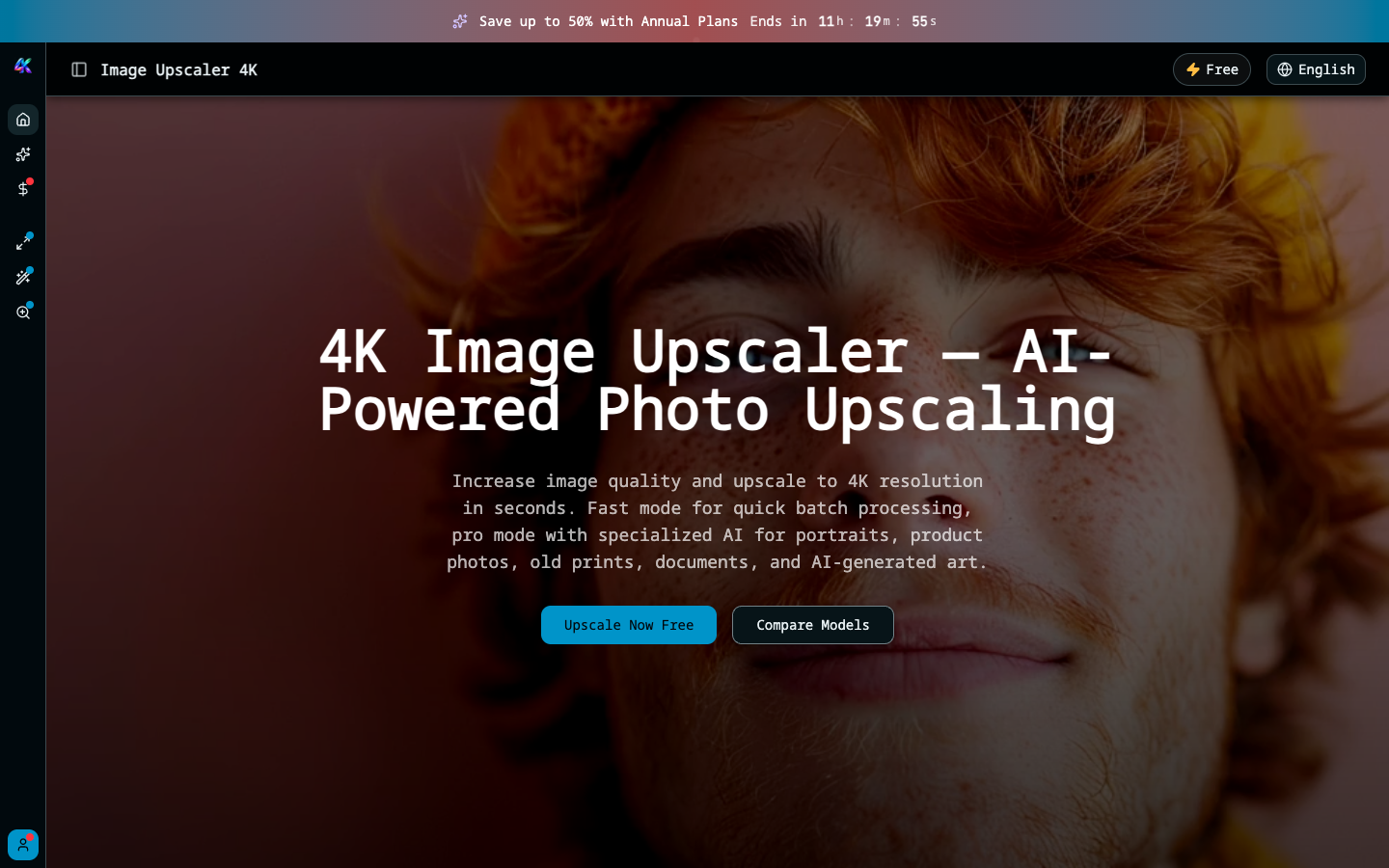
Maker-provided screenshot · Capture date not recorded · Asset reviewed 2026-11-27 · Source ↗
This listing has 1 image; no further gallery images exist.
What to know before choosing
Good fit
Image Upscaler 4K upscales images to 4K online with two engines: a fast Recraft Crisp mode (6 credits per image, up to 4x) and Topaz Pro modes from 48 credits for portraits, products, old prints, documents and AI art. Signup includes 10 free credits valid for 30 days with preview-only output; paid plans are billed annually - Basic $100.0/year (displayed as $8.3/month), Pro $360.0/year and Business $599.0/year - with full-resolution downloads.
Limits and trade-offs
On the free plan, output is online preview and public gallery only.
Plans and free allowances
Signup includes 10 free credits valid for 30 days; Basic is billed as $100.0/year.
Maker-submitted product description
Reviewed for publication 2026-11-27. This material was supplied with the submission; it is not a hands-on test or independent verification of every claim.
Image Upscaler 4K (https://imageupscaler4k.com/) is an independent AI upscaler, not an official model-vendor website, and has no partnership with the model vendor. Upload a photo and enlarge it with a dual-engine setup: Fast mode (Recraft Crisp) for a 4x enlargement the homepage says takes about 3 seconds, and Pro mode with five scene-specific Topaz upscalers for portraits, product photos, old prints, documents and AI art. 4x means each dimension is multiplied by four, not a fixed 3840×2160 canvas; the FAQ says the input must be at least 960×540 to reach true 4K. New accounts get 10 free credits on signup, valid for 30 days, with no credit card required. Public contact: [email protected].
Maker-reported pricing model: freemium. Pricing has not been independently verified. Confirm current plans on the official website.
Official-site collection and source-backed editorial review
Dates: Last reviewed 2026-11-29 · Sources checked 2026-11-28 · Catalogued 2026-11-27. Last reviewed is the latest source or editorial review date; it is not a content-change date.
A closer look at Image Upscaler 4K
Image Upscaler 4K is an online AI photo upscaler that increases image quality and upscales to 4K resolution in seconds. It offers two ways to work. Fast mode is a one-click upscale using Recraft Crisp, at 6 credits per image. Pro mode offers five specialized Topaz upscalers, from 48 credits per image, aimed at particular subjects: portraits, product photos, old prints, documents and AI-generated art. Upscaling goes up to 4x, with a maximum of 4096 px. The Free plan costs $0 and starts you with 10 free credits on signup — no credit card needed — but those credits are a one-time grant valid for 30 days, and free results are limited to online preview and a public gallery. Basic costs $8.3 a month, billed as $100.0 a year, and unlocks full-resolution image downloads. Pro costs $30.0 a month against a $49.9 list price, billed as $360.0 a year, and adds professional upscaling with the five scene-optimized AI models, private image processing and a priority queue. Business costs $49.9 a month against a $99.9 list price, billed as $599.0 a year, and adds full commercial rights and copyright ownership plus a VIP queue. In the plan sections of the pricing page, the paid plans carry 2,400 credits (Basic), 21,600 credits (Pro) and 48,000 credits (Business) for 12 months. It suits anyone who needs a quick browser-based upscale — a seller sharpening product photos, someone reviving an old print, or a creator enlarging AI art — and wants to choose between a cheap fast pass and more specialised models for the image at hand.
Editorial guidance based on published documentation. The workflow below is a suggested starting point, not a measured product result.
When to choose Image Upscaler 4K
You need to enlarge a portrait, product photo, old print, document or AI-generated image up to 4x and 4096 px in a browser, without installing software.
You want a choice between a cheap one-click upscale (6 credits per image) and specialised Topaz upscalers for particular image types (from 48 credits per image).
You need full commercial rights and copyright ownership of the upscaled output, which the Business plan includes.
When to choose something else
You need to download full-resolution results for free: the Free plan only allows online preview and a public gallery.
You need upscaling beyond 4x or above 4096 px: that is the stated maximum here.
You want to work without an account: the free credits are granted on signup.
A practical starting workflow
Sign up to receive the 10 free credits (valid for 30 days) — no credit card needed.
Upload an image and choose fast mode (Recraft Crisp, 6 credits) or a pro Topaz upscaler matched to your image type (from 48 credits).
Preview the upscaled result online, at up to 4x and 4096 px.
On a paid plan, download the full-resolution image; on Business, output carries full commercial rights and copyright ownership.
Check before committing
The site's own pricing page disagrees with itself on plan credits: the plan sections state 2,400 / 21,600 / 48,000 credits for 12 months (Basic / Pro / Business), while the comparison table lists monthly credits of 800 / 1,800 / 4,000. This entry follows the plan sections; check the current figures before buying.
The 10 free signup credits are a one-time grant that expires after 30 days, not a recurring monthly allowance.
Free-plan results can only be previewed online and sit in a public gallery, so do not upscale private images on the free tier.
Common questions
Is Image Upscaler 4K free to try?
Yes. Signup gives you 10 free credits with no credit card needed, valid for 30 days. Fast mode costs 6 credits per image, but free results are limited to online preview and a public gallery; full-resolution downloads start on the Basic plan.
What is the difference between fast mode and pro mode?
Fast mode is a one-click upscale with Recraft Crisp at 6 credits per image. Pro mode offers five specialized Topaz upscalers, from 48 credits per image, for portraits, product photos, old prints, documents and AI-generated art.
Image Upscaler 4K upscales images to 4K online with two engines: a fast Recraft Crisp mode (6 credits per image, up to 4x) and Topaz Pro modes from 48 credits for portraits, products, old prints, documents and AI art. Signup includes 10 free credits valid for 30 days with preview-only output; paid plans are billed annually - Basic $100.0/year (displayed as $8.3/month), Pro $360.0/year and Business $599.0/year - with full-resolution downloads.
Capabilities and conditions
Upscales images to 4K with a fast mode and pro scene-specific upscalers. Source ↗
Signup includes 10 free credits valid for 30 days; Basic is billed as $100.0/year. Source ↗
On the free plan, output is online preview and public gallery only. Source ↗
Price and free allowance
See the sourced plan statements above; confirm currency, billing period and checkout eligibility on the vendor site.
Published-source profile · collected 2026-11-28. Automated collection followed by editorial review. These are vendor-published claims, not hands-on product test results.
Alternatives to Image Upscaler 4K
Tools the catalogue itself links to Image Upscaler 4K: an editor lists them as related, an editorial comparison or switching guide covers the pair, or both are reviewed picks for the same task. Each reason below can be checked on the tool pages. This is not a quality ranking.
When this listing’s recorded facts changed, from what to what. Dates are the day (UTC) the change was recorded in the ByTask data, not the day the vendor changed anything. Only changes that can be traced in the data history appear here; a fact that has not changed shows nothing.

 Official site reference


