GTA5Goodbye is an independent fan-made generator that turns one selfie (plus an optional childhood photo) into a fixed 13-second 9:16 GTA 5 goodbye video — the user as an adult in 2026 and as a kid in 2013 on a sunset pier. It is sold in one-time credit packs from $8.99 with no subscription, and it is not affiliated with Rockstar Games or Take-Two Interactive.
Fit is editorial guidance, not a measured result.
Platforms
Access: not separately verified. Operating systems not separately verified.
Published-source facts and editorial guidance. No product test is implied. Confirm current conditions before purchase.
Official website; English-locale capture · Captured 2026-11-29 · Source ↗
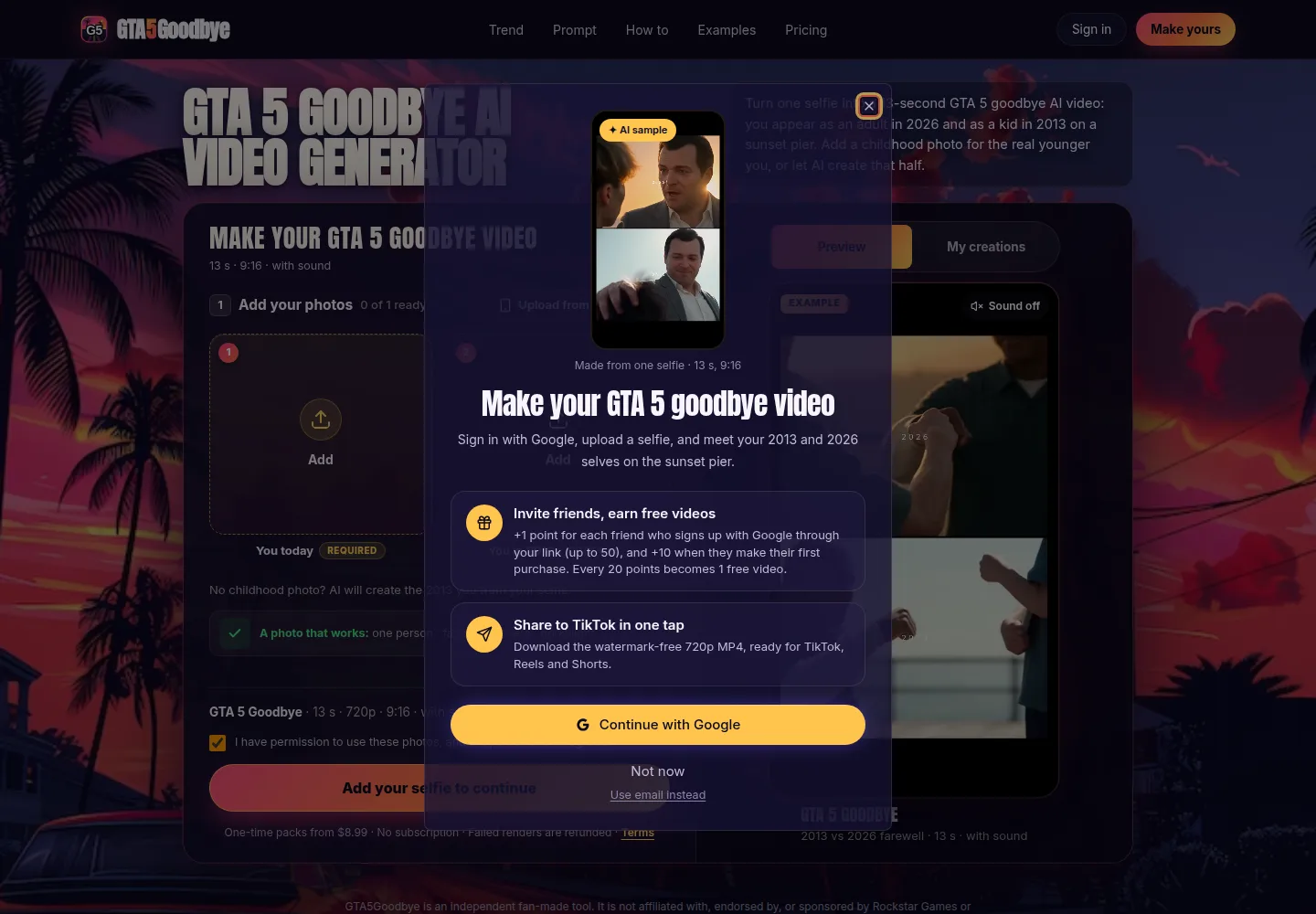
This listing has 1 image; no further gallery images exist.
What to know before choosing
Good fit
GTA5Goodbye is an independent fan-made generator that turns one selfie (plus an optional childhood photo) into a fixed 13-second 9:16 GTA 5 goodbye video — the user as an adult in 2026 and as a kid in 2013 on a sunset pier. It is sold in one-time credit packs from $8.99 with no subscription, and it is not affiliated with Rockstar Games or Take-Two Interactive.
Limits and trade-offs
The tool is an independent fan-made product, not affiliated with Rockstar Games or Take-Two Interactive. Uploaded photos are deleted after 24 hours.
Plans and free allowances
Videos are sold in one-time packs from $8.99, with no subscription, and failed renders are refunded.
Maker-submitted product description
Reviewed for publication 2026-11-20. This material was supplied with the submission; it is not a hands-on test or independent verification of every claim.
GTA5Goodbye is a fan-made AI video maker for nostalgic gaming edits. Upload one current selfie and optionally a childhood photo to create a 13-second vertical 9:16 MP4 contrasting 2013 and 2026 in a split-screen style. It is built for TikTok, Reels, and Shorts creators and offers one-time packs without a subscription.
Maker-reported pricing model: paid. Pricing has not been independently verified. Confirm current plans on the official website.
Official-site collection and source-backed editorial review
Dates: Last reviewed 2026-11-28 · Sources checked 2026-11-26 · Catalogued 2026-11-20. Last reviewed is the latest source or editorial review date; it is not a content-change date.
A closer look at GTA5Goodbye
GTA5Goodbye is a single-purpose, fan-made generator that turns one selfie into a 13-second GTA 5 goodbye video: you appear as an adult in 2026 and as a kid in 2013 on a sunset pier, in a vertical split-screen clip with sound. Adding a childhood photo makes the 2013 half the real younger you; without one, the AI creates that half from your selfie. There is no prompt to write and no editing app involved — you upload a clear selfie (one person, facing the camera, in good light), optionally add the childhood photo, and press Create. The output is fixed: 13 seconds across 6 shots, 9:16 at 720×1280 and 24 fps, delivered as an MP4 (H.264 video, AAC audio) with licensed music and no watermark, usually within a few minutes. The scene itself is also fixed — there is no custom script, location or camera work to choose. Each video costs 1 credit, sold in one-time packs from $8.99 with no subscription, and a failed render returns the credit automatically. Uploaded photos are deleted after 24 hours. The vendor states plainly that GTA5Goodbye is an independent fan-made tool that is not affiliated with, endorsed by, or sponsored by Rockstar Games or Take-Two Interactive; the scene is fan-made, uses no official game footage, and the people in it are AI look-alikes rather than official characters or voices.
Editorial guidance based on published documentation. The workflow below is a suggested starting point, not a measured product result.
When to choose GTA5Goodbye
You want to join the GTA 5 goodbye trend with a clip of yourself, without filming, editing or writing a prompt.
You have one clear selfie and, ideally, a childhood photo so the 2013 half shows the real younger you.
You want a one-off purchase — a single 13-second vertical clip — rather than another subscription.
When to choose something else
You want to change the scene, script, location or camera moves: the 2013/2026 sunset-pier scene is fixed.
You need more than one person in the video, a pet, a landscape 16:9 file or quality above 720p — none of those are supported.
You are looking for an official Rockstar or GTA product: this is an independent fan-made tool with no affiliation.
A practical starting workflow
Pick one clear selfie: one person, facing the camera, in good light.
Optionally add a childhood photo so the 2013 half is the real younger you instead of an AI-created version.
Press Create and wait a few minutes for the render.
Download the 13-second 9:16 MP4 and post it; if a render fails, the credit comes back automatically.
Check before committing
GTA5Goodbye is an independent fan-made tool. It is not affiliated with, endorsed by, or sponsored by Rockstar Games or Take-Two Interactive, and the video's heroes are AI look-alikes, not official characters, footage or voices.
Output is fixed at 13 seconds and vertical 720×1280 — there is no 1080p or 16:9 option yet.
Uploaded photos are deleted after 24 hours, per the vendor's published policy.
Common questions
Do I need a childhood photo to make a video?
No. One selfie is enough; a childhood photo just makes the 2013 half the real, younger you instead of an AI-created version.
A 13-second vertical video at 720×1280 and 24 fps, delivered as an MP4 with sound and no watermark. One-time packs start at $8.99, there is no subscription, and a failed render refunds the credit automatically.
No. The vendor states that GTA5Goodbye is an independent fan-made tool, not affiliated with, endorsed by, or sponsored by Rockstar Games or Take-Two Interactive, and that the scene uses no official game footage.
Flying Car AI — Flying Car AI is a single-purpose video maker for the flying-car trend: pick one of four scenes, add a clear photo of yourself (and optionally your own car), and get a 15-second clip of you lifting off over traffic, with engine and street sound, in 1-3 minutes. A Standard (768P) video uses 25 credits and an HD (2K) video 45; one-time credit packs start at $4.99 for 30 credits - enough for one video - with no subscription, and failed videos return their credits. No free generation is offered.
Ozil Goal AI — Ozil Goal AI turns one adult photo into a personalized football goal video using ready-made templates (daylight goal, Halloween goal, fake rabona) at 480p or 720p, with the scene's music included in the download. Each verified account gets one free personalized image preview; video creation is paid with one-time packs starting at USD 4.90 for one 480p video (720p from USD 5.99), no subscription required.
MemeVideoMaker — MemeVideoMaker turns portrait photos into shot-for-shot remakes of viral meme video trends (78 live templates) with no prompt writing, exporting watermark-free 9:16 MP4s. The vendor states plainly that it is a paid service with no free tier, sold as annual-billing subscriptions or one-time credit packs, with automatic refunds for failed renders.
Product details from official sources
GTA5Goodbye is an independent fan-made generator that turns one selfie (plus an optional childhood photo) into a fixed 13-second 9:16 GTA 5 goodbye video — the user as an adult in 2026 and as a kid in 2013 on a sunset pier. It is sold in one-time credit packs from $8.99 with no subscription, and it is not affiliated with Rockstar Games or Take-Two Interactive.
Capabilities and conditions
One selfie becomes a 13-second split-screen video showing the user in 2026 and in 2013. Source ↗
Videos are sold in one-time packs from $8.99, with no subscription, and failed renders are refunded. Source ↗
The tool is an independent fan-made product, not affiliated with Rockstar Games or Take-Two Interactive. Source ↗
Uploaded photos are deleted after 24 hours. Source ↗
The generated file is fixed at 9:16 and 720x1280. Source ↗
Price and free allowance
See the sourced plan statements above; confirm currency, billing period and checkout eligibility on the vendor site.
Published-source profile · collected 2026-11-28. Automated collection followed by editorial review. These are vendor-published claims, not hands-on product test results.
Alternatives to GTA5Goodbye
Tools the catalogue itself links to GTA5Goodbye: an editor lists them as related, an editorial comparison or switching guide covers the pair, or both are reviewed picks for the same task. Each reason below can be checked on the tool pages. This is not a quality ranking.
When this listing’s recorded facts changed, from what to what. Dates are the day (UTC) the change was recorded in the ByTask data, not the day the vendor changed anything. Only changes that can be traced in the data history appear here; a fact that has not changed shows nothing.


 Maker-provided visual