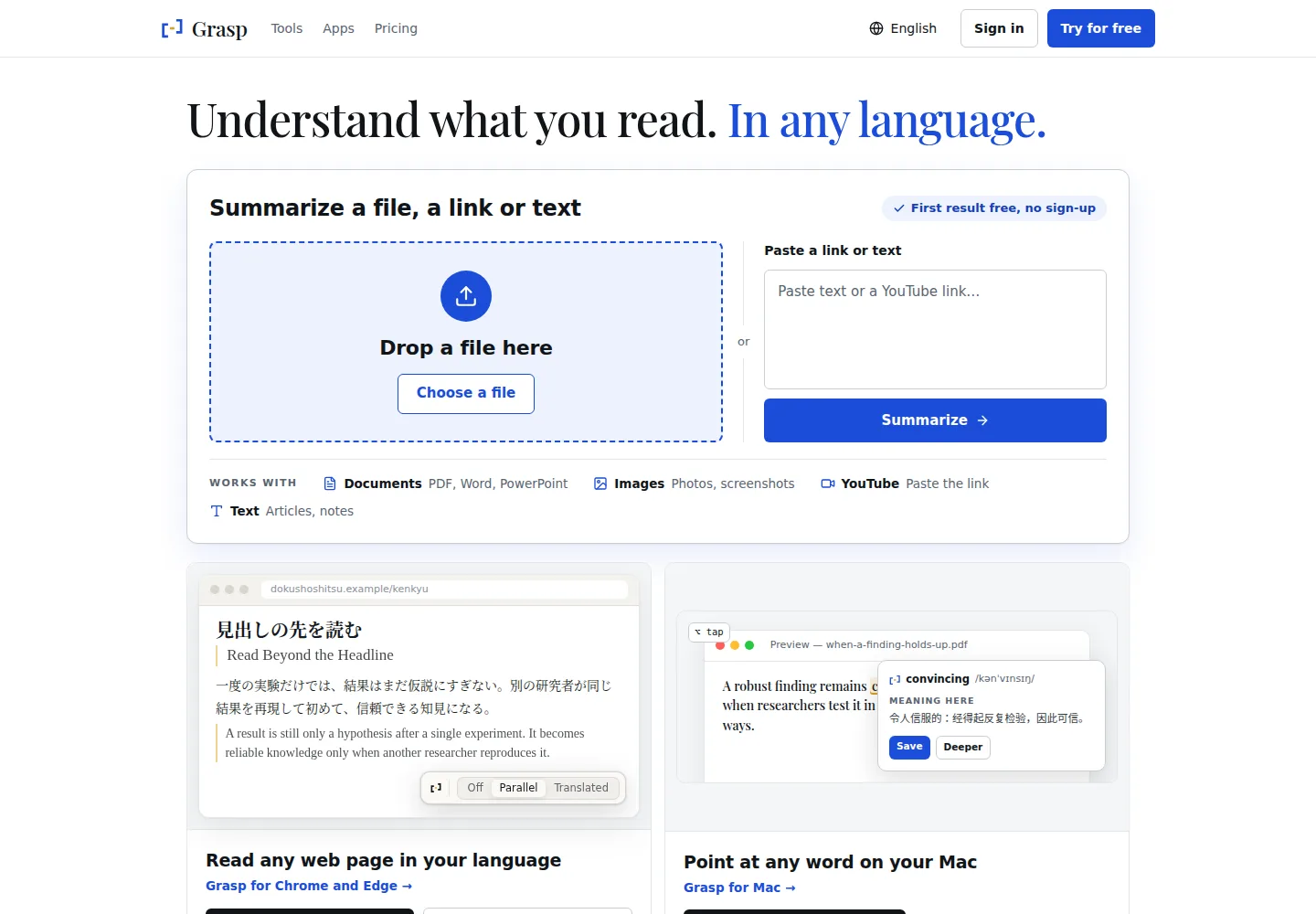
Grasp summarizes files, links and text and lets you read in any language: drop a PDF, Word or PowerPoint file, an image, a YouTube link or text and get the summary and key points, answers from the document, meeting minutes, OCR text, quizzes and citations, across web tools, a Chrome/Edge extension and a Mac app on one account. The first result is free with no sign-up, and a free account gets 100 lookups a month in the apps; a Premium plan covers all surfaces, but its price is not published on the homepage.
Fit is editorial guidance, not a measured result.
Platforms
Access: not separately verified. Operating systems not separately verified.
Published-source facts and editorial guidance. No product test is implied. Confirm current conditions before purchase.
Official website; English-locale capture · Captured 2026-11-29 · Source ↗
This listing has 1 image; no further gallery images exist.
What to know before choosing
Good fit
Grasp summarizes files, links and text and lets you read in any language: drop a PDF, Word or PowerPoint file, an image, a YouTube link or text and get the summary and key points, answers from the document, meeting minutes, OCR text, quizzes and citations, across web tools, a Chrome/Edge extension and a Mac app on one account. The first result is free with no sign-up, and a free account gets 100 lookups a month in the apps; a Premium plan covers all surfaces, but its price is not published on the homepage.
Limits and trade-offs
The first result is free, with no sign-up.
Plans and free allowances
A free account gets 100 lookups a month in the apps; Premium covers all surfaces.
Maker-submitted product description
Reviewed for publication 2026-11-27. This material was supplied with the submission; it is not a hands-on test or independent verification of every claim.
Grasp helps you understand what you read, in any language. On grasp.info you can drop in a document, an image, a YouTube link or plain text and get a summary, key points, answers from the file, meeting minutes, text from images, quizzes and citations. Grasp for Chrome (also in Edge) shows an AI translation beneath each paragraph of a web page and keeps the original, and explains a word in the sentence it is in. Grasp for Mac does the same for any app on screen. One account and one plan cover all of them, and you can try it free.
Maker-reported pricing model: freemium. Pricing has not been independently verified. Confirm current plans on the official website.
Official-site collection and source-backed editorial review
Dates: Last reviewed 2026-11-29 · Sources checked 2026-11-28 · Catalogued 2026-11-27. Last reviewed is the latest source or editorial review date; it is not a content-change date.
A closer look at Grasp
Grasp is a multilingual summarizing and reading tool: summarize a file, a link or text, and read the result in any language. It works with documents (PDF, Word, PowerPoint), images (photos, screenshots), YouTube links, and plain text such as articles and notes. What comes out is more than a summary: you get a summary and key points, answers from your document, meeting minutes, text extracted from images and handwriting, a quiz and flashcards, and citations. The first result is free and needs no sign-up. One account carries across the web tools, the browser extension and the Mac app, and one Premium plan covers all of them — note that the site does not publish what Premium costs, so the price is something to check in the app before relying on it. A free account gets 100 lookups a month in the apps. Grasp reads and writes in more than 100 languages (the site itself is in 26), which is the point of the product: the same summary-and-study toolkit follows the content across languages. A vocabulary notebook ties the language side together: a word saved in Chrome is on your Mac, with the sentence it came from. For readers who regularly face long documents, videos or papers in a language that is not their first — students, researchers and professionals working across borders — Grasp combines comprehension help and language support in one place, instead of splitting them between a summarizer and a translator.
Editorial guidance based on published documentation. The workflow below is a suggested starting point, not a measured product result.
When to choose Grasp
You read long material in other languages: Grasp reads and writes in 100+ languages and summarizes a file, a link or text into a language you understand.
You want study outputs, not just a summary: a quiz and flashcards, citations, meeting minutes and answers from your document all come from the same input.
You move between devices: one account covers the web tools, the extension and the Mac app, and a word saved in Chrome appears on your Mac with the sentence it came from.
When to choose something else
You need a published price before committing: Premium is one plan covering all the apps, but its price is not printed on the site.
Your material is audio-first: the listed inputs are documents, images, YouTube links and text, not audio files.
You need heavy free use: free accounts are capped at 100 lookups a month in the apps, and only the first result is free without signing up.
A practical starting workflow
Bring a file (PDF, Word or PowerPoint), an image (photo or screenshot), a YouTube link, or pasted text such as an article or notes — the first result is free and needs no sign-up.
Choose what comes out: a summary and key points, answers from your document, meeting minutes, text from images and handwriting, a quiz and flashcards, or citations.
Read the result in any language — Grasp reads and writes in 100+ languages.
Sign in once to carry everything across the web tools, the extension and the Mac app; save words to the notebook and find them, with their source sentence, on every device. A free account includes 100 lookups a month in the apps.
Check before committing
Premium pricing is not published on the site: one Premium plan covers the web tools, the extension and the Mac app, but the amount is not printed, so check in-app before committing.
Free accounts get 100 lookups a month in the apps; only the first result is free without any sign-up.
Inputs are documents, images, YouTube links and text — audio files are not among the listed inputs.
Common questions
What can I summarize with Grasp?
Documents (PDF, Word, PowerPoint), images (photos, screenshots), YouTube links, and text such as articles and notes. Outputs include a summary and key points, answers from your document, meeting minutes, text from images and handwriting, a quiz and flashcards, and citations.
The first result is free and needs no sign-up. A free account gets 100 lookups a month in the apps. A Premium plan covers the web tools, the extension and the Mac app, but its price is not published on the site.
It reads and writes in 100+ languages, and the site itself is available in 26 languages. A word saved in Chrome also appears in the notebook on your Mac, with the sentence it came from.
Eightify — Busy professionals, students, content creators, educators, journalists and casual viewers who want the key ideas from videos without watching them in full.
Enago Read — Researchers who want a literature-review workspace with cited summaries and related-paper discovery
Summify — Researchers who want grounded, cited summaries from their own sources
Grasp summarizes files, links and text and lets you read in any language: drop a PDF, Word or PowerPoint file, an image, a YouTube link or text and get the summary and key points, answers from the document, meeting minutes, OCR text, quizzes and citations, across web tools, a Chrome/Edge extension and a Mac app on one account. The first result is free with no sign-up, and a free account gets 100 lookups a month in the apps; a Premium plan covers all surfaces, but its price is not published on the homepage.
Capabilities and conditions
Summarizes a file, a link or text, and reads in any language. Source ↗
A free account gets 100 lookups a month in the apps; Premium covers all surfaces. Source ↗
The first result is free, with no sign-up. Source ↗
Price and free allowance
See the sourced plan statements above; confirm currency, billing period and checkout eligibility on the vendor site.
Published-source profile · collected 2026-11-28. Automated collection followed by editorial review. These are vendor-published claims, not hands-on product test results.
Alternatives to Grasp
Tools the catalogue itself links to Grasp: an editor lists them as related, an editorial comparison or switching guide covers the pair, or both are reviewed picks for the same task. Each reason below can be checked on the tool pages. This is not a quality ranking.
When this listing’s recorded facts changed, from what to what. Dates are the day (UTC) the change was recorded in the ByTask data, not the day the vendor changed anything. Only changes that can be traced in the data history appear here; a fact that has not changed shows nothing.

 Official site reference


