FragCut is an AI Twitch clip maker: paste a Twitch VOD (up to 12 hours) or upload a recording, and it finds highlight moments - kills, aces, clutches and fails - and exports vertical 9:16 clips in 6 layouts for TikTok, Reels and Shorts. The first match is analyzed free; captions in one click are a paid-plan feature, and plan prices are not published on this tool page.
Fit is editorial guidance, not a measured result.
Platforms
Access: not separately verified. Operating systems not separately verified.
Published-source facts and editorial guidance. No product test is implied. Confirm current conditions before purchase.
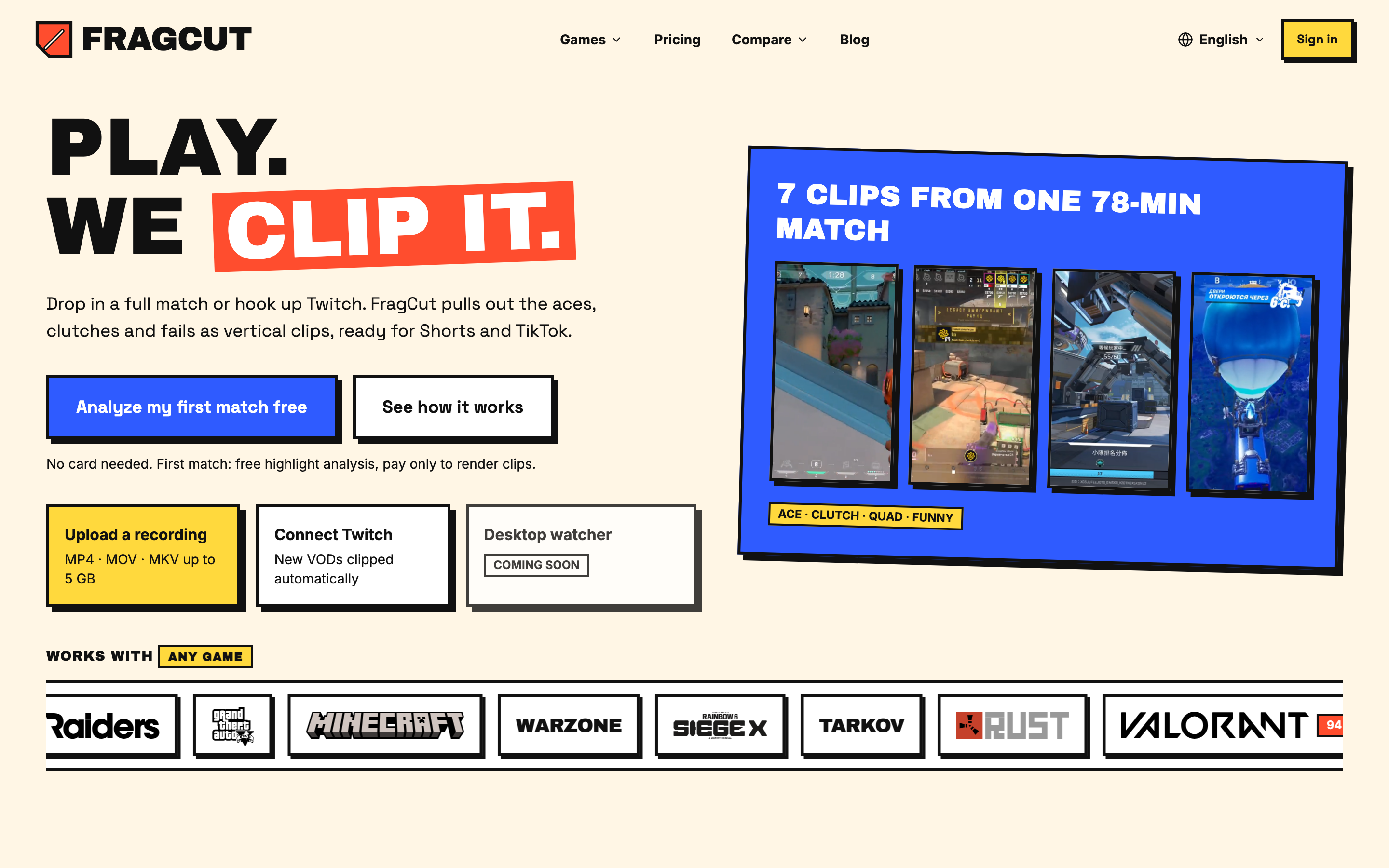
Maker-provided screenshot · Capture date not recorded · Asset reviewed 2026-11-27 · Source ↗
This listing has 1 image; no further gallery images exist.
What to know before choosing
Good fit
FragCut is an AI Twitch clip maker: paste a Twitch VOD (up to 12 hours) or upload a recording, and it finds highlight moments - kills, aces, clutches and fails - and exports vertical 9:16 clips in 6 layouts for TikTok, Reels and Shorts. The first match is analyzed free; captions in one click are a paid-plan feature, and plan prices are not published on this tool page.
Limits and trade-offs
Captions in one click are on paid plans.
Plans and free allowances
The first match is analyzed free.
Maker-submitted product description
Reviewed for publication 2026-11-27. This material was supplied with the submission; it is not a hands-on test or independent verification of every claim.
FragCut is an AI gaming clip maker. The Twitch Clip Maker page is the workflow for turning a Twitch VOD or an uploaded match into short clips you can post, including vertical cuts for Shorts and TikTok. AI looks for highlight cues, then you can review, reorder, and tighten the result in the editor before export. The first match is free to analyze: pick a 30-minute window, preview every highlight as watermarked 720p, and download one clip. Paid plans raise the output to 1080p and add more one-click renders.
Maker-reported pricing model: freemium. Pricing has not been independently verified. Confirm current plans on the official website.
Official-site collection and source-backed editorial review
Dates: Last reviewed 2026-11-29 · Sources checked 2026-11-28 · Catalogued 2026-11-27. Last reviewed is the latest source or editorial review date; it is not a content-change date.
A closer look at FragCut
FragCut is an AI clip maker for streamers that turns a Twitch match into short-form clips automatically. You feed it a match in one of three ways: paste a Twitch, Kick or YouTube link, or upload a local recording made with OBS or the NVIDIA app if no VOD was saved. The AI then finds the highlight moments for you — kills, aces, clutches and fails — instead of you scrubbing through hours of footage by hand. Twitch VODs of up to 12 hours are supported. Your first match is analyzed free, as a one-time trial of the core service rather than a standing free tier. Finished clips are exported in vertical 1080x1920 (9:16) in six layouts, including facecam and picture-in-picture arrangements, ready to post to TikTok, YouTube Shorts and Instagram Reels without manually cropping every clip. Captions are available in one click, but that sits on the paid plans. The tool page publishes no prices, so what a plan costs beyond the free first match cannot be stated from the page itself. For a streamer who records long sessions and wants the big moments found and reframed automatically, FragCut covers the whole path from VOD to postable vertical clip. It is a narrower fit for anyone whose source video is not gameplay or a stream, who needs captions without paying, or who wants to know the subscription price before trying it — the page simply does not print one.
Editorial guidance based on published documentation. The workflow below is a suggested starting point, not a measured product result.
When to choose FragCut
You stream on Twitch, Kick or YouTube and want kills, aces, clutches and fails found automatically instead of scrubbing a VOD by hand.
You record locally with OBS or the NVIDIA app and need to upload the raw file when no VOD was saved.
You post to TikTok, YouTube Shorts or Instagram Reels and want vertical 1080x1920 exports with facecam or picture-in-picture layouts.
When to choose something else
Your source material is a podcast, talk or general long video rather than gameplay or a stream: FragCut's moment detection is built around match highlights.
You need captions without paying: one-click captions are a paid-plan feature.
You want to compare plan prices before trying: the tool page publishes no prices, and only the first match analysis is free.
A practical starting workflow
Feed FragCut a match: paste your Twitch, Kick or YouTube link, or upload the raw local recording from OBS or the NVIDIA app.
Let the AI find the moments — kills, aces, clutches and fails — across the VOD (Twitch VODs up to 12 hours are supported). Your first match is analyzed free.
Pick from the detected highlights and choose one of the six layouts, including facecam and picture-in-picture.
On a paid plan, add captions in one click.
Export the vertical 1080x1920 clip and post it to TikTok, YouTube Shorts or Instagram Reels, or download it.
Check before committing
Only the first match is analyzed free: that is a one-time trial of the core service, not a standing free tier for ongoing clipping.
The tool page publishes no plan prices, so the cost of continued use and of paid-plan captions cannot be verified from the page; check the current pricing inside the product before committing.
Detection is tuned to gameplay moments (kills, aces, clutches and fails) in streams and match recordings, so results on other kinds of long video are outside what the page describes.
Common questions
How does FragCut make clips from a stream?
You paste a Twitch VOD (or a Kick or YouTube link), or upload gameplay recorded locally with OBS or the NVIDIA app, and the AI finds highlight moments — kills, aces, clutches and fails — automatically, then exports short-form clips. Twitch VODs up to 12 hours are supported.
Your first match is analyzed free. Beyond that, the tool page describes paid plans — one-click captions are a paid-plan feature — but it publishes no prices, so the cost of the paid plans is not stated on the page.
FragCut exports vertical 9:16 clips at 1080x1920 in six layouts, including facecam and picture-in-picture, so streamers can post highlights to TikTok, YouTube Shorts and Instagram Reels without manually cropping every clip.
Klap — Podcasters, YouTubers and agencies sitting on long-form back catalogs who want a steady stream of Shorts without manual editing — especially non-English channels, given the 52 caption languages.
Katto — Podcast, sports, interview, gaming, and trailer creators who want weeks of clips out of one long video.; Creators who want ranked clips rather than guessing, since every clip is scored on hook, flow, value, and trend.; Creators who post vertical short-form video and need reframing to 9:16 that follows the most important subject shot by shot.
Burncaps — Burncaps is a browser tool that turns long talking videos and podcasts into ranked 9:16 clips with animated word-by-word captions burned in, or returns the whole video captioned; the video itself never leaves the device. The free plan covers 2 videos every 30 days, each with captions and up to 10 exported clips, with no watermark, no sign-up and no card. Starter at $11.98 a month raises this to 6 videos and up to 50 clips, and Pro at $29 a month makes clips and captioned videos unlimited; a 7-day free Pro trial sits on top of the free plan.
FragCut is an AI Twitch clip maker: paste a Twitch VOD (up to 12 hours) or upload a recording, and it finds highlight moments - kills, aces, clutches and fails - and exports vertical 9:16 clips in 6 layouts for TikTok, Reels and Shorts. The first match is analyzed free; captions in one click are a paid-plan feature, and plan prices are not published on this tool page.
Capabilities and conditions
Turns Twitch matches into TikTok clips; AI finds aces, clutches, and highlight moments. Source ↗
See the sourced plan statements above; confirm currency, billing period and checkout eligibility on the vendor site.
Published-source profile · collected 2026-11-28. Automated collection followed by editorial review. These are vendor-published claims, not hands-on product test results.
Alternatives to FragCut
Tools the catalogue itself links to FragCut: an editor lists them as related, an editorial comparison or switching guide covers the pair, or both are reviewed picks for the same task. Each reason below can be checked on the tool pages. This is not a quality ranking.
When this listing’s recorded facts changed, from what to what. Dates are the day (UTC) the change was recorded in the ByTask data, not the day the vendor changed anything. Only changes that can be traced in the data history appear here; a fact that has not changed shows nothing.
Recorded (UTC)
Price & plansPlan type: Price not verified → Trial available

 Official site reference


