Teachers who want standards-aligned quizzes generated quickly with multiple question types.; Classrooms that need differentiation across groups plus read-aloud accessibility.
Fit is editorial guidance, not a measured result.
Platforms
Access: not separately verified. Operating systems not separately verified.
Published-source facts and editorial guidance. No product test is implied. Confirm current conditions before purchase.
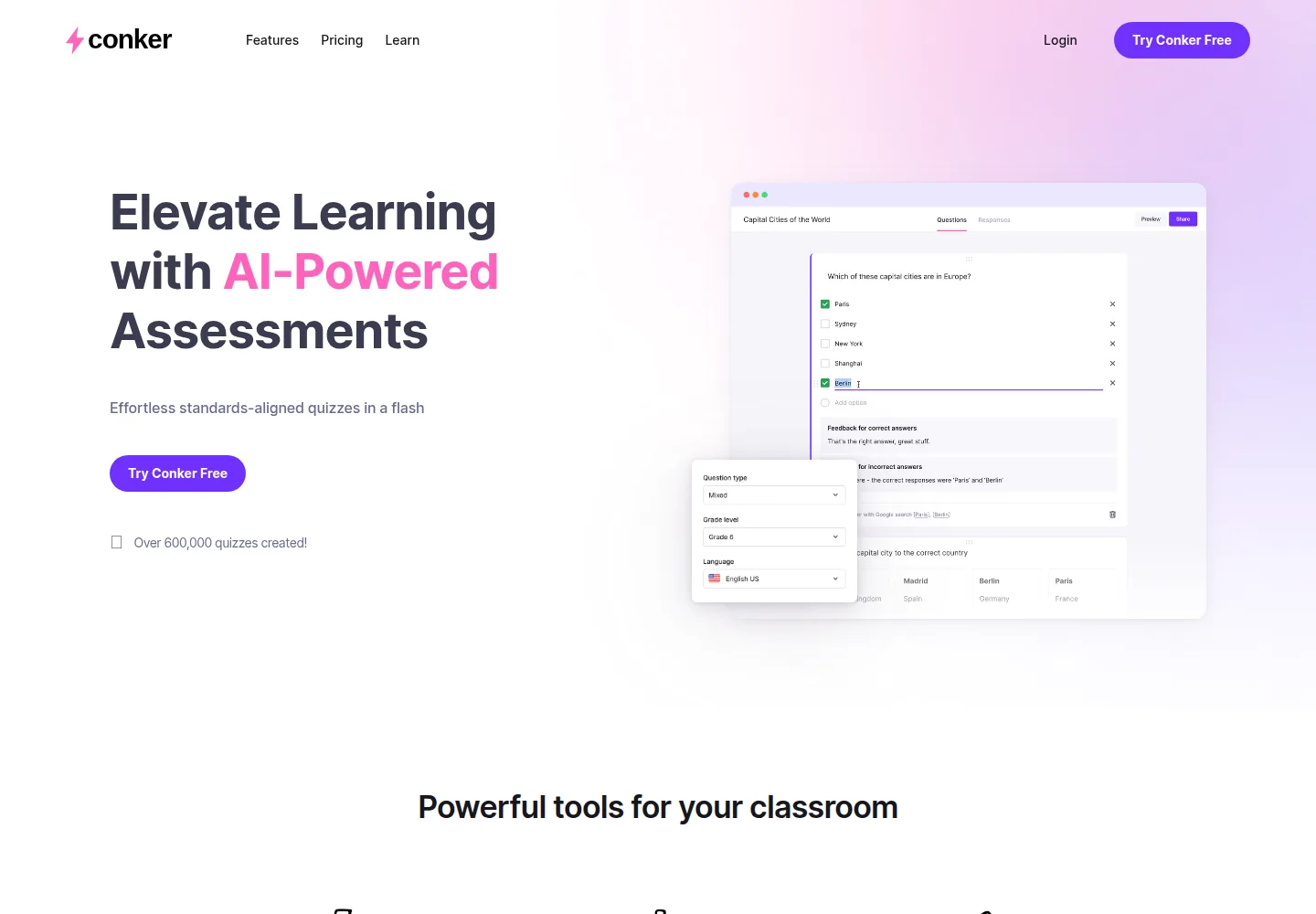
Official website; English-locale capture · Captured 2026-11-29 · Source ↗
This listing has 1 image; no further gallery images exist.
What to know before choosing
Good fit
Teachers who want standards-aligned quizzes generated quickly with multiple question types.; Classrooms that need differentiation across groups plus read-aloud accessibility.
Limits and trade-offs
The pricing page loads no plan amounts in the text read, so plan costs must be confirmed before committing.; Export and sharing paths stated are Google Forms and Canvas, so other LMS platforms need confirmation.
Plans and free allowances
The site invites users to try Conker free; the pricing page loads no plan amounts in the text read, so no charge fact is recorded.
Official-site collection and source-backed editorial review
Dates: Last reviewed 2026-11-27 · Sources checked 2026-11-04. Last reviewed is the latest source or editorial review date; it is not a content-change date.
A closer look at Conker
Conker is an AI quiz maker for teachers. It creates unique quizzes with a range of question types in just a few clicks, and you can build your own quiz from scratch or tailor existing ones to match student needs, differentiating between groups of learners in your class. For ready-made material, it offers thousands of K12 standards-aligned assessments, starting with NGSS and TEKS, through its free quiz maker. Accessibility is built in: all Conker quizzes offer integrated read-aloud for students who benefit from that support. Delivery fits the tools teachers already use — quizzes can be exported to Google Forms, or shared directly from the Canvas LMS, and Conker positions LMS integration as part of streamlining teaching workflow rather than adding another silo. The overall pitch is time: automating fast, accurate quiz creation so teachers spend less time on quiz mechanics and more on instruction, while varied question types keep students engaged. Teacher testimonials on the homepage emphasise putting a quiz straight into Google Forms and a gradebook, and creating quick end-of-period checks for feedback.
Editorial guidance based on published documentation. The workflow below is a suggested starting point, not a measured product result.
When to choose Conker
A K12 teacher wants standards-aligned quizzes (NGSS, TEKS) generated quickly, with varied question types and differentiation between learner groups.
A teacher whose workflow runs through Google Forms or Canvas LMS and wants quizzes exported or shared directly into those systems.
Students who need accessibility support: every Conker quiz includes integrated read-aloud.
When to choose something else
You need a general-purpose AI platform for lesson plans, grading, and parent communication as well as quizzes; Conker's published material is focused on quiz creation and delivery.
You teach outside K12 or need standards frameworks beyond the NGSS and TEKS alignment the homepage leads with.
A practical starting workflow
Create a quiz with the AI generator, or start from the bank of standards-aligned assessments.
Tailor the questions and differentiate between groups of learners in your class.
Check the integrated read-aloud accommodation is right for the students who need it.
Export the quiz to Google Forms or share it directly from the Canvas LMS.
Check before committing
The homepage leads with NGSS and TEKS for its standards-aligned bank; if you need a different standards framework, confirm coverage before relying on the ready-made assessments.
Homepage claims such as the total number of quizzes created are the vendor's own counters and are not independently verified.
Common questions
What does Conker create?
Conker creates unique quizzes with a range of engaging question types, with just a few clicks. You can also make your own quiz or tailor existing ones to match student needs and differentiate between groups of learners.
QuizRise — Teachers wanting AI help creating quizzes
Magic School — K-12 teachers drowning in prep and admin work who want education-specific AI workflows (not a blank chatbot) with district-acceptable privacy hygiene.
Quizgecko — Teachers creating quizzes and assessments from existing materials, and students generating practice questions and flashcards for exam prep.
Product details from official sources
Conker helps teachers create and adapt quizzes for classroom assessment. It generates different question types, supports tailoring existing quizzes for learner groups, and offers a bank of K–12 assessments aligned with standards including NGSS and TEKS. Integrated read-aloud supports accessibility needs, while Google Forms export and Canvas sharing connect the quizzes to existing teaching workflows.
Capabilities and conditions
Creates quizzes with multiple question types using AI. Source ↗
Teachers can adapt existing quizzes to student needs and differentiate across groups. Source ↗
Includes read-aloud in its quizzes for students needing accessibility support. Source ↗
Supports quiz export to Google Forms and sharing through Canvas. Source ↗
Price and free allowance
Price and free limits not verified. Check the current vendor plans before signing up; this listing does not imply the product is free.
Published-source profile · collected 2026-11-24. Automated collection followed by editorial review. These are vendor-published claims, not hands-on product test results.
Alternatives to Conker
Tools the catalogue itself links to Conker: an editor lists them as related, an editorial comparison or switching guide covers the pair, or both are reviewed picks for the same task. Each reason below can be checked on the tool pages. This is not a quality ranking.
When this listing’s recorded facts changed, from what to what. Dates are the day (UTC) the change was recorded in the ByTask data, not the day the vendor changed anything. Only changes that can be traced in the data history appear here; a fact that has not changed shows nothing.
Recorded (UTC)
Links & sourcesOfficial sources on file: 1 added, 1 removed

 Official site reference


