A visual design workspace with templates, stock media, and AI-assisted tools.
At a glance
Free + paid · Source review 2026-10-15
Price & billing
Free is US$0 per year for one person. The reviewed yearly pricing view lists Pro at US$144 per year for one person; confirm your region, billing term, and applicable taxes before purchase.
Published-source facts and editorial guidance. No product test is implied. Confirm current conditions before purchase.
Official website; English-locale capture · Captured 2026-11-07 · Source ↗Official product image provided by the vendor · Captured 2026-10-18 · Source ↗
This listing has 2 images.
What to know before choosing
Good fit
Turning an approved brief into presentation slides, social graphics, classroom materials, or campaign layouts.
Limits and trade-offs
AI usage has a shared plan allowance, while stock photos, video, music, and templates carry specific license terms. A paid plan does not make every library asset exclusive or freely reusable as a standalone file.
Plans and free allowances
Free is US$0 per year for one person. The reviewed yearly pricing view lists Pro at US$144 per year for one person; confirm your region, billing term, and applicable taxes before purchase.
Official published documentation reviewed; not a product test
Dates: Last reviewed 2026-10-15. Last reviewed is the latest source or editorial review date; it is not a content-change date.
A closer look at Canva
Canva combines templates, stock media, and AI tools in a visual editor for common communication and marketing formats. It is useful for shaping an approved brief into a polished layout, provided you inspect the license terms and each exported asset.
Editorial guidance based on published documentation. The workflow below is a suggested starting point, not a measured product result.
When to choose Canva
Making a platform-sized social post from approved copy, colors, and a logo.
Building a presentation from an outline and a small set of sourced visuals.
Creating a classroom handout or product graphic that needs a quick, editable layout.
When to choose something else
Redistributing library photos, music, or Pro elements as standalone downloadable assets.
Editing a long interview by correcting transcript text or turning a meeting into action notes.
Needing guaranteed exclusive copyright in an AI-generated image without checking local rules.
A practical starting workflow
Choose output format, audience, dimensions, and brand rules before opening a template.
Use approved logos, copy, and product photos where practical.
Replace template placeholders and check visuals for relevance, accessibility, and accuracy.
Review each stock or Pro asset license against the planned use.
Export a preview and inspect text, crop, contrast, and layout at the final size.
Check before committing
The Free plan estimates up to 20 Standard or Premium AI uses per month; tools draw from a shared allowance at different rates.
Pro Content is licensed for a single Canva design and cannot be distributed as a standalone item; the full agreement defines permitted uses and exceptions.
Canva says rights in AI-created images depend on local law; this is not a promise of copyright protection or exclusivity.
Pricing and plan features can vary by country.
Common questions
Can I use Canva for free?
Yes. The official pricing page lists Free at US$0 per year for one person, with a limited shared AI allowance.
The Content License Agreement permits specified uses in Canva designs, subject to restrictions. It does not allow Pro Content to be redistributed as a standalone item; check the full terms for your exact use.
Canva says that, between you and Canva and to the extent local law permits, you own images generated with its AI tools. Whether an image receives copyright protection depends on the jurisdiction.
Tools the catalogue itself links to Canva: an editor lists them as related, an editorial comparison or switching guide covers the pair, or both are reviewed picks for the same task. Each reason below can be checked on the tool pages. This is not a quality ranking.
Browser-based generation and editing for images, video, and audio.
Why it is listed Same category: Image & Design · Covered in an editorial comparison with Canva · Listed by editors as related to Canva · Shares 2 tasks (Create an image, Make or edit a video) · Access in common: Web · Same pricing type: Free + paid
Unleash creativity with AI-driven design simplicity and Microsoft integration.
Why it is listed Same category: Image & Design · Covered in an editorial comparison with Canva · Its review lists Canva as related · Same pricing type: Free + paid
Turn a prompt or outline into a shareable deck, document, or web page.
Why it is listed Different category: Productivity (Canva is Image & Design) · Covered in an editorial switching guide with Canva · Its review lists Canva as related · Access in common: Web · Same pricing type: Free + paid
Build presentation slides with layouts that adapt as content changes.
Why it is listed Different category: Productivity (Canva is Image & Design) · Covered in an editorial switching guide with Canva · Its review lists Canva as related · Access in common: Web
An ad-focused workspace for generating campaign visuals and copy from brand inputs.
Why it is listed Different category: Marketing & SEO (Canva is Image & Design) · Listed by editors as related to Canva · Shares 1 task (Create an image) · Access in common: Web
When this listing’s recorded facts changed, from what to what. Dates are the day (UTC) the change was recorded in the ByTask data, not the day the vendor changed anything. Only changes that can be traced in the data history appear here; a fact that has not changed shows nothing.


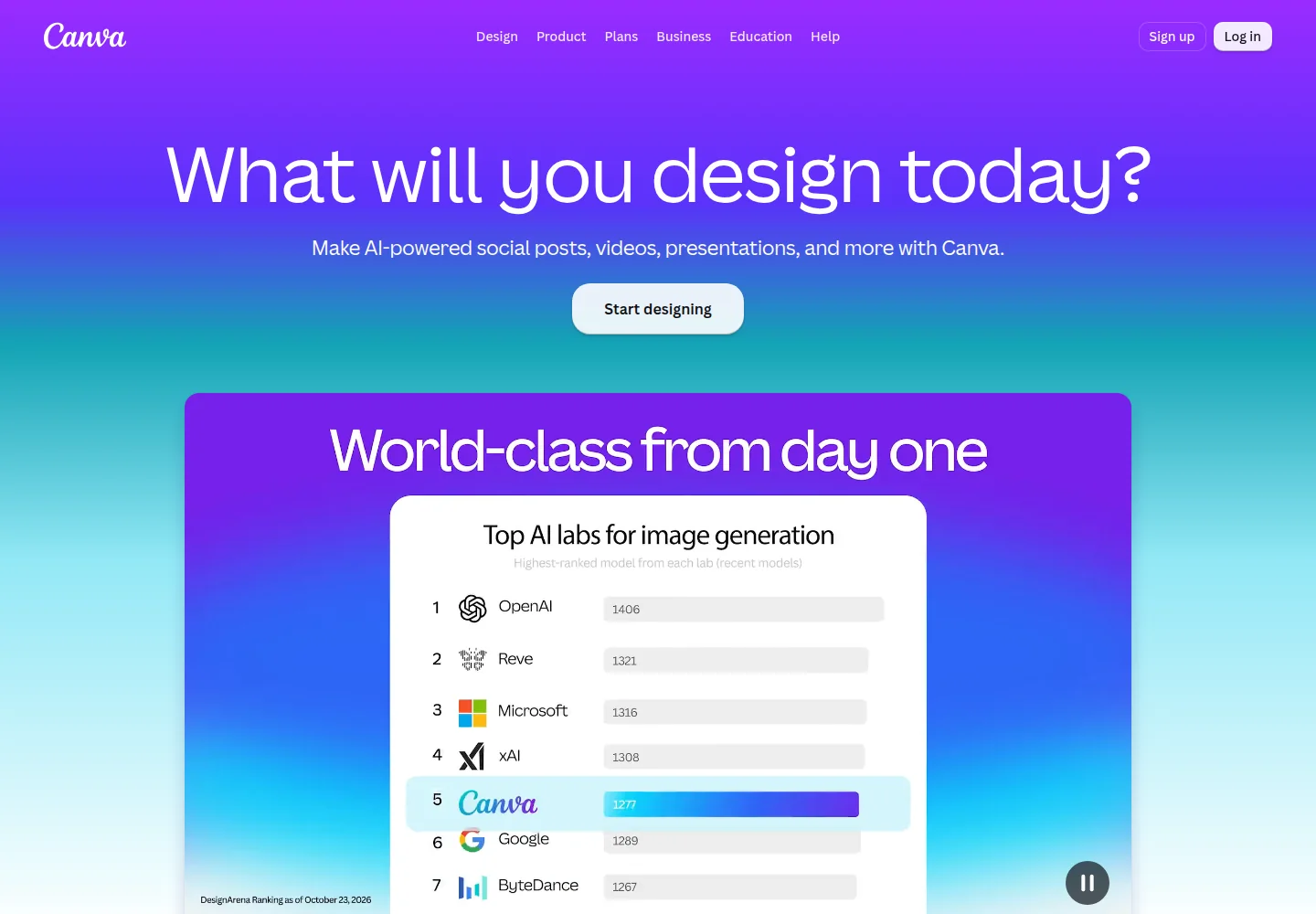

 Official site reference