Busabase is an open-source (MIT) context database and workspace where AI agents share data, docs, skills and apps: agents such as Claude Code, Codex and Cursor connect through Agent Skills, MCP, OpenAPI or the CLI and write into one base the whole team can reuse. The same engine runs free on the user's own machine or server (Desktop or Docker, local-first and offline-capable), with Busabase Cloud as the optional hosted tier for teams.
Fit is editorial guidance, not a measured result.
Platforms
Access: not separately verified. Operating systems not separately verified.
Published-source facts and editorial guidance. No product test is implied. Confirm current conditions before purchase.
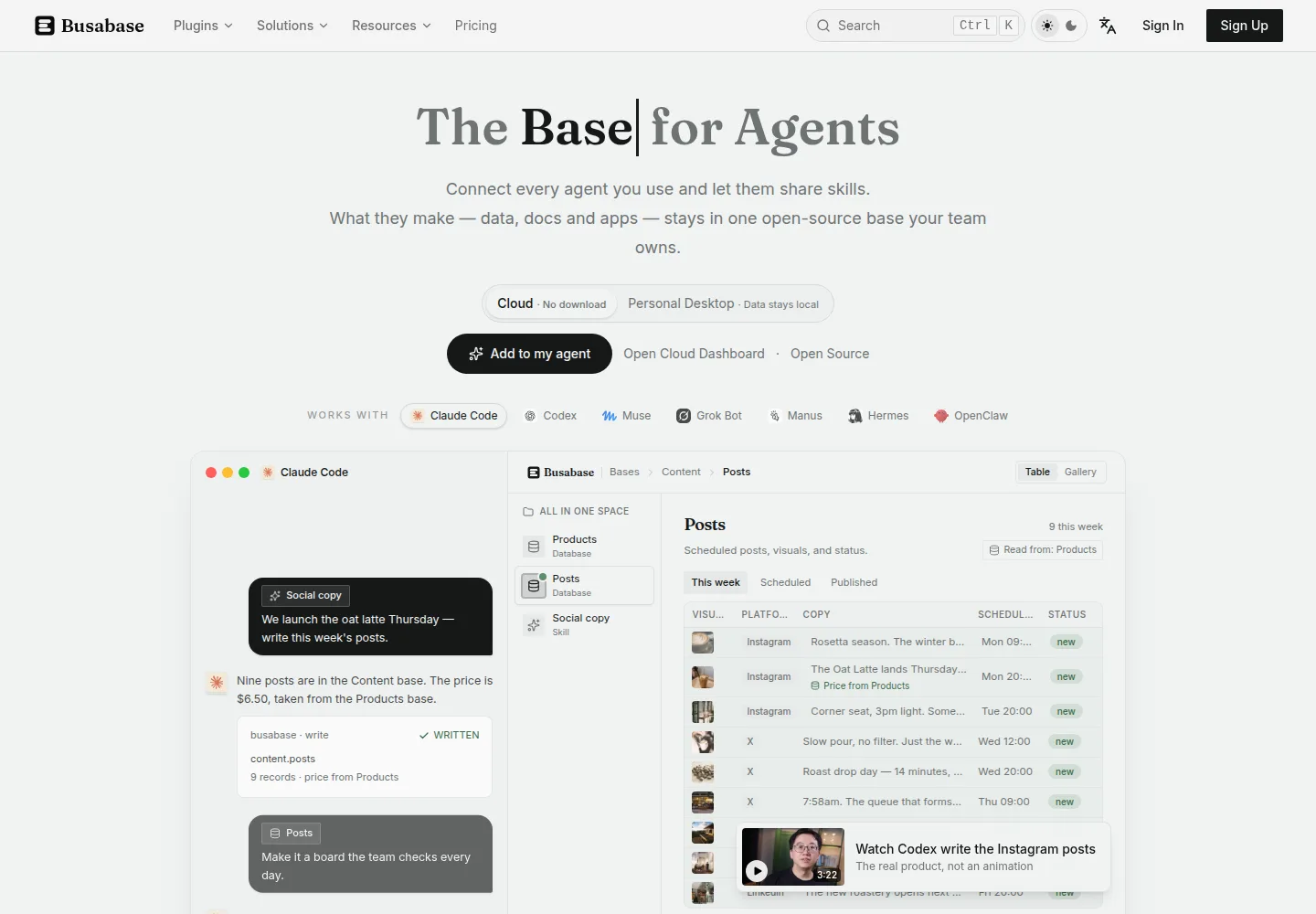
Official website; English-locale capture · Captured 2026-11-29 · Source ↗
This listing has 1 image; no further gallery images exist.
What to know before choosing
Good fit
Busabase is an open-source (MIT) context database and workspace where AI agents share data, docs, skills and apps: agents such as Claude Code, Codex and Cursor connect through Agent Skills, MCP, OpenAPI or the CLI and write into one base the whole team can reuse. The same engine runs free on the user's own machine or server (Desktop or Docker, local-first and offline-capable), with Busabase Cloud as the optional hosted tier for teams.
Limits and trade-offs
With the local engine the user's data never leaves their machine.
Plans and free allowances
Start local for free, and add Cloud when your team is ready.
Maker-submitted product description
Reviewed for publication 2026-11-27. This material was supplied with the submission; it is not a hands-on test or independent verification of every claim.
Busabase is an open-source database and workspace where people and their own AI agents share structured business records, documents, reusable skills and apps. Teams keep customer context, research and operating procedures in shared data so later work builds on existing knowledge. Permissions determine whether changes take effect immediately or wait for review, with change history for accountability. Available as Cloud, Personal Desktop and MIT-licensed self-hosting. Cloud offers free and paid plans; self-hosting is free. Submitted for the Busabase team with AI assistance.
Maker-reported pricing model: freemium. Pricing has not been independently verified. Confirm current plans on the official website.
Official-site collection and source-backed editorial review
Dates: Last reviewed 2026-11-29 · Sources checked 2026-11-28 · Catalogued 2026-11-27. Last reviewed is the latest source or editorial review date; it is not a content-change date.
A closer look at Busabase
Busabase is an open-source base where the AI agents a team already uses share one stock of data, documents and apps instead of starting from scattered files. It connects the agents you use — Claude Code, Codex, Cursor and 40+ in all — plus automation tools such as n8n, Zapier and Dify, and business systems such as ERP and CRM via API and webhooks. Files and spreadsheets come in through Excel and CSV import, and developer access is through MCP, the CLI, an SDK and OpenAPI; agents connect through Agent Skills, MCP, OpenAPI or the CLI. The point is reuse: what one agent makes — data, docs and apps (AirApps) — stays in the base, and the next agent, a teammate or an AirApp reads the same data instead of redoing the work. Every change keeps its source and its full history. The engine is open source under MIT and local-first, and the same engine runs in three places: Busabase Desktop, where data stays in a folder on your computer with no usage tracking and offline working; a Docker self-hosted deployment on your own server inside your network; or the optional Busabase Cloud for teams that want to work together right away. With the local engine your data never leaves your machine, and on Cloud it stays in your own space. You can start local for free and add Cloud when your team is ready. Cloud is the paid, hosted option, but its price is not published on the pages reviewed here, so no Cloud amount is stated in this entry.
Editorial guidance based on published documentation. The workflow below is a suggested starting point, not a measured product result.
When to choose Busabase
A team running several coding and automation agents wants their output — data, docs and apps — in one shared base the next agent can reuse.
An organisation needs agent data to stay inside its own network: the Desktop and Docker options keep data on your own machines.
Developers want to connect agents through Agent Skills, MCP, OpenAPI, a CLI or an SDK rather than a single vendor's app.
When to choose something else
You want a hosted product with a published price you can budget from now: Cloud pricing is not published on the pages reviewed.
You only need a memory layer that extracts and retrieves chat memories, not a shared base for data, documents and apps.
You need a single-purpose agent that does a task for you; Busabase is the shared base underneath agents, not an agent itself.
A practical starting workflow
Install the local engine (Desktop, or Docker on your own server), or start in Busabase Cloud.
Connect your agents — Claude Code, Codex, Cursor, n8n or your own — through Agent Skills, MCP, OpenAPI or the CLI.
Bring in files and spreadsheets via Excel and CSV import, and connect business systems such as ERP and CRM via API and webhooks.
Let agents do work in the base; their data, docs and apps stay there with source and full history on every change.
Reuse it next time: the next agent, a teammate or an AirApp reads the same data.
Check before committing
Cloud is optional and paid, but its price is not published on the pages reviewed for this entry; do not budget a figure from this page.
Any agent that can call a REST API can connect, but each agent still needs its own setup through Agent Skills, MCP, OpenAPI or the CLI.
The local engine keeps data on your machine, which also means your team is responsible for that machine and its backups.
Common questions
Is Busabase open source?
Yes. The local engine is open source under MIT — run it yourself, no SaaS required. The same engine runs on your laptop, on your own server, or in Busabase Cloud.
Yes. Busabase Desktop keeps data in a folder on your machine, and the Docker image runs on your own server inside your network. Cloud is optional and is the same engine either way.
Any agent that can call a REST API — Claude Code, Codex, Gemini CLI, n8n, Zapier, LangChain, or your own. The site counts 40+ agents in all, and developer access is via MCP, CLI, SDK and OpenAPI.
Zep — Enterprise teams building agents that need reliable, governed context, since Zep unifies business data, documents, and conversations into shared context with graphs, batches, and an MCP server.; Teams that want credit-based self-serve pricing with a trial, since Flex and Flex Plus list included credits, top-ups, and rollover.
Mem0 — Developers building agents or apps that must remember user preferences and past facts across sessions instead of starting each conversation blank.; Teams that want memory as infrastructure, with add and search calls from an SDK rather than building their own store and retrieval layer.; Builders testing memory features first, since the pricing page describes a Free plan for developers building and testing with Mem0.
Nimbalyst — Builders using coding agents who want decisions, questions and context organized into a wiki.
Product details from official sources
Busabase is an open-source (MIT) context database and workspace where AI agents share data, docs, skills and apps: agents such as Claude Code, Codex and Cursor connect through Agent Skills, MCP, OpenAPI or the CLI and write into one base the whole team can reuse. The same engine runs free on the user's own machine or server (Desktop or Docker, local-first and offline-capable), with Busabase Cloud as the optional hosted tier for teams.
Capabilities and conditions
Connects the agents a team already uses and lets them share skills, data, docs and apps in one base. Source ↗
Start local for free, and add Cloud when your team is ready. Source ↗
With the local engine the user's data never leaves their machine. Source ↗
Price and free allowance
See the sourced plan statements above; confirm currency, billing period and checkout eligibility on the vendor site.
Published-source profile · collected 2026-11-28. Automated collection followed by editorial review. These are vendor-published claims, not hands-on product test results.
Alternatives to Busabase
Tools the catalogue itself links to Busabase: an editor lists them as related, an editorial comparison or switching guide covers the pair, or both are reviewed picks for the same task. Each reason below can be checked on the tool pages. This is not a quality ranking.
Drop-in AI memory layer that persists context across sessions and agents.
Why it is listed Different category: Productivity (Busabase is Data & Analytics) · Listed by editors as related to Busabase · Same pricing type: Free + paid
Free, local, open-source agent wiki and workspace for Claude Code and Codex.
Why it is listed Different category: Code & Dev (Busabase is Data & Analytics) · Listed by editors as related to Busabase · Same pricing type: Free + paid
A unified context layer for enterprise data that gives AI agents shared, governed context from business data, documents, and conversations.
Why it is listed Different category: Chatbots (Busabase is Data & Analytics) · Listed by editors as related to Busabase · Same pricing type: Free + paid
When this listing’s recorded facts changed, from what to what. Dates are the day (UTC) the change was recorded in the ByTask data, not the day the vendor changed anything. Only changes that can be traced in the data history appear here; a fact that has not changed shows nothing.

 Official site reference


