Official published documentation reviewed; not a product test
Dates: Last reviewed 2026-11-28 · Sources checked 2026-11-24. Last reviewed is the latest source or editorial review date; it is not a content-change date.
A closer look at AutoEditor
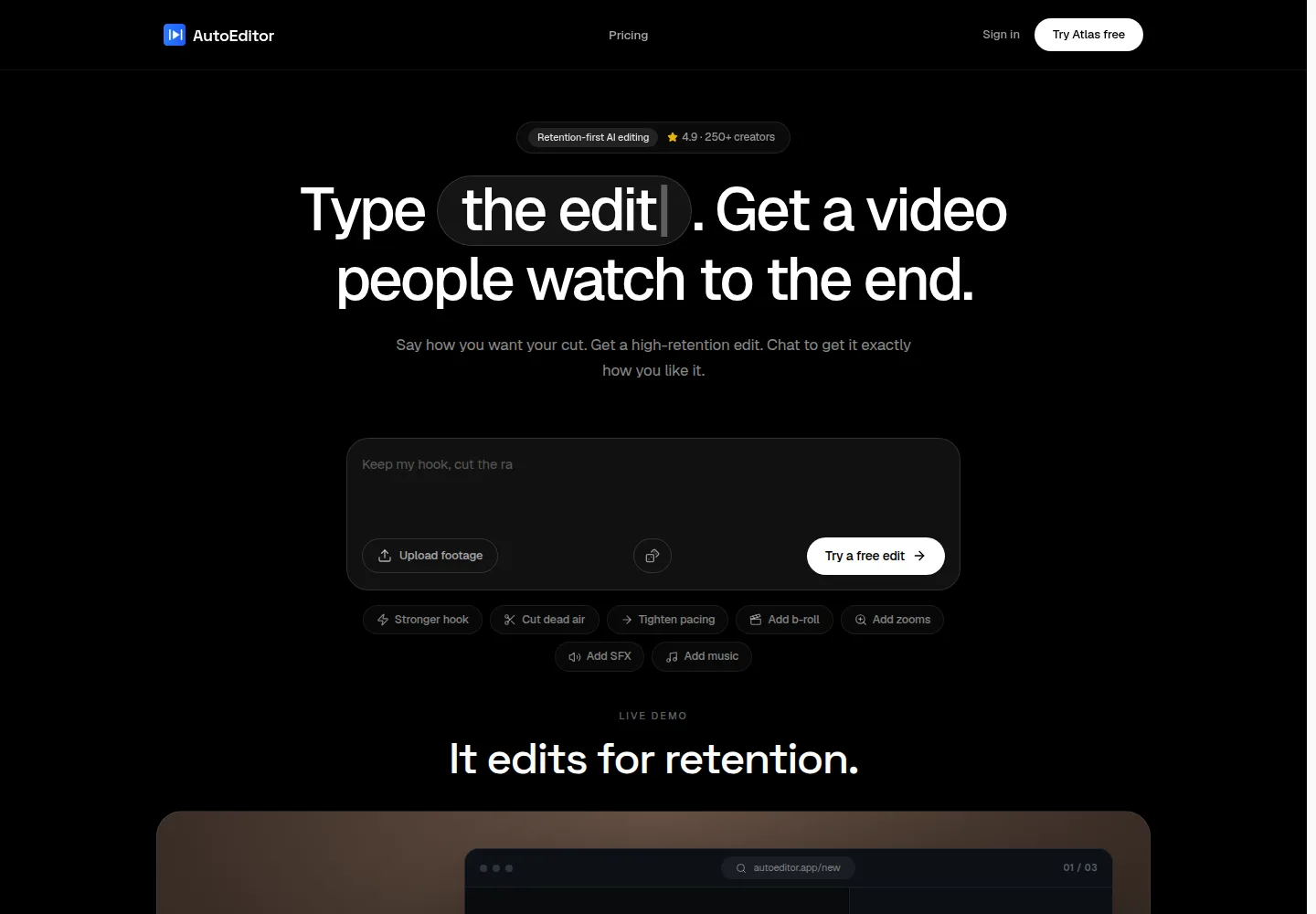
AutoEditor is an AI video editor for creators who want the first pass of an edit done for them. You drop in raw footage, type a natural-language instruction such as 'make this viral' or 'remove all silences', and the AI analyses the footage — speech patterns, silence, scene changes, facial expressions and audio energy — then cuts dead air and filler words, finds the strongest hook, and paces the result for viewer retention, with no timeline work. The same pass can turn long-form footage into 30–60 second vertical clips with hooks, formatted for TikTok, Instagram Reels and YouTube Shorts, and the vendor says it is widely used to edit podcast videos the same way, episode and shorts in one pass. It is pitched as a first-pass tool rather than a finishing editor: its own FAQ describes creators taking the result into Premiere Pro, DaVinci Resolve or Final Cut Pro for colour, graphics and polish. Pricing is credit-based: the free plan includes 1,000 credits per month with silence removal, hook finding and retention pacing, no credit card required, but exports carry a watermark. Starter is $6/month, Creator is $15/month (with 4K exports and a priority queue) and Studio is $50/month (with batch exports); paid plans remove the watermark, and annual plans save up to 20%. One sourcing caution: everything published about this product, including the comparisons with OpusClip, Descript and CapCut on its site, comes from the vendor's own FAQ, so treat its performance framing as the vendor's account rather than independent testing.
Editorial guidance based on published documentation. The workflow below is a suggested starting point, not a measured product result.
When to choose AutoEditor
You record long talking-head or podcast videos and want silences, filler words and dead air removed before you touch a timeline.
You repurpose long videos into 30–60 second vertical shorts for TikTok, Reels and Shorts and want the hooks chosen automatically.
You have no editing experience and would rather describe the edit in words than learn a timeline editor.
When to choose something else
You need precise colour grading, sound design or node-based finishing — the vendor itself positions AutoEditor as the rough cut before tools like DaVinci Resolve.
You want watermark-free exports for free — the free plan watermarks exports; removing it starts with the $6/month Starter plan.
You prefer editing from a transcript, word by word — by the vendor's own account that transcript-driven workflow is Descript's strength, while AutoEditor works from natural-language instructions.
A practical starting workflow
Drop your raw footage (MP4 or MOV, up to 4K) into AutoEditor — no credit card is needed to start on the free plan.
Type what you want in natural language, e.g. 'remove all silences' or 'make this viral'; the AI analyses speech, silence, scene changes and audio energy.
Review the automatic cut: silences and filler words removed, hook selected, pacing set for retention.
Export the finished video, generate 30–60 second vertical versions for Shorts, Reels and TikTok, or take the rough cut into Premiere Pro, DaVinci Resolve or Final Cut Pro for finishing.
Check before committing
Free-plan exports carry a watermark, and the 1,000 monthly credits cover, in the vendor's words, enough to edit 'several videos' — heavier output needs a paid tier.
Every product claim on the vendor's site, including its comparisons with OpusClip, Descript, CapCut and Premiere Pro, is the vendor's own FAQ copy; there is no independent benchmark behind the 'best AI video editor' framing.
The vendor quotes plan allowances in credits in one answer and tokens in another (the pricing answer lists Free as '1,000 tokens/mo') — check the current plan page before relying on exact allowances.
Common questions
Is AutoEditor free to use?
Yes. The free plan gives 1,000 credits per month with AI silence removal, hook finding and retention pacing, and no credit card is required. Exports on the free plan carry a watermark.
Starter is $6/month, Creator is $15/month (15,000 tokens, 4K exports, priority queue) and Studio is $50/month (50,000 tokens, batch exports). Annual plans save up to 20%, and all paid plans remove the watermark.
Yes. It finds the most engaging moments in long-form content and cuts them into 30–60 second vertical clips with hooks, formatted for TikTok, Instagram Reels and YouTube Shorts.
By the vendor's own account, no: AutoEditor handles the automated first pass — silence removal, hook selection, retention pacing — and creators commonly take the result into Premiere Pro or DaVinci Resolve for colour, graphics and finishing.
Klap — Podcasters, YouTubers and agencies sitting on long-form back catalogs who want a steady stream of Shorts without manual editing — especially non-English channels, given the 52 caption languages.
Alternatives to AutoEditor
Tools the catalogue itself links to AutoEditor: an editor lists them as related, an editorial comparison or switching guide covers the pair, or both are reviewed picks for the same task. Each reason below can be checked on the tool pages. This is not a quality ranking.
When this listing’s recorded facts changed, from what to what. Dates are the day (UTC) the change was recorded in the ByTask data, not the day the vendor changed anything. Only changes that can be traced in the data history appear here; a fact that has not changed shows nothing.

 Official site reference


