AutoDub is a browser extension that translates and dubs foreign-language YouTube videos so you hear them in your own language, with bilingual subtitles, 90+ natural voices and automatic language detection across 42 dubbing languages, on Chrome, Edge, Brave and Firefox. It is free for personal use today, with no usage limits and no account required; the vendor says any future optional paid features will be announced clearly in advance.
Fit is editorial guidance, not a measured result.
Platforms
Access: not separately verified. Operating systems not separately verified.
Published-source facts and editorial guidance. No product test is implied. Confirm current conditions before purchase.
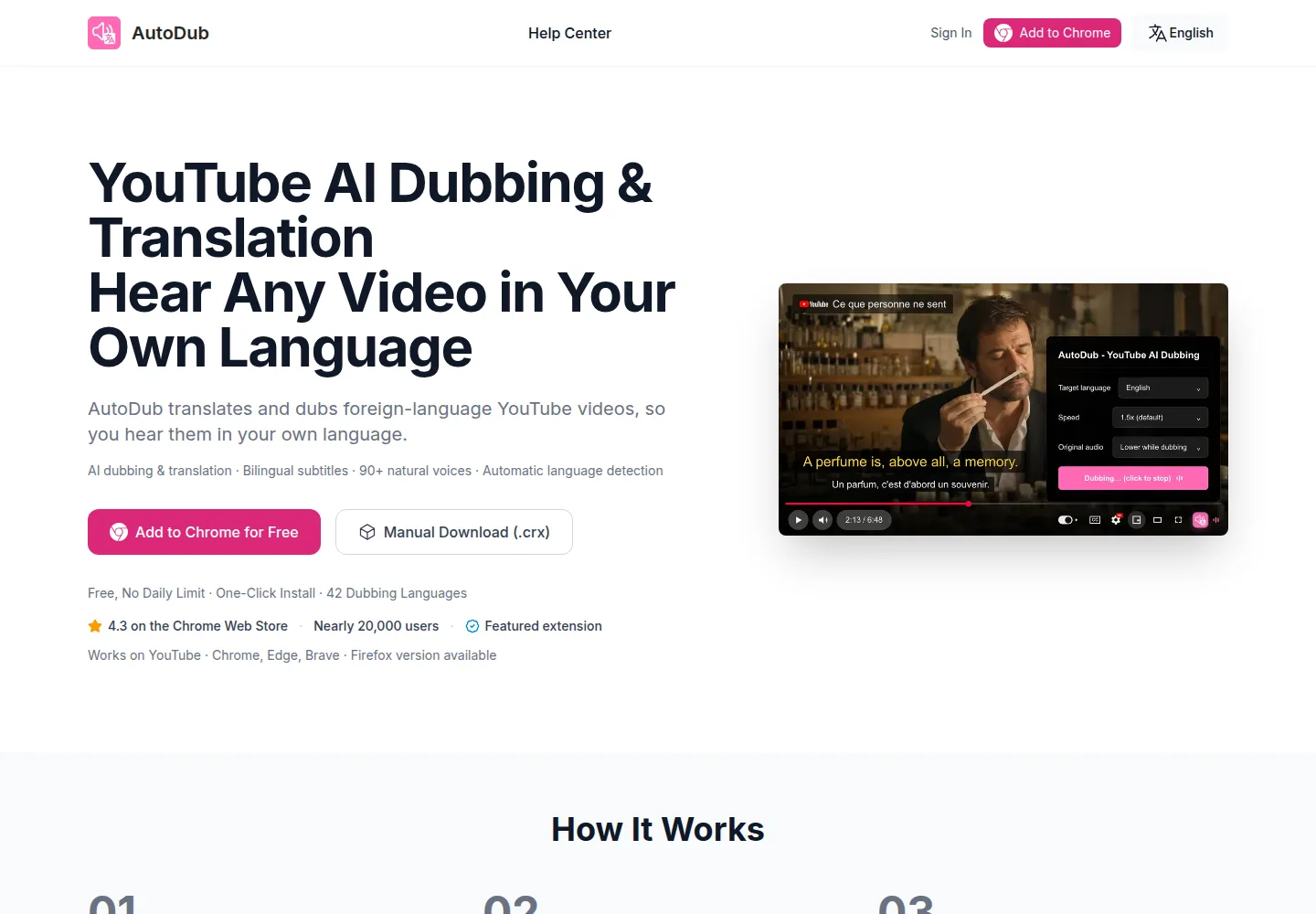
Official website; English-locale capture · Captured 2026-11-29 · Source ↗
This listing has 1 image; no further gallery images exist.
What to know before choosing
Good fit
AutoDub is a browser extension that translates and dubs foreign-language YouTube videos so you hear them in your own language, with bilingual subtitles, 90+ natural voices and automatic language detection across 42 dubbing languages, on Chrome, Edge, Brave and Firefox. It is free for personal use today, with no usage limits and no account required; the vendor says any future optional paid features will be announced clearly in advance.
Limits and trade-offs
AutoDub is built specifically for YouTube, where it works best.
Plans and free allowances
AutoDub is free for personal use today, with no usage limits.
Maker-submitted product description
Reviewed for publication 2026-11-20. This material was supplied with the submission; it is not a hands-on test or independent verification of every claim.
AutoDub is for anyone who watches YouTube in a language they do not speak and wants to listen rather than only read subtitles. Install the free Chrome or Firefox extension, click the AutoDub button in the player, and pick the language you want to hear. The original language is detected automatically. A natural AI voice speaks the translation in sync with the video, including when you pause, seek, or play at 2x, and translated subtitles stay on screen. You can choose from more than 90 voices across 42 languages, adjust voice speed separately from the video, and lower the original audio if you want. There is no account and no daily limit. It only works on YouTube on desktop, and it is useful for lectures, coding tutorials, podcasts, and documentaries.
Maker-reported pricing model: free. Pricing has not been independently verified. Confirm current plans on the official website.
Official-site collection and source-backed editorial review
Dates: Last reviewed 2026-11-29 · Sources checked 2026-11-28 · Catalogued 2026-11-20. Last reviewed is the latest source or editorial review date; it is not a content-change date.
A closer look at AutoDub
AutoDub is a browser extension that translates and dubs foreign-language YouTube videos, so you hear them in your own language. It offers 42 dubbing languages and a one-click install. It is free for personal use today, with no usage limits and no daily limit, and it works without an account — signing in is optional. The vendor also states plainly that it does not sell your data, and promises that if optional paid features are ever introduced, they will be announced clearly in advance and nothing will change quietly. AutoDub is built specifically for YouTube, where it works best. That makes it a viewer-side tool: instead of producing a dubbed file for publishing, it changes what you hear while you watch, turning a video recorded in a language you do not understand into one you can follow in your own language, at no cost and without signing up.
Editorial guidance based on published documentation. The workflow below is a suggested starting point, not a measured product result.
When to choose AutoDub
Viewers who watch foreign-language YouTube videos and want to hear them dubbed in their own language
Personal users who want free dubbing with no daily limit and no account — AutoDub works without an account, signing in is optional
When to choose something else
Anyone who needs dubbing outside YouTube — AutoDub is built specifically for YouTube, where it works best
Anyone whose language is outside the 42 dubbing languages AutoDub offers
A practical starting workflow
Install the extension — AutoDub advertises a one-click install
Open a foreign-language YouTube video
Listen to the video dubbed in your own language, chosen from 42 dubbing languages
Optionally sign in — the extension works without an account
Check before committing
Free means free for personal use today: the vendor says any future optional paid features will be announced clearly in advance, but the current no-cost, no-limit terms are stated as today's terms
It is built specifically for YouTube and works best there — no performance is promised for other video platforms
Common questions
How much does AutoDub cost?
AutoDub is free for personal use today, with no usage limits. If optional paid features are ever introduced, the vendor says they will be announced clearly in advance.
Rask.ai — Creators and companies localizing finished videos at moderate volume — YouTube channels going multilingual, course platforms, marketing teams — especially where keeping the original speaker's voice ma
Translate.Video — YouTubers, course creators and marketers who publish talking-head or tutorial videos and want multilingual versions with minimal manual work.
Sync. — Video teams that need AI lipsync and visual dubbing
Product details from official sources
AutoDub is a browser extension that translates and dubs foreign-language YouTube videos so you hear them in your own language, with bilingual subtitles, 90+ natural voices and automatic language detection across 42 dubbing languages, on Chrome, Edge, Brave and Firefox. It is free for personal use today, with no usage limits and no account required; the vendor says any future optional paid features will be announced clearly in advance.
Capabilities and conditions
AutoDub translates and dubs foreign-language YouTube videos, so you hear them in your own language. Source ↗
AutoDub is free for personal use today, with no usage limits. Source ↗
AutoDub is built specifically for YouTube, where it works best. Source ↗
Price and free allowance
See the sourced plan statements above; confirm currency, billing period and checkout eligibility on the vendor site.
Published-source profile · collected 2026-11-28. Automated collection followed by editorial review. These are vendor-published claims, not hands-on product test results.
Alternatives to AutoDub
Tools the catalogue itself links to AutoDub: an editor lists them as related, an editorial comparison or switching guide covers the pair, or both are reviewed picks for the same task. Each reason below can be checked on the tool pages. This is not a quality ranking.
When this listing’s recorded facts changed, from what to what. Dates are the day (UTC) the change was recorded in the ByTask data, not the day the vendor changed anything. Only changes that can be traced in the data history appear here; a fact that has not changed shows nothing.


 Official site reference


