A tool to generate descriptive file names using AI analysis of content.
At a glance
Free + paid · Source review 2026-11-24
Price & billing
New accounts get 10 free credits that never expire. Cloud credits cost $10 for 200, and the local version is a one-time $19 with unlimited renames using your own model.
Published-source facts and editorial guidance. No product test is implied. Confirm current conditions before purchase.
Official website; English-locale capture · Captured 2026-11-29 · Source ↗
This listing has 1 image; no further gallery images exist.
What to know before choosing
Good fit
People with messy folders of images and documents who want descriptive, content-based filenames, privately if needed.
Limits and trade-offs
Cloud Mode files are capped at 10MB on the plan described on the homepage, and AI suggestions should be previewed before applying.
Plans and free allowances
New accounts get 10 free credits that never expire. Cloud credits cost $10 for 200, and the local version is a one-time $19 with unlimited renames using your own model.
Official-site collection and source-backed editorial review
Dates: Last reviewed 2026-11-24. Last reviewed is the latest source or editorial review date; it is not a content-change date.
A closer look at AI Renamer
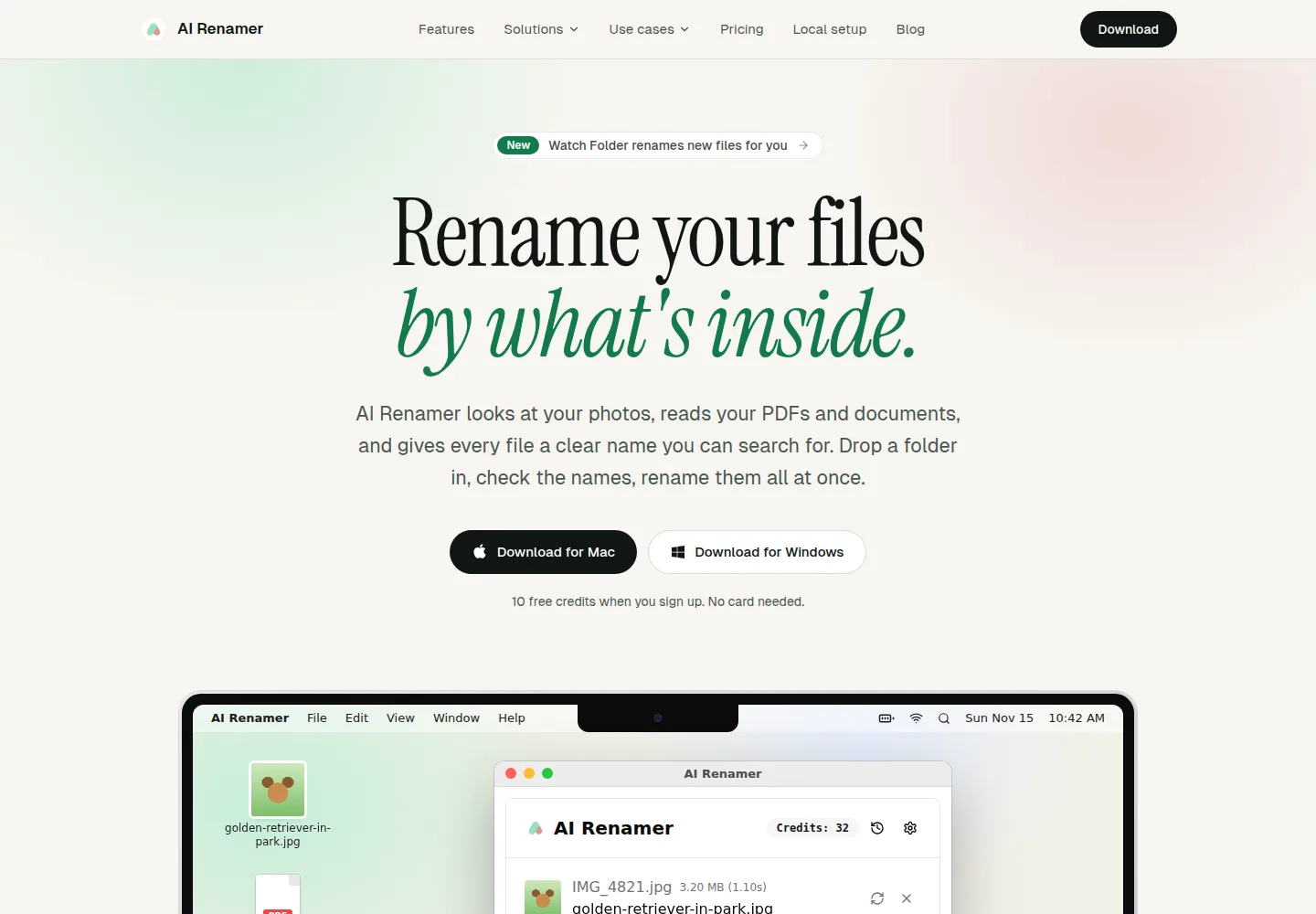
AI Renamer automatically renames files based on their content, turning generic names into meaningful ones for images and documents. It analyzes file content, including image content and EXIF data, and supports custom instructions for personalized naming patterns and formatting rules. You can work in Cloud Mode with pay-as-you-go credits, or in Local Mode with Ollama or LM Studio so files are processed locally and never sent to the cloud.
Editorial guidance based on published documentation. The workflow below is a suggested starting point, not a measured product result.
When to choose AI Renamer
Photographers and archivists with large folders of images named like IMG_1234 that need descriptive, searchable names.
Professionals handling sensitive documents who want a local option, running models through Ollama or LM Studio so files never leave the device.
Anyone organizing mixed files, since the tool supports various file types and lets you set custom naming instructions.
When to choose something else
Users who want a completely free unlimited renamer, since Cloud Mode is credit-based and Local Mode is a paid one-time purchase.
Users with files over the Cloud Mode 10MB cap who are unwilling to set up a local model.
Users who expect names to be perfect without review, since AI suggestions should be previewed before applying.
A practical starting workflow
Add the files you want to organize, such as a folder of photos or documents.
Choose Cloud Mode with credits or Local Mode with a local model through Ollama or LM Studio.
Let the AI analyze each file's content and suggest a descriptive name, adding custom instructions for your naming pattern if needed.
Preview the suggested names and apply them once they look right.
Check before committing
Cloud Mode files are capped at 10MB on the plan described on the official homepage, so very large files may need Local Mode instead.
Pricing and feature availability may change; confirm current terms on the official website before committing.
AI-generated names still need a quick preview pass: the tool suggests names, and you should check them before applying to important archives.
Common questions
How does AI Renamer choose a new name?
AI Renamer analyzes file content, including image content and EXIF data, and generates meaningful names; you can add custom instructions for personalized naming patterns and formatting rules.
Cloud Mode costs $10 for 200 credits, with 1 credit per rename operation, and credits never expire. Local Mode is a one-time purchase that runs models locally through Ollama or LM Studio.
AI Renamer is a Mac and Windows desktop app that analyzes image and document content to suggest descriptive filenames. It supports batch renaming, custom naming instructions, previews, and local Ollama or LM Studio models alongside OpenAI and custom model connections. Its site lists a $19 one-time Local Mode and a cloud credit option, with cloud files capped at 10 MB.
Capabilities and conditions
AI Renamer analyzes file content to suggest descriptive names for images and documents. Source ↗
It can rename multiple files consistently and preview suggested names before applying changes. Source ↗
The vendor offers desktop applications for both Mac and Windows. Source ↗
The Local Mode package is listed as a one-time $19 purchase. Source ↗
Cloud processing lists no file size limit. Source ↗
Price and free allowance
See the sourced plan statements above; confirm currency, billing period and checkout eligibility on the vendor site.
Published-source profile · collected 2026-11-24. Automated collection followed by editorial review. These are vendor-published claims, not hands-on product test results.
Alternatives to AI Renamer
Tools the catalogue itself links to AI Renamer: an editor lists them as related, an editorial comparison or switching guide covers the pair, or both are reviewed picks for the same task. Each reason below can be checked on the tool pages. This is not a quality ranking.
When this listing’s recorded facts changed, from what to what. Dates are the day (UTC) the change was recorded in the ByTask data, not the day the vendor changed anything. Only changes that can be traced in the data history appear here; a fact that has not changed shows nothing.


 Official site reference


