Build and edit a looping GIF from images, a short video, or a written prompt.
At a glance
Free + paid · Source review 2026-11-28
Price & billing
The local conversion, editing and compression tools are free with no usage cap or required account. AI generation includes ten one-time trial credits shared between guest use and the account.
The local conversion, editing and compression tools are free with no usage cap or required account. AI generation includes ten one-time trial credits shared between guest use and the account.
AI GIF Editor & Maker creates and edits GIFs in the browser: text-to-GIF generation, image-to-GIF and video conversion, remixing, background removal, cropping and compression. The local tools (conversion, editing, compression) are free with no account, no usage cap and no watermark; AI generation runs on credits, with 10 one-time trial credits, one-time credit purchases from $1.99, and subscriptions from $9.90/month (Starter, 200 credits) to $49.90/month (Studio, 5,000 credits).
Fit is editorial guidance, not a measured result.
Platforms
Access: not separately verified. Operating systems not separately verified.
Published-source facts and editorial guidance. No product test is implied. Confirm current conditions before purchase.
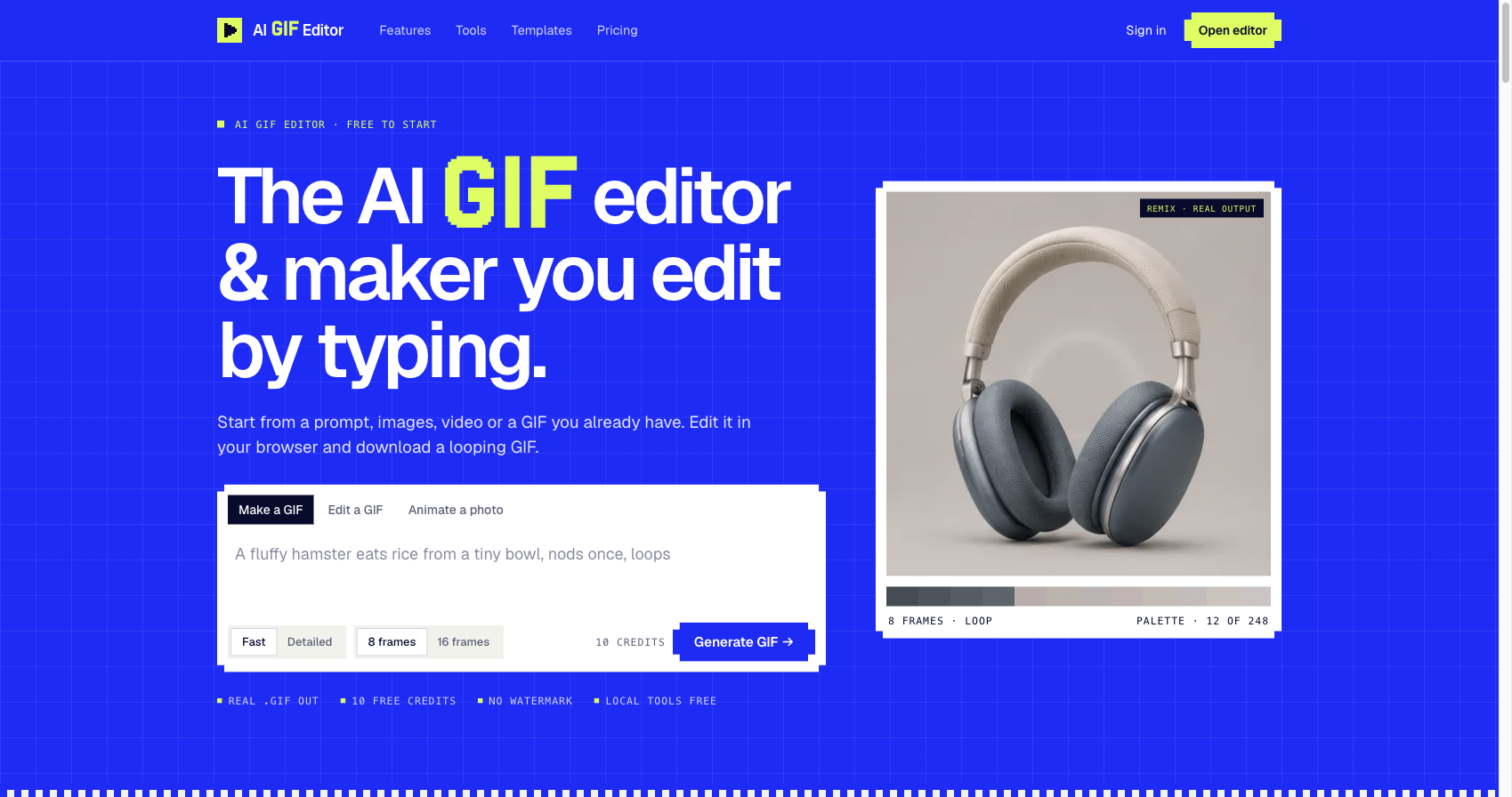
Maker-provided screenshot · Capture date not recorded · Asset reviewed 2026-11-27 · Source ↗
This listing has 1 image; no further gallery images exist.
What to know before choosing
Good fit
AI GIF Editor & Maker creates and edits GIFs in the browser: text-to-GIF generation, image-to-GIF and video conversion, remixing, background removal, cropping and compression. The local tools (conversion, editing, compression) are free with no account, no usage cap and no watermark; AI generation runs on credits, with 10 one-time trial credits, one-time credit purchases from $1.99, and subscriptions from $9.90/month (Starter, 200 credits) to $49.90/month (Studio, 5,000 credits).
Limits and trade-offs
Each AI GIF costs 10 or 20 credits by frame count.
Plans and free allowances
The local conversion, editing and compression tools are free with no usage cap or required account. AI generation includes ten one-time trial credits shared between guest use and the account.
Maker-submitted product description
Reviewed for publication 2026-11-27. This material was supplied with the submission; it is not a hands-on test or independent verification of every claim.
AI GIF Editor is a browser tool for designers and creators making short product demos, reaction GIFs or animated messages. Start with a set of photos or a clip, adjust frame timing, crop the result and add a caption. Local editing works without an account. AI animation from a text prompt is also available using credits.
Maker-reported pricing model: freemium. Pricing has not been independently verified. Confirm current plans on the official website.
Official-site collection and source-backed editorial review
Dates: Last reviewed 2026-11-28 · Catalogued 2026-11-27. Last reviewed is the latest source or editorial review date; it is not a content-change date.
A closer look at AI GIF Editor
AI GIF Editor is a browser GIF editor and maker built around a simple split: anything that only moves pixels around runs locally in your browser and is free, and anything that has to imagine new pixels runs on credits. The free local tools convert images or video into a looping GIF, and crop, resize, caption, reverse or retime up to 60 frames — with no account, no watermark and no usage cap, and your original file is never changed. A plain- or studio-background remover also runs in the browser for free. The paid AI side starts from a prompt, 2 to 60 photos, a 30-second clip or a GIF you already have: text-to-GIF generation comes in Fast and Detailed modes, and the remix flow lets you pick a frame of an existing GIF, describe the change in words, and get a new loop made from it. Export presets are sized and compressed for Discord, Slack or X, with the file size shown before you download. The free local tools are a permanent part of the product; the AI allowance is separate — you get 10 free trial credits as a one-time allowance shared between guest use and your account, and signing up does not reset or increase it. An AI GIF of 4 to 8 frames costs 10 credits and one of 9 to 16 frames costs 20. One-time credits start at $1.99 and never expire; subscription plans are Starter at $9.90/month for 200 credits (up to 20 GIFs a month), Pro at $29.90/month for 1,000 credits (up to 100 GIFs) and Studio at $49.90/month for 5,000 credits (up to 500 GIFs), all with Fast and Detailed modes and no watermark. AI downloads stay available for 24 hours.
Editorial guidance based on published documentation. The workflow below is a suggested starting point, not a measured product result.
When to choose AI GIF Editor
Anyone who mainly converts, crops, captions or retimes existing images and clips: those local tools are free with no account, no watermark and no usage cap, and your original file is never changed.
A social poster who needs platform-ready files: export presets are sized and compressed for Discord, Slack or X, with the file size shown before you download.
An occasional AI GIF creator: the 10 one-time trial credits cover a first short AI GIF, and one-time credits from $1.99 never expire for pay-as-you-go use.
When to choose something else
Anyone expecting a fresh free allowance when they register: the 10 trial credits are one-time, shared between guest use and your account, and signing up does not reset or increase them.
A heavy AI generator on the Starter plan: 200 credits a month covers up to 20 short GIFs, and a 9-to-16-frame GIF costs 20 credits — twice a short one.
Anyone who needs to re-download AI results later: AI downloads stay available for only 24 hours.
A practical starting workflow
Start from a prompt, 2 to 60 images, a 30-second clip, or a GIF you already have.
Do the pixel-moving work with the free local tools: convert, crop, resize, caption, reverse or retime up to 60 frames, or remove a plain or studio background — no account or credits needed.
For AI work, generate a text-to-GIF in Fast or Detailed mode, or pick a frame of an existing GIF, describe the change and remix it into a new loop; the credit cost (10 or 20 by frame count) is shown before you generate.
Export with a Discord, Slack or X preset, check the file size, and download — AI downloads remain available for 24 hours.
Check before committing
Keep the two free things separate: the local editing tools are permanently free and unlimited, while the AI allowance is 10 trial credits once ever — shared between guest use and your account, and not reset or increased by signing up.
AI pricing is per GIF by frame count (10 credits for 4–8 frames, 20 for 9–16), so longer AI loops burn a plan's monthly credits twice as fast.
AI-generated downloads are kept for only 24 hours; save the file when you make it.
Common questions
Is AI GIF Editor really free?
The local tools are: image conversion, video conversion, editing and compression are free with no usage cap and no required account. AI generation includes ten one-time trial credits shared between guest use and your account; additional AI use requires paid credits, and signing up does not reset or increase the free allowance.
A GIF of 4 to 8 frames costs 10 credits and one of 9 to 16 frames costs 20 credits. One-time credits start at $1.99 and do not expire; plans run from Starter ($9.90/month, 200 credits) to Studio ($49.90/month, 5,000 credits).
AI downloads stay available for 24 hours, so download your finished GIF promptly; the local tools, by contrast, work on files in your browser without that window.
TypingGIF — typinggif is a private typing-text GIF maker that renders entirely in your browser (typewriter, terminal and word-by-word styles, up to 280 characters): your text never leaves your device. The free plan has no watermark, no sign-up and no export limit - GIF exports up to 1280 px and 15 s, MP4 exports at 1080p up to 60 s, all commercially usable. HD GIF exports up to 1920 px cost 1 credit each; credits are $5 for 20, one-time, and never expire.
Photo to GIF — Photo to GIF uses AI to turn one still photo into a looping animated GIF - portraits smile, pets move, old photos come alive - drawing 8 new frames from the single photo. Your first GIF is free with no account; after that, one credit makes one GIF from one-time packs starting at $9.90 for 10 credits (about $0.50 per GIF in the 100 pack), with no subscription.
AnimateImage — AnimateImage is an independent image-to-video studio that turns one photo or drawing into a short clip using 18 video models (Seedance, Veo, Kling, Wan, Grok, Hailuo, HappyHorse), with clips up to 15 seconds. The Free plan includes 12 of the 18 models at up to 768P and new accounts get free credits valid for 30 days; downloading generated videos starts on the Basic plan. Six GIF tools (background remover, compressor, resizer and more) run free in the browser with no account and no credits.
Identity note The video models it offers are made by third parties not affiliated with it. Read the listing
Product details from official sources
AI GIF Editor & Maker creates and edits GIFs in the browser: text-to-GIF generation, image-to-GIF and video conversion, remixing, background removal, cropping and compression. The local tools (conversion, editing, compression) are free with no account, no usage cap and no watermark; AI generation runs on credits, with 10 one-time trial credits, one-time credit purchases from $1.99, and subscriptions from $9.90/month (Starter, 200 credits) to $49.90/month (Studio, 5,000 credits).
Capabilities and conditions
It turns a prompt, 2 to 60 photos, or a 30-second clip into a GIF that can be edited in the browser. Source ↗
The local conversion, editing and compression tools are free with no usage cap or required account. Source ↗
AI generation includes ten one-time trial credits shared between guest use and the account. Source ↗
Each AI GIF costs 10 or 20 credits by frame count. Source ↗
Price and free allowance
See the sourced plan statements above; confirm currency, billing period and checkout eligibility on the vendor site.
Published-source profile · collected 2026-11-28. Automated collection followed by editorial review. These are vendor-published claims, not hands-on product test results.
Alternatives to AI GIF Editor
Tools the catalogue itself links to AI GIF Editor: an editor lists them as related, an editorial comparison or switching guide covers the pair, or both are reviewed picks for the same task. Each reason below can be checked on the tool pages. This is not a quality ranking.
Why it is listed Different category: Image & Design (AI GIF Editor is Video) · Listed by editors as related to AI GIF Editor · Same pricing type: Free + paid
When this listing’s recorded facts changed, from what to what. Dates are the day (UTC) the change was recorded in the ByTask data, not the day the vendor changed anything. Only changes that can be traced in the data history appear here; a fact that has not changed shows nothing.

 Official site reference


