Published-source facts and editorial guidance. No product test is implied. Confirm current conditions before purchase.
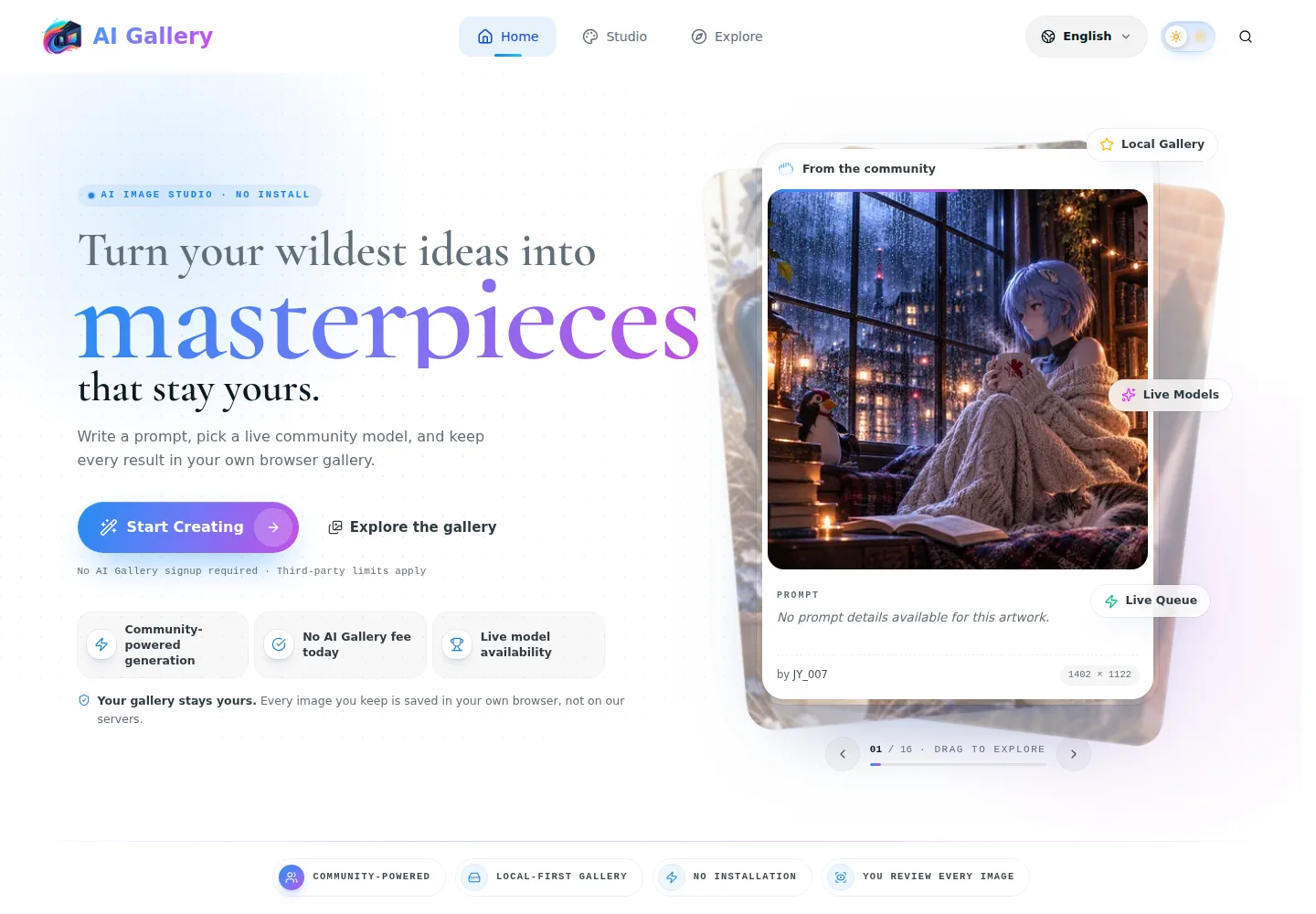
Official website; English-locale capture · Captured 2026-11-29 · Source ↗
This listing has 1 image; no further gallery images exist.
What to know before choosing
Good fit
Anyone who wants to generate AI images in the browser with no install, no signup, and a gallery that stays on their own device.
Limits and trade-offs
Generation depends on a community network of volunteer workers, so availability and speed vary, and third-party limits apply even though AI Gallery itself charges no fee today.
Plans and free allowances
AI Gallery is free to use today with no signup required and no fee charged by the site; third-party model limits apply.
Official-site collection and source-backed editorial review
Dates: Last reviewed 2026-11-24. Last reviewed is the latest source or editorial review date; it is not a content-change date.
A closer look at AI Gallery
AI Gallery is a browser-based AI image studio with no install and no signup required. You write a prompt, pick a live community model, and keep every result in your own browser gallery, which stays yours rather than being stored on AI Gallery's servers. Generation is community-powered through volunteer GPU workers, the site charges no AI Gallery fee today, and you can discover artwork, prompts, and styles from creators before generating.
Editorial guidance based on published documentation. The workflow below is a suggested starting point, not a measured product result.
When to choose AI Gallery
Hobbyists and designers who want to try many community image models without installing software or owning a GPU.
Creators who value a local-first gallery, since kept images stay in their own browser rather than on a vendor server.
People exploring styles and prompts, since the site lets you discover artwork, prompts, and styles from other creators.
When to choose something else
Users who need guaranteed generation speed or uptime, since community workers and live model availability vary.
Users who need their gallery synced across devices from a vendor cloud, since the gallery lives in the browser on one device.
Teams that need a paid support contract or a fixed commercial service level, since the site charges no fee today and notes third-party limits apply.
A practical starting workflow
Open AI Gallery in your browser; no install or signup is needed to start.
Browse live community models and discover artwork, prompts, and styles from creators.
Write a prompt and pick the model whose look fits your idea.
Generate, review every image, and keep the ones you want in your own browser gallery.
Check before committing
Generation runs through a community network of volunteer GPU workers, so availability and speed depend on live model and worker availability rather than a fixed service level.
Pricing and feature availability may change; confirm current terms on the official website before committing.
Third-party limits apply even though AI Gallery itself charges no fee today, so a generation can still be limited by the underlying network.
Common questions
Do I need an account or payment to start?
No. The homepage says no AI Gallery signup is required and no AI Gallery fee is charged today; you write a prompt, pick a live community model, and keep results in your own browser gallery.
The homepage shows a live model browser, for example Z-Image-Turbo for photoreal detail and clean in-image text, and says you can discover artwork, prompts, and styles from creators before starting.
AILab Tools — Creators and developers who need quick browser-based AI photo edits or an image-processing API.
ArchRender — Architects and designers who need photorealistic renders from drawings or 3D models in seconds.
Bloom — Marketing and product teams that want one maintained brand system their AI agents can use and update.
Daft Art — Musicians who need a release-ready cover fast
Product details from official sources
AI Gallery is a browser image-generation interface for choosing community models and submitting text prompts. Results are kept in a local browser gallery, but image generation uses external volunteer compute. Users can download generated files and back up gallery data. The site currently advertises no AI Gallery fee or signup, while explicitly retaining third-party limits, variable queues, and a requirement to check model and material-use terms.
Capabilities and conditions
Users enter a prompt, choose a live community model, and keep results in a browser gallery. Source ↗
Generated files can be downloaded and local gallery data backed up. Source ↗
Independent workers handle generation requests, so queue time and results can vary. Source ↗
Users must check model, source-material, and applicable legal terms before use. Source ↗
Price and free allowance
This captured source profile does not include a pricing claim. See the separately reviewed plans and cost information on this page, then confirm current vendor terms.
Published-source profile · collected 2026-11-24. Automated collection followed by editorial review. These are vendor-published claims, not hands-on product test results.
Alternatives to AI Gallery
Tools the catalogue itself links to AI Gallery: an editor lists them as related, an editorial comparison or switching guide covers the pair, or both are reviewed picks for the same task. Each reason below can be checked on the tool pages. This is not a quality ranking.
When this listing’s recorded facts changed, from what to what. Dates are the day (UTC) the change was recorded in the ByTask data, not the day the vendor changed anything. Only changes that can be traced in the data history appear here; a fact that has not changed shows nothing.
Recorded (UTC)
Price & plansPlan type: Price not verified → Free
Price & plansPrice and plan wording changed
Links & sourcesOfficial sources on file: 1 re-checked

 Official site reference


